
Multimedia & graphics Windows
Metashape Standard
Turn photographs into textured 3D models with Metashape Standard for Windows. Align images, edit point clouds and export models with this paid photogrammetry application.
- Operating system
- Windows 7 SP1 or later (64-bit), per publisher installation guidance
- Architecture
- x64
- Download package
- MSI installer
Publisher also lists Windows Server 2008 R2 or later (64-bit). Basic hardware guidance includes 16–32 GB RAM. Separate packages are provided for macOS and Linux.
Link checked · Download guidance
What is Metashape Standard?
Metashape Standard reconstructs 3D objects and scenes from photographs. Its workflow aligns source images, generates geometry and adds textures, making it useful for documenting buildings, archaeological objects and other subjects photographed from multiple viewpoints. Frame and fisheye camera calibration, point cloud editing and model export are included.
Standard focuses on model creation rather than the georeferenced mapping tools in Professional Edition. It does not include georeferenced DSM/DTM generation, orthomosaic generation or ground control point support. Image capture also matters: gaps or unsuitable source photographs can leave missing surfaces and reconstruction artifacts.
This entry links to the publisher-listed Windows x64 MSI for version 2.3.2. Metashape is proprietary paid software with a demo mode and a 30-day trial option. Available RAM limits the size of projects that can be processed; the publisher lists 16–32 GB RAM for its basic hardware configuration.
What it offers
- Align photographs using photogrammetric triangulation and automatic frame or fisheye camera calibration.
- Generate and edit dense point clouds before creating a 3D model.
- Build textured meshes with HDR and multifile texture support, including UDIM layouts.
- Export generated models to supported 3D formats or upload results to supported online services.
- Stitch 360-degree panoramas from photographs captured at one camera station.
Good to know
- Georeferenced DSM/DTM generation, orthomosaic generation and ground control point support require Professional Edition.
- Reconstruction depends on source-photo coverage and quality; missing views can leave holes or artifacts in the model.
- Available RAM limits project size; the publisher lists 16–32 GB RAM for its basic configuration.
Product images
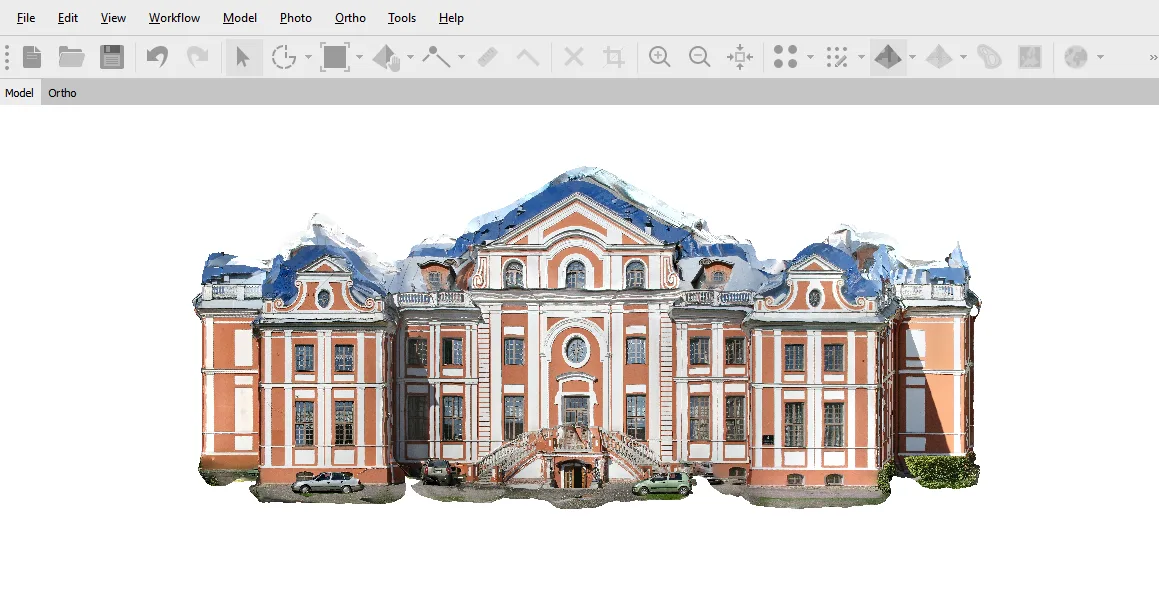
Sources
References used for this listing. Retrieval dates do not indicate hands-on testing.
More in multimedia & graphics
View category ↗
1by1 2.17
Play music directly from folders with 1by1, a free Windows audio player with resume, gapless playback and file tools. Formats beyond MP3 need additional decoders.
3DVista Virtual Tour Pro
Build interactive 360° virtual tours from panoramas, videos and 3D models with 3DVista Virtual Tour Pro for Windows. Commercial software with a 30-day trial.

4DDiG Video Repair
Repair corrupted or unplayable videos in batches with the Video Repair tool in 4DDiG File Repair for Windows. A free trial is available; advanced features require a paid license.