
Multimedia & graphics Windows
MetaX
Add movie and TV metadata, descriptions and cover art to supported video files with MetaX for Windows. The paid app allows tagging five files before registration.
Version 2.90 · Direct publisher file
Link checked · Download guidance
What is MetaX?
MetaX writes movie and TV information into video files so compatible media libraries can display titles, descriptions, actors, ratings and artwork. It is aimed at people organizing their own video collection rather than editing the video itself. The publisher describes searching online metadata sources, choosing a matching result and writing the selected tags into the file.
Supported file types include MP4, M4V, ASF, MOV, AVI, MKV and WMV, but tag support differs by format. AVI is particularly restricted: the publisher says it does not support most tags or cover art. Preferences can derive movie or episode information from filenames, rename or copy tagged files, and preserve an untagged copy. MyMovies and NFO metadata import are also listed.
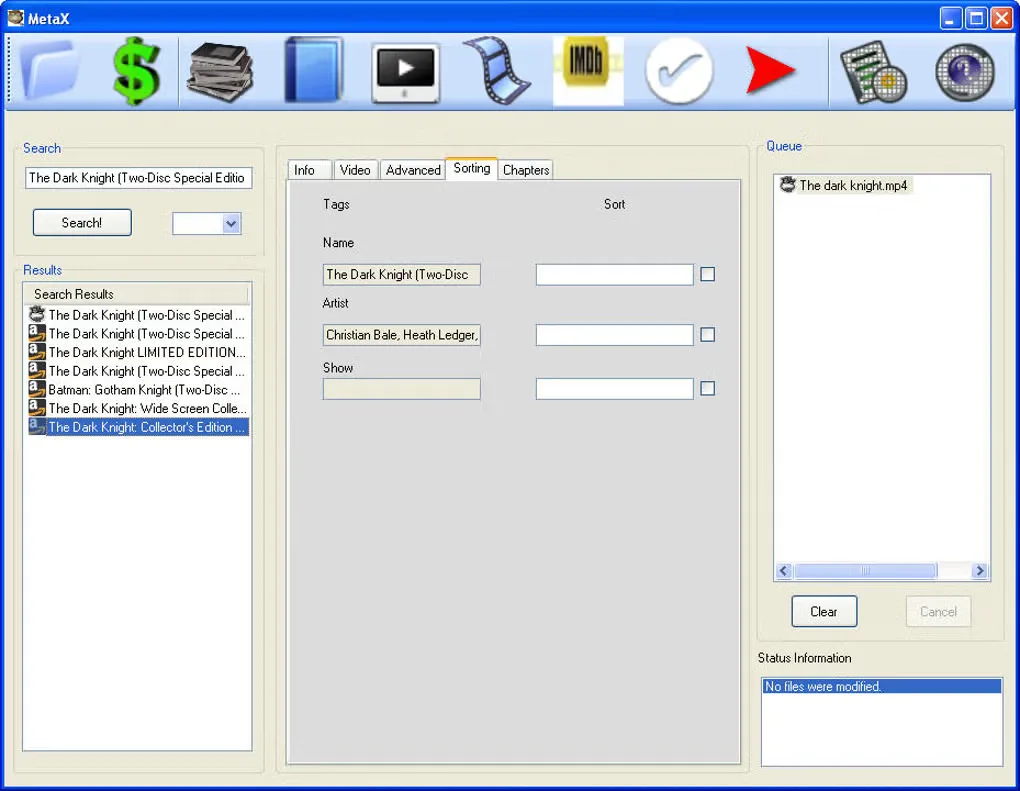
The publisher lists version 2.90, released March 9, 2026, for Windows 11, 10, 8, 7 and Vista. Its installation note for Windows 8 and 10 says to enable .NET Framework 3.5 through Windows Features. A license is listed at $19.95; an unregistered copy can tag up to five files. The gallery image shows an older Windows interface and is not evidence of the appearance of version 2.90.
What it offers
- Search movie and TV metadata sources and select a matching entry before writing tags.
- Add descriptions, actors, ratings and cover art where the file format supports them.
- Use filename-based movie and episode information, rename or copy tagged files, and preserve an untagged copy through preferences.
- Import metadata from MyMovies files or NFO files.
Good to know
- The unregistered version can tag only five files; further tagging requires paid registration.
- Tag support varies by file format. AVI does not support most tags or cover art, according to the publisher.
- The publisher instructs Windows 8 and Windows 10 users to enable .NET Framework 3.5 before installation.
Product images
Sources
References used for this listing. Retrieval dates do not indicate hands-on testing.
More in multimedia & graphics
View category ↗
1by1 2.17
Play music directly from folders with 1by1, a free Windows audio player with resume, gapless playback and file tools. Formats beyond MP3 need additional decoders.
3DVista Virtual Tour Pro
Build interactive 360° virtual tours from panoramas, videos and 3D models with 3DVista Virtual Tour Pro for Windows. Commercial software with a 30-day trial.

4DDiG Video Repair
Repair corrupted or unplayable videos in batches with the Video Repair tool in 4DDiG File Repair for Windows. A free trial is available; advanced features require a paid license.