

Multimedia & graphics Windows
MiniTool MovieMaker for Windows
Combine clips, photos and audio in a multitrack Windows video editor with keyframes, titles and effects. The free edition limits export length after your first three videos.
- Operating system
- Windows 10 and Windows 11 (64-bit)
- Architecture
- 64-bit; publisher does not specify an instruction-set architecture on the product page
- Download package
- EXE installer (mmm-setup.exe)
Publisher requirements include Intel i5 or better at 2 GHz+, 8 GB RAM and 10 GB free disk space. Package identity comes from HEAD headers; software was not downloaded or run.
Link checked · Download guidance
What is MiniTool MovieMaker?
MiniTool MovieMaker turns video clips, photos and audio into edited videos on Windows. Arrange material on a multitrack timeline, trim unwanted sections, add text and transitions, and adjust movement with keyframes. Its aspect-ratio options suit both widescreen projects and portrait videos. The publisher advertises export up to 4K.
The free edition is not an unrestricted license: the publisher allows the first three exports without a length limit, then limits free exports to two minutes. A paid license removes that export-length restriction and provides access to all creative assets. The EULA restricts the free edition to private, noncommercial home use. Check these limits before choosing it for a longer project or business work.
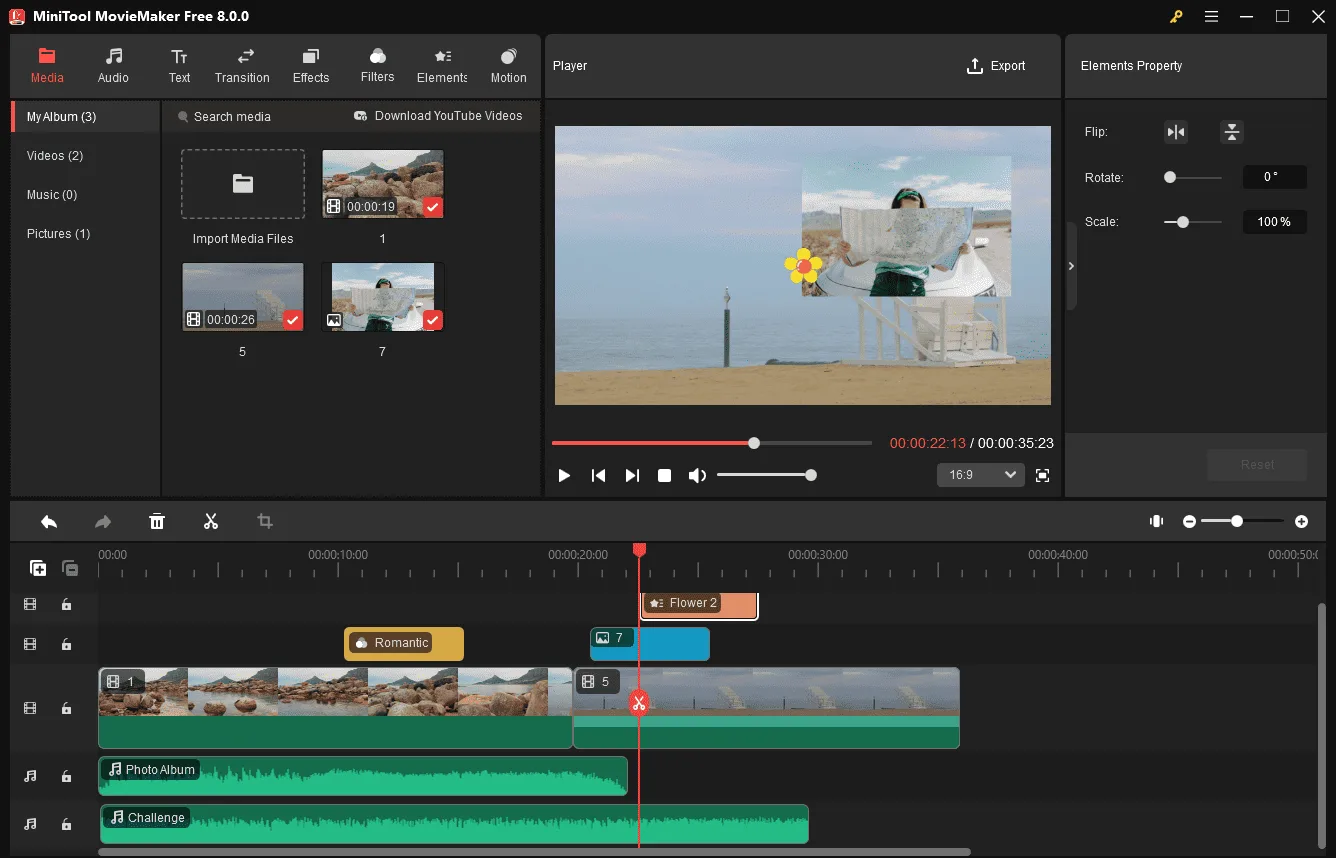
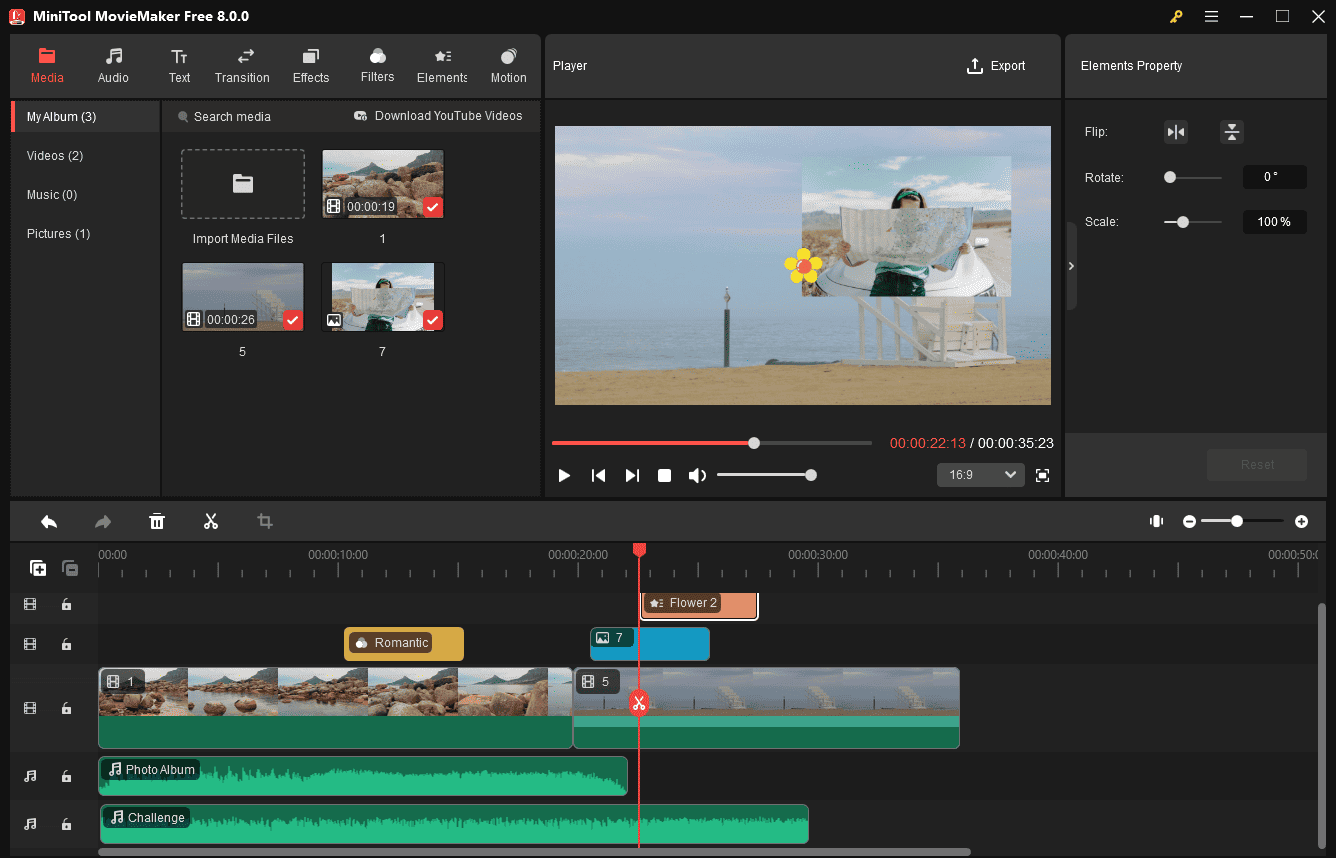
This entry links to the publisher's Windows installer. The publisher currently lists version 9.0 and 64-bit Windows 10 or 11. The accompanying publisher tutorial screenshot shows the older 8.0.0 interface; it illustrates the timeline workflow rather than documenting the exact appearance of version 9.0.
What it offers
- Combine video, images and audio using up to nine video tracks and two audio tracks.
- Trim, split and crop clips; adjust playback speed or reverse footage.
- Add keyframes for animated movement and zooms.
- Apply titles, transitions, filters, effects and animated elements.
- Choose widescreen, portrait or square aspect ratios and export video up to 4K.
Good to know
- The free edition permits three exports without a length limit; subsequent free exports are limited to two minutes. A paid license removes this restriction.
- The free edition is licensed for private, noncommercial home computer use; full access to creative assets requires a paid plan.
- The publisher lists 64-bit Windows 10 or 11, 8 GB RAM and 10 GB free disk space. This is not a Mac or Linux package.
Product images
Sources
References used for this listing. Retrieval dates do not indicate hands-on testing.
- MiniTool MovieMaker | Easy-to-Use & Feature-Rich Video Editor ↗Retrieved
- Useful & Attractive Features to Explore in MiniTool MovieMaker ↗Retrieved
- How to Register MiniTool MovieMaker Step-by-Setp? ↗Retrieved
- Prices & Features Comparison of MiniTool MovieMaker Plans ↗Retrieved
- End User License Agreement for MiniTool Media Toolkit - MiniTool MovieMaker ↗Retrieved
- How to Import Media Files into MiniTool MovieMaker? ↗Retrieved
More in multimedia & graphics
View category ↗
1by1 2.17
Play music directly from folders with 1by1, a free Windows audio player with resume, gapless playback and file tools. Formats beyond MP3 need additional decoders.
3DVista Virtual Tour Pro
Build interactive 360° virtual tours from panoramas, videos and 3D models with 3DVista Virtual Tour Pro for Windows. Commercial software with a 30-day trial.

4DDiG Video Repair
Repair corrupted or unplayable videos in batches with the Video Repair tool in 4DDiG File Repair for Windows. A free trial is available; advanced features require a paid license.