

Multimedia & graphics Windows
MixPad Multitrack Recording Software for Windows
Record vocals and instruments on separate tracks, arrange audio clips and mix them with effects in MixPad for Windows. NCH offers paid licenses and a separate free version for non-commercial home use.
- Operating system
- Windows 7 to 11, as listed by the publisher
- Architecture
- Compatible with 64-bit Windows; installer architecture not specified in the cited pages
- Download package
- EXE installer (mpsetup.exe)
Standard publisher Windows download. No installer was downloaded or run; the unversioned download's binary version and architecture were not inspected.
Link checked · Download guidance
What is MixPad Multitrack Recording Software?
MixPad is a multitrack audio recorder and mixer from NCH Software. Use it to combine music and voice recordings, arrange a song, or keep podcast speakers on separate tracks while editing a production. Track controls let you adjust volume and pan, mute individual parts, and position clips on a shared timeline.
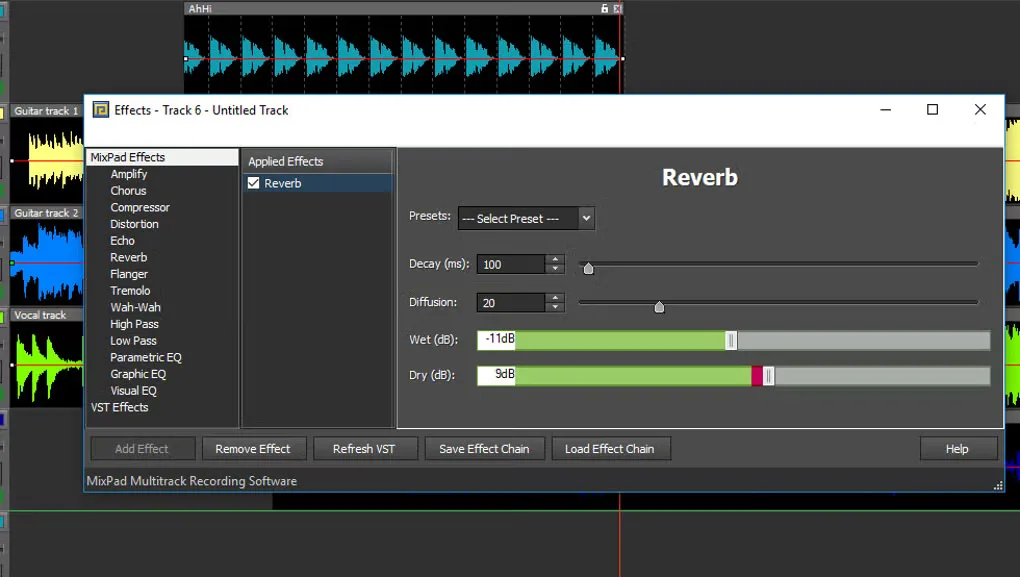
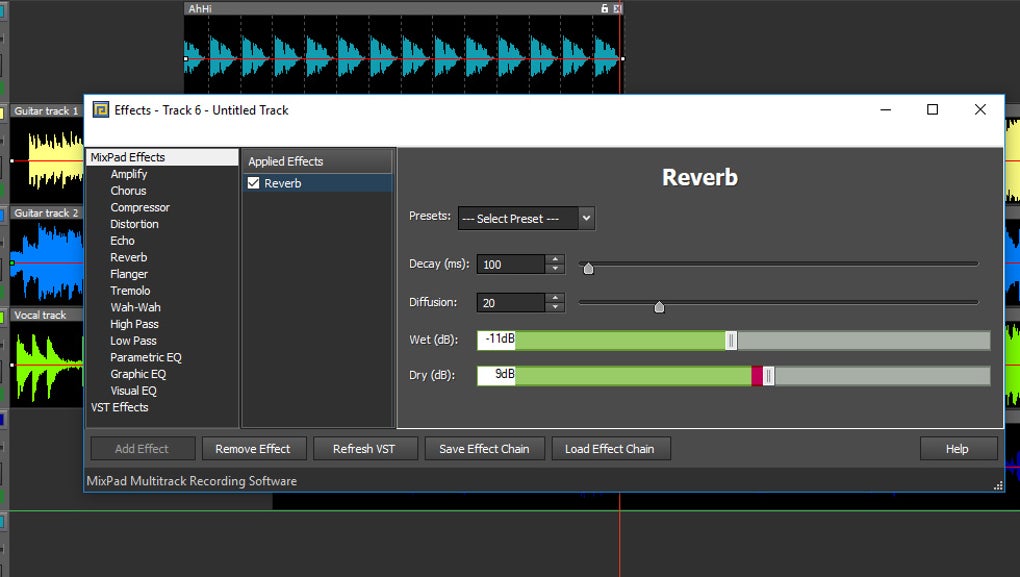
The publisher lists simultaneous multitrack recording, EQ, compression and reverb, plus VST effects and instrument support. A built-in MIDI editor handles note editing, while the beat maker builds rhythmic patterns from percussion kits or your own sounds. Finished mixes can be exported to formats including WAV and MP3.
Licensing needs attention before a commercial project: the publisher's separate free download is for non-commercial home use only. Paid licenses are also offered. The download linked here is the standard Windows installer from the official download page, not the separately labeled free installer. Publisher feature descriptions refer to MixPad as a product; they do not establish that every feature is included in the free edition.
What it offers
- Arrange and mix multiple music, voice and audio tracks on a timeline.
- Record a single track or several inputs simultaneously.
- Apply audio effects including EQ, compression and reverb, with support for VST effects and instruments.
- Edit MIDI notes and create beat patterns with the built-in MIDI editor and beat maker.
- Export finished mixes to WAV, MP3 and other supported audio formats.
Good to know
- The separate free edition is restricted to non-commercial home use; do not treat it as a license for commercial production.
- This link points to the standard Windows installer, not the separately labeled free-edition installer. The publisher pages used here do not establish a complete edition-by-edition feature comparison.
Product images
Sources
References used for this listing. Retrieval dates do not indicate hands-on testing.
- Download MixPad Now - PC or Mac ↗Retrieved
- MixPad — official multitrack recording and mixing features ↗Retrieved
- Will MixPad work on 64 bit computers? ↗Retrieved
- MixPad Multitrack Recording Software - Download ↗Retrieved
- MixPad Multitrack Recorder Versions ↗Retrieved
- NCH Software Legal Terms ↗Retrieved
More in multimedia & graphics
View category ↗
1by1 2.17
Play music directly from folders with 1by1, a free Windows audio player with resume, gapless playback and file tools. Formats beyond MP3 need additional decoders.
3DVista Virtual Tour Pro
Build interactive 360° virtual tours from panoramas, videos and 3D models with 3DVista Virtual Tour Pro for Windows. Commercial software with a 30-day trial.

4DDiG Video Repair
Repair corrupted or unplayable videos in batches with the Video Repair tool in 4DDiG File Repair for Windows. A free trial is available; advanced features require a paid license.