

Multimedia & graphics Windows
MKVToolNix for Windows
Combine video, audio and subtitle tracks into Matroska files, inspect MKV contents and edit chapters with MKVToolNix for Windows.
- Operating system
- Windows 10 / Windows Server 2016 and newer
- Architecture
- 64-bit
- Download package
- EXE installer
Selected download is the publisher's 64-bit installer. Separate 32-bit installers and portable 7z archives are available.
Link checked · Download guidance
What is MKVToolNix?
MKVToolNix is a set of tools for creating, inspecting and modifying Matroska files. Use it to combine selected video, audio and subtitle streams into an MKV file, inspect its structure or change chapter and header information. The Windows package includes a graphical interface and command-line tools for different parts of that workflow.
The GUI provides multiplexing, information, chapter-editing and header-editing modes, with settings that can be saved and restored. The separate mkvextract command-line tool extracts tracks, attachments, chapters and other supported data from Matroska files. Its output format depends on the track type, not just the filename extension you choose.
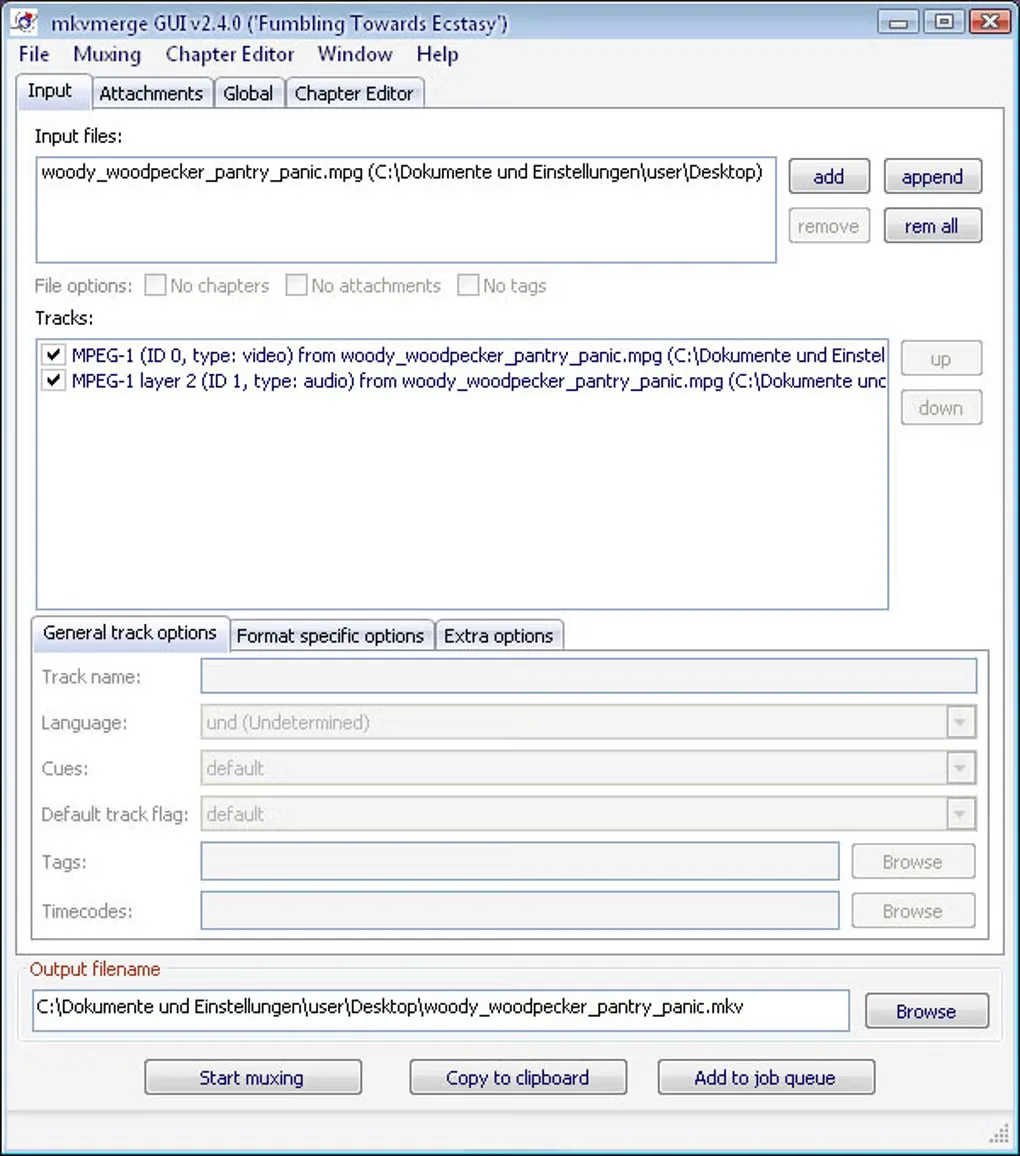
Splitting video is constrained by key frames: a requested cut can fall slightly away from the specified timestamp. This entry links to the publisher's 64-bit EXE installer; a portable archive and separate 32-bit packages are also listed on the official download page. The gallery image is a historical Windows mkvmerge GUI v2.4.0 screenshot, not the interface of release 103.0.
What it offers
- Combine selected video, audio and subtitle tracks into a Matroska file with mkvmerge.
- Inspect Matroska information and edit chapters or headers through the graphical interface.
- Extract tracks, attachments, chapters and tags with the mkvextract command-line tool.
- Save and restore GUI settings for source files and track options.
- Split output by size, duration, timestamps or chapters, subject to key-frame boundaries.
Good to know
- Video splitting occurs at key frames, so the actual cut can differ from the requested timestamp.
- mkvextract requires a Matroska source file; naming its output with a different extension does not select a different encoding or container.
Product images
Sources
References used for this listing. Retrieval dates do not indicate hands-on testing.
- MKVToolnix - Download — normally observed Windows page and gallery ↗Retrieved
- MKVToolNix news – Matroska tools for Linux/Unix and Windows ↗Retrieved
- MKVToolNix Downloads — Windows packages ↗Retrieved
- MKVToolNix 103.0 README — introduction and license ↗Retrieved
- mkvtoolnix-gui — GUI for mkvmerge with chapter and header editor ↗Retrieved
- mkvmerge — merge multimedia streams into a Matroska file ↗Retrieved
- mkvextract — extract tracks from Matroska files into other files ↗Retrieved
More in multimedia & graphics
View category ↗
1by1 2.17
Play music directly from folders with 1by1, a free Windows audio player with resume, gapless playback and file tools. Formats beyond MP3 need additional decoders.
3DVista Virtual Tour Pro
Build interactive 360° virtual tours from panoramas, videos and 3D models with 3DVista Virtual Tour Pro for Windows. Commercial software with a 30-day trial.

4DDiG Video Repair
Repair corrupted or unplayable videos in batches with the Video Repair tool in 4DDiG File Repair for Windows. A free trial is available; advanced features require a paid license.