
Multimedia & graphics Windows
Moo0 Video Cutter
Extract a scene from a video with Moo0 Video Cutter for Windows. Set start and end points, save a separate clip, and keep the original file unchanged.
- Operating system
- Windows XP, Vista, 7, 8.1 and 10
- Architecture
- Not specified by the publisher
- Download package
- EXE installer
Publisher lists version 1.17, last updated July 25, 2019. Windows 11 compatibility is not established; architecture has not been verified.
Link checked · Download guidance
What is Moo0 Video Cutter?
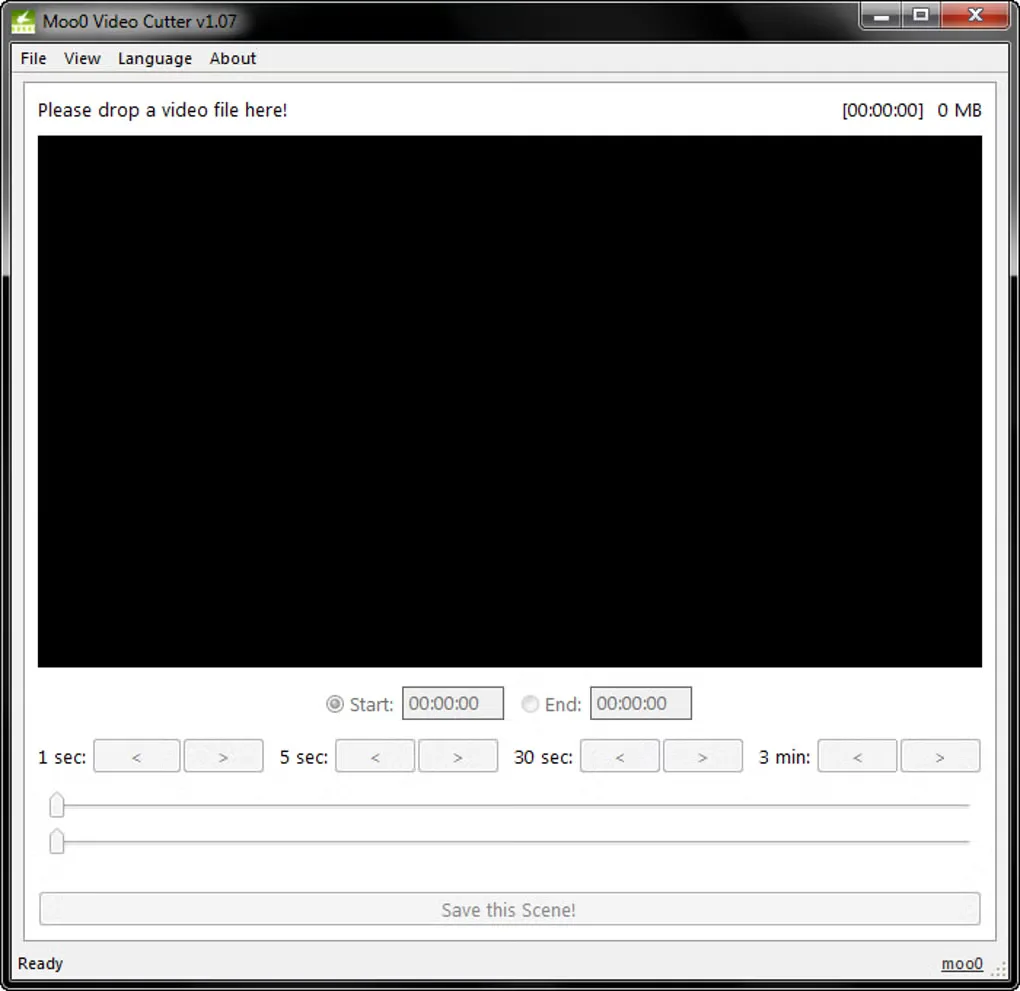
Moo0 Video Cutter is a focused Windows tool for saving a selected section of a video. Its interface uses a preview area, start and end controls, and time-step buttons to help locate the scene. Choose the boundaries and use Save this Scene to create the clip. The publisher says the output is a new file in the original video’s folder by default; the source video is not altered.
The publisher lists MP4, MKV, MOV, AVI, FLV, WEBM and other input formats. It documents a lossless cutting mode, plus Precise cut, per-frame cutting and Save as Image added in July 2019. Those are publisher-described capabilities, not results of an installation or encoding test.
Version 1.17 is dated July 25, 2019 on the publisher’s page. Softonic’s January 8, 2024 listing update is not the release date. Free use is restricted to non-commercial use, and the official Windows compatibility list stops at Windows 10; Windows 11 support is not established. The screenshot shows the older v1.07 interface, so it illustrates the basic cutting layout rather than every control in 1.17.
What it offers
- Select a scene using start and end controls and time-step navigation.
- Save the selected scene as a new file; the publisher says the original stays unchanged.
- Work with publisher-listed formats including AVI, FLV, M4V, MKV, MOV, MP4, MPG, OGG, OGV, TP, TS, WEBM and WMV.
- Use publisher-documented Lossless cut and Precise cut modes, per-frame cutting and Save as Image.
Good to know
- The free license is for non-commercial use only.
- The publisher lists Windows XP, Vista, 7, 8.1 and 10, but does not establish Windows 11 support.
- The publisher’s listed release date is July 25, 2019; the gallery screenshot depicts v1.07, not the current listed 1.17 interface.
Product images
Sources
References used for this listing. Retrieval dates do not indicate hands-on testing.
More in multimedia & graphics
View category ↗
1by1 2.17
Play music directly from folders with 1by1, a free Windows audio player with resume, gapless playback and file tools. Formats beyond MP3 need additional decoders.
3DVista Virtual Tour Pro
Build interactive 360° virtual tours from panoramas, videos and 3D models with 3DVista Virtual Tour Pro for Windows. Commercial software with a 30-day trial.

4DDiG Video Repair
Repair corrupted or unplayable videos in batches with the Video Repair tool in 4DDiG File Repair for Windows. A free trial is available; advanced features require a paid license.