
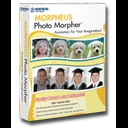
Multimedia & graphics Windows
Morpheus Photo Morpher for Windows
Turn photos into morphing animations with paired control points, a timeline and a live preview. Morpheus Photo Morpher offers a Windows trial, with export options that depend on the edition.
- Operating system
- Publisher lists Windows 98SE/ME/2000/XP/Vista/7/8/8.1/10/11
- Architecture
- Not specified in the cited publisher requirements
- Download package
- EXE installer
Publisher lists a 500 MHz processor, 64 MB RAM and an 800×600 display as minimums. Movie-file support lists Windows Media Player 9 or newer. Windows compatibility was not independently tested.
Link checked · Download guidance
What is Morpheus Photo Morpher?
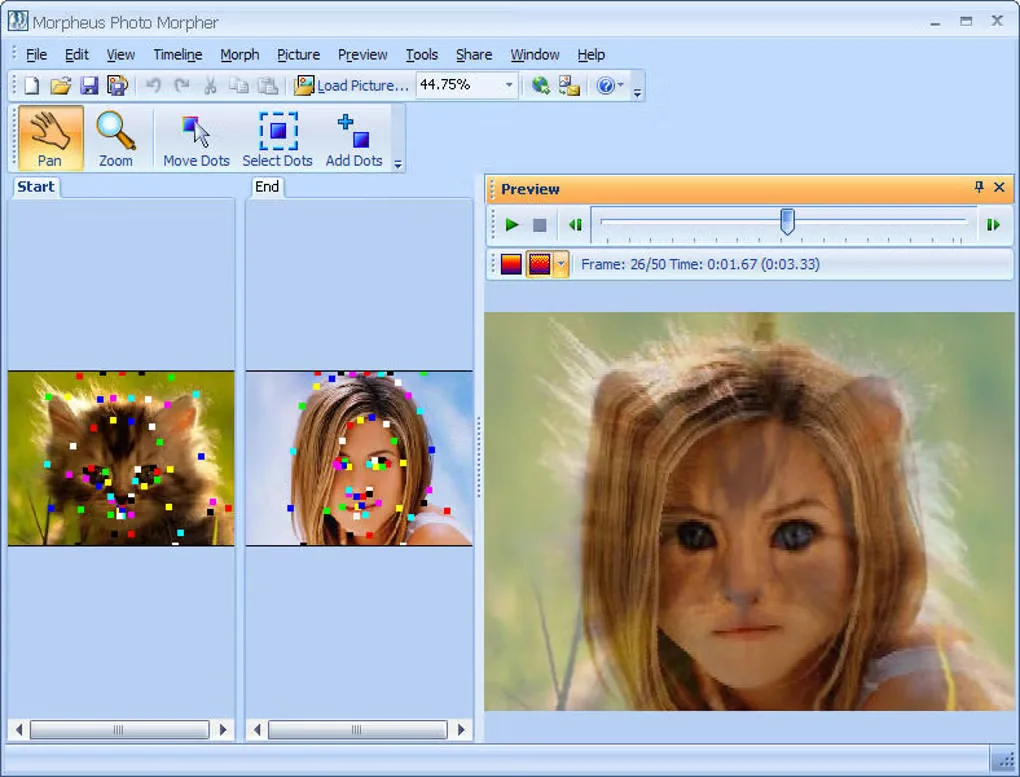
Morpheus Photo Morpher creates an animation that changes one photograph into another. Load your starting and ending pictures, place matching dots over corresponding features, and watch the transition in the preview window. A layout wizard and sample morphs provide a starting point, while zoom controls help with precise dot placement. You can also build a sequence that passes through more than two pictures.
The publisher lists Animated GIF output and still-frame exports such as JPEG, PNG and TIFF in Standard. Professional adds AVI output, transparency and key frames; Industrial adds movie-file input and more timing controls. The trial exposes the features of all three editions, so a feature available during evaluation may not be included in the edition you purchase.
This is a legacy desktop workflow. The publisher lists Windows 10 and 11 alongside older Windows releases, but its requirements and sharing descriptions still refer to Internet Explorer, Macromedia Flash and older online services. Those integrations have not been verified here. Focus on the documented local editing and export workflow rather than assuming the old upload options still work.
What it offers
- Place paired control points to match features between photos and guide the morph.
- Start with a layout wizard and sample morphs, then adjust points with zoom controls.
- Preview the animation in the application and inspect frames on a timeline.
- Chain multiple photographs into a morphing sequence.
- Export Animated GIF animations or JPEG, PNG and TIFF frames; AVI output requires Professional or Industrial.
Good to know
- The trial includes higher-edition features; Standard does not include Professional AVI output or Industrial movie-file input.
- Product documentation still references legacy Flash, Internet Explorer and online sharing integrations; their current operation has not been verified.
- Pictures with different aspect ratios can appear stretched in the preview; the publisher recommends similarly proportioned source images.
Product images
Sources
References used for this listing. Retrieval dates do not indicate hands-on testing.
More in multimedia & graphics
View category ↗
1by1 2.17
Play music directly from folders with 1by1, a free Windows audio player with resume, gapless playback and file tools. Formats beyond MP3 need additional decoders.
3DVista Virtual Tour Pro
Build interactive 360° virtual tours from panoramas, videos and 3D models with 3DVista Virtual Tour Pro for Windows. Commercial software with a 30-day trial.

4DDiG Video Repair
Repair corrupted or unplayable videos in batches with the Video Repair tool in 4DDiG File Repair for Windows. A free trial is available; advanced features require a paid license.