
Multimedia & graphics Windows
Mosaic Creator
Turn photos into photo mosaics, collages or physical tile designs with Mosaic Creator for Windows. The 30-day trial limits output image files to 20 MB and marks unregistered results.
- Operating system
- Windows 7, 8, 10 and 11, as listed by the publisher
- Architecture
- Not specified by the publisher
- Download package
- ZIP trial package
Publisher minimums: 2 GB RAM, 30 MB program disk space and 500 MB storage for rendered images. Exact packaged version and CPU architecture are unconfirmed.
Link checked · Download guidance
What is Mosaic Creator?
Mosaic Creator builds a larger picture from smaller images or tiles. Use it to arrange a photo collection into a mosaic, make a collage, or plan a physical mosaic from glass, ceramic, stone or other tile materials. A mosaic wizard and rendering templates help configure the project, while cell-size, pattern and repetition settings control how the smaller images fill the result.
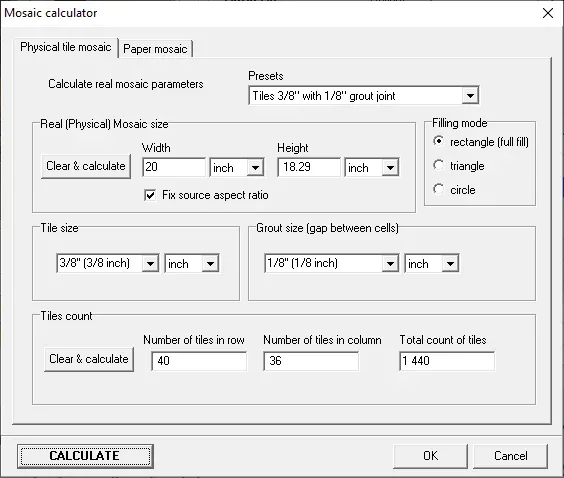
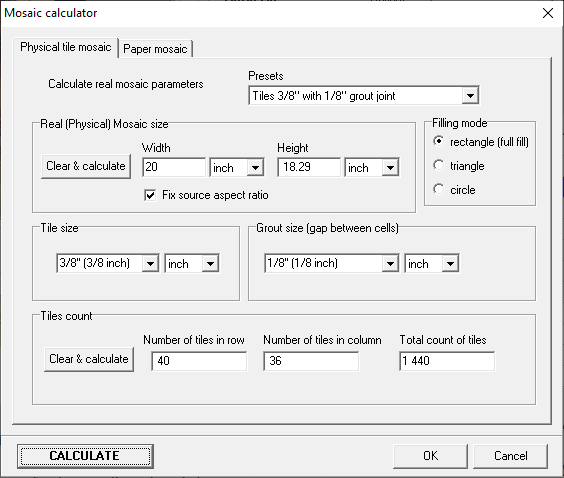
For physical tile projects, the mosaic calculator works with mosaic dimensions, tile size and grout spacing to calculate tile counts. The publisher also describes material lists and exportable work plans for assembling a design. Text mosaics and video mosaics are additional supported project types.
This is commercial shareware, not an unrestricted free editor. The publisher offers a 30-day trial with a 20 MB output-image file-size limit and the program name added to the bottom-left corner of unregistered images. The paid Lite edition also has an output limit, while the Professional edition is intended for larger output. The download here is the publisher-linked ZIP trial package; its CPU architecture and exact packaged version are not established by the public download page.
What it offers
- Create photo mosaics, picture collages, text mosaics and video mosaics.
- Configure mosaic projects with a wizard and rendering templates.
- Adjust cell sizes, patterns, image repetition and spacing.
- Calculate physical mosaic dimensions and tile counts using tile size and grout spacing.
- Preview material requirements and export a work plan for physical tile mosaics.
Good to know
- The trial lasts 30 days and limits output image files to 20 MB.
- Unregistered output carries the program name in the bottom-left corner.
- The paid Lite edition limits output image files to 25 MB; larger projects require the Professional edition.
Product images
Sources
References used for this listing. Retrieval dates do not indicate hands-on testing.
More in multimedia & graphics
View category ↗
1by1 2.17
Play music directly from folders with 1by1, a free Windows audio player with resume, gapless playback and file tools. Formats beyond MP3 need additional decoders.
3DVista Virtual Tour Pro
Build interactive 360° virtual tours from panoramas, videos and 3D models with 3DVista Virtual Tour Pro for Windows. Commercial software with a 30-day trial.

4DDiG Video Repair
Repair corrupted or unplayable videos in batches with the Video Repair tool in 4DDiG File Repair for Windows. A free trial is available; advanced features require a paid license.