

Multimedia & graphics Windows
Movavi Video Editor for Windows
Cut and arrange video clips, add titles and music, and generate subtitles with Movavi Video Editor for Windows. The free version has build-dependent export restrictions.
- Operating system
- Windows 10 and 11 (64-bit), with current patches and service packs
- Architecture
- x64
- Download package
- EXE installer
Restricted free version; watermark and export limits vary by build. Requires 4 GB RAM and administrator rights to install. Mac download is separate.
Link checked · Download guidance
What is Movavi Video Editor?
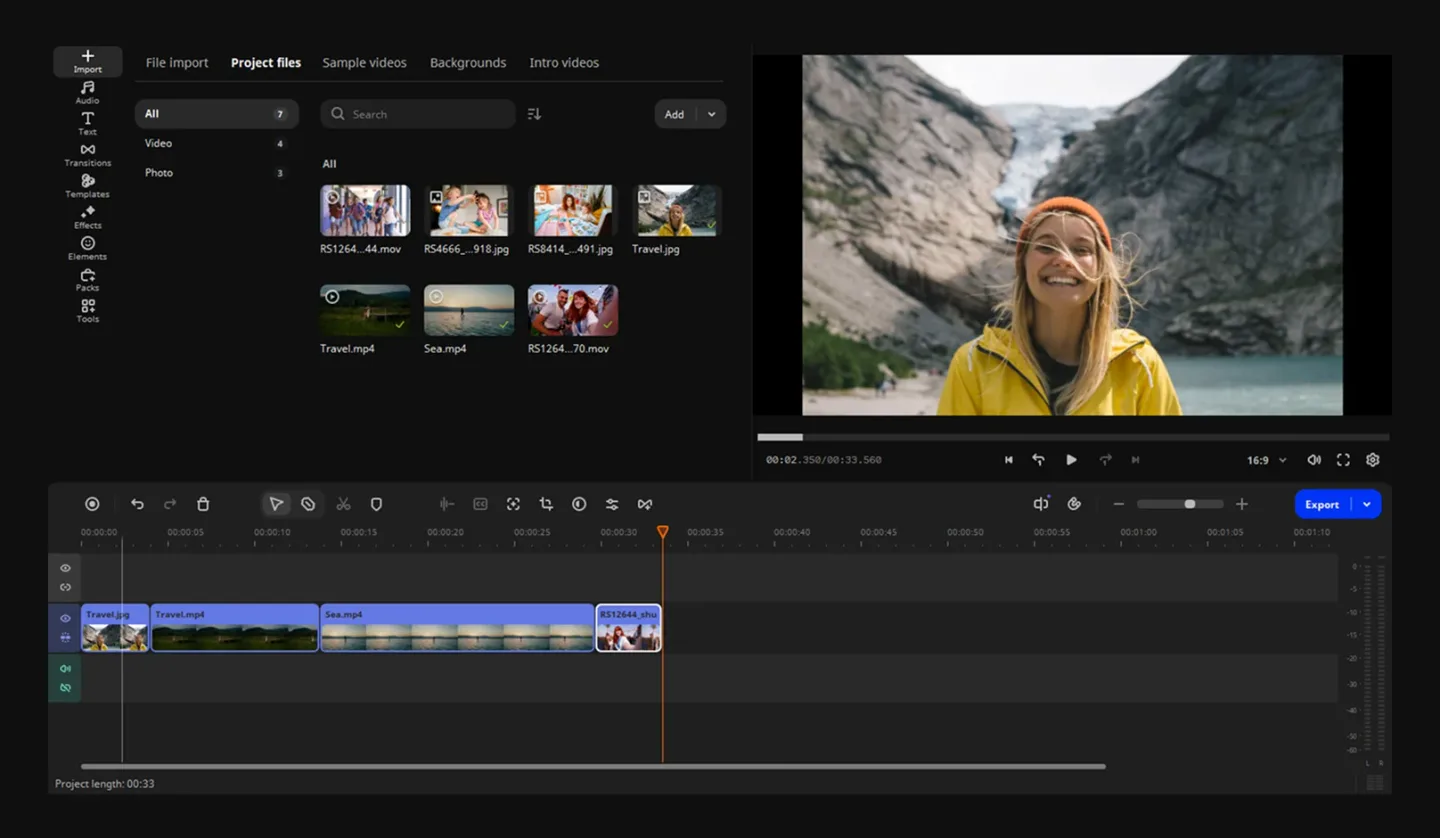
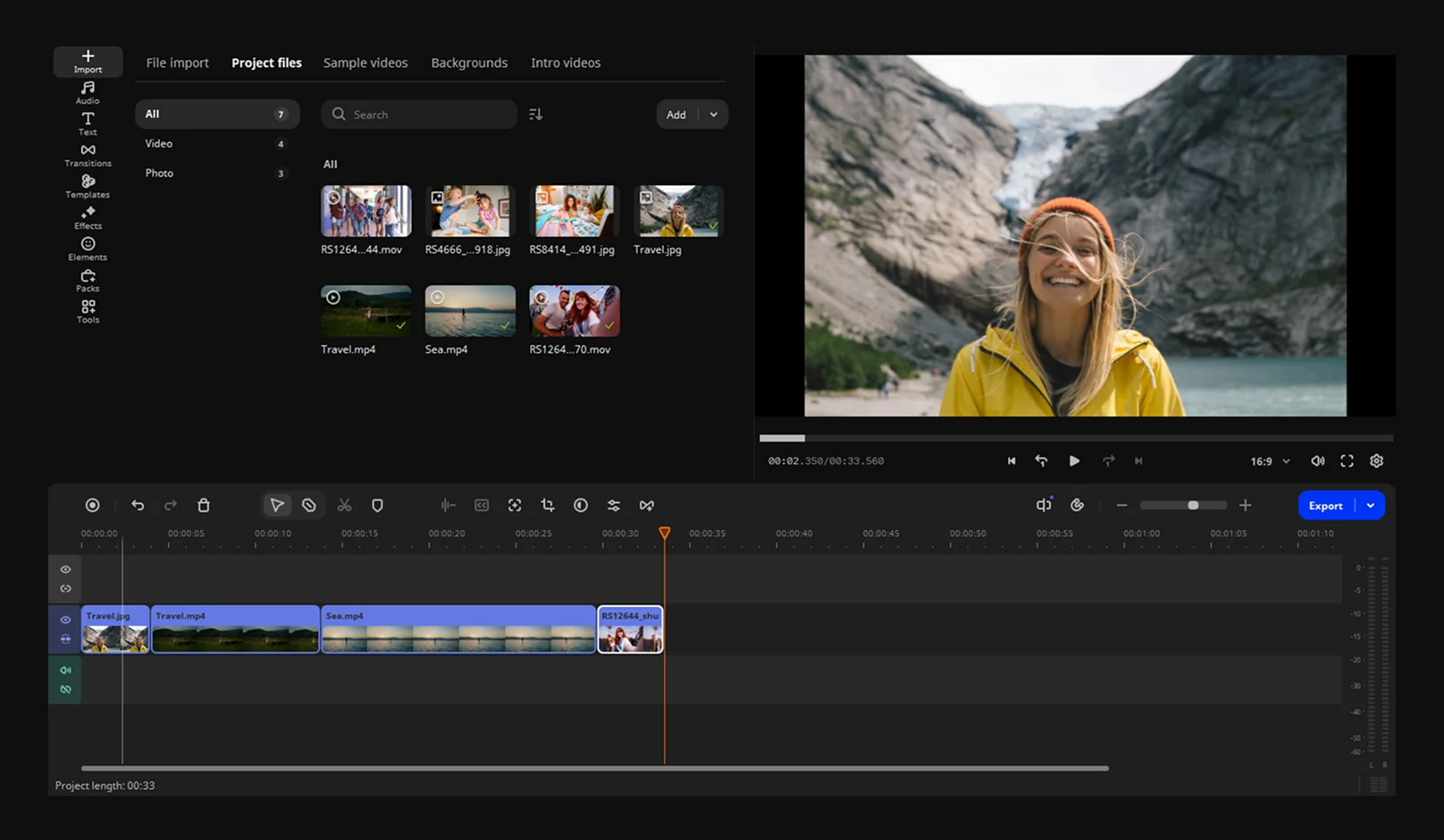
Movavi Video Editor brings video clips, photos, titles and audio together on a timeline. Use it to trim unwanted footage, crop the frame, change playback speed and adjust colors before adding transitions or overlays. It suits assembling family videos, narrated clips and social posts when you want editing tools and effects in one desktop application.
Automatic subtitles turn speech into captions, while silence removal can cut pauses from spoken footage. You can also copy effects, color adjustments and audio settings between clips instead of configuring each clip separately. Chroma key, stabilization and picture-in-picture provide other ways to combine or adjust footage.
The download is the publisher's Windows x64 EXE installer, not the separate Mac package. Movavi lists Windows 10 or 11, 4 GB RAM and administrator permissions for installation. The free version is restricted: depending on the build, exports may carry a watermark, stop at 60 seconds, shorten audio to half its length, or omit advanced features. Check the applicable export restrictions before using it for a finished project; paid licenses are available.
What it offers
- Trim and arrange clips on a timeline; crop footage, change speed and adjust colors.
- Add titles, transitions, filters, music and animated overlays.
- Generate subtitles from speech and adjust caption appearance.
- Remove pauses with automatic silence detection and adjustable thresholds.
- Copy effects, color adjustments and audio settings between clips.
- Use chroma key, stabilization and picture-in-picture tools.
Good to know
- Free-version restrictions depend on the build: exports may have a watermark, a 60-second video limit, a half-length audio limit and/or unavailable advanced export features.
- The publisher requires 64-bit Windows 10 or 11 and administrator permissions for installation; this is not a 32-bit Windows package.
Product images
Sources
References used for this listing. Retrieval dates do not indicate hands-on testing.
More in multimedia & graphics
View category ↗
1by1 2.17
Play music directly from folders with 1by1, a free Windows audio player with resume, gapless playback and file tools. Formats beyond MP3 need additional decoders.
3DVista Virtual Tour Pro
Build interactive 360° virtual tours from panoramas, videos and 3D models with 3DVista Virtual Tour Pro for Windows. Commercial software with a 30-day trial.

4DDiG Video Repair
Repair corrupted or unplayable videos in batches with the Video Repair tool in 4DDiG File Repair for Windows. A free trial is available; advanced features require a paid license.