

Multimedia & graphics macOS
Mp3tag for macOS
Edit music tags, manage embedded cover art and rename audio files in batches with Mp3tag for Mac, a paid metadata editor with a seven-day-use trial.
- Operating system
- macOS 10.14.6 Mojave or later
- Architecture
- Native Apple Silicon support
- Download package
- ZIP archive
Publisher offers direct purchase and a separate Mac App Store option; this link is the direct trial download.
Link checked · Download guidance
What is Mp3tag?
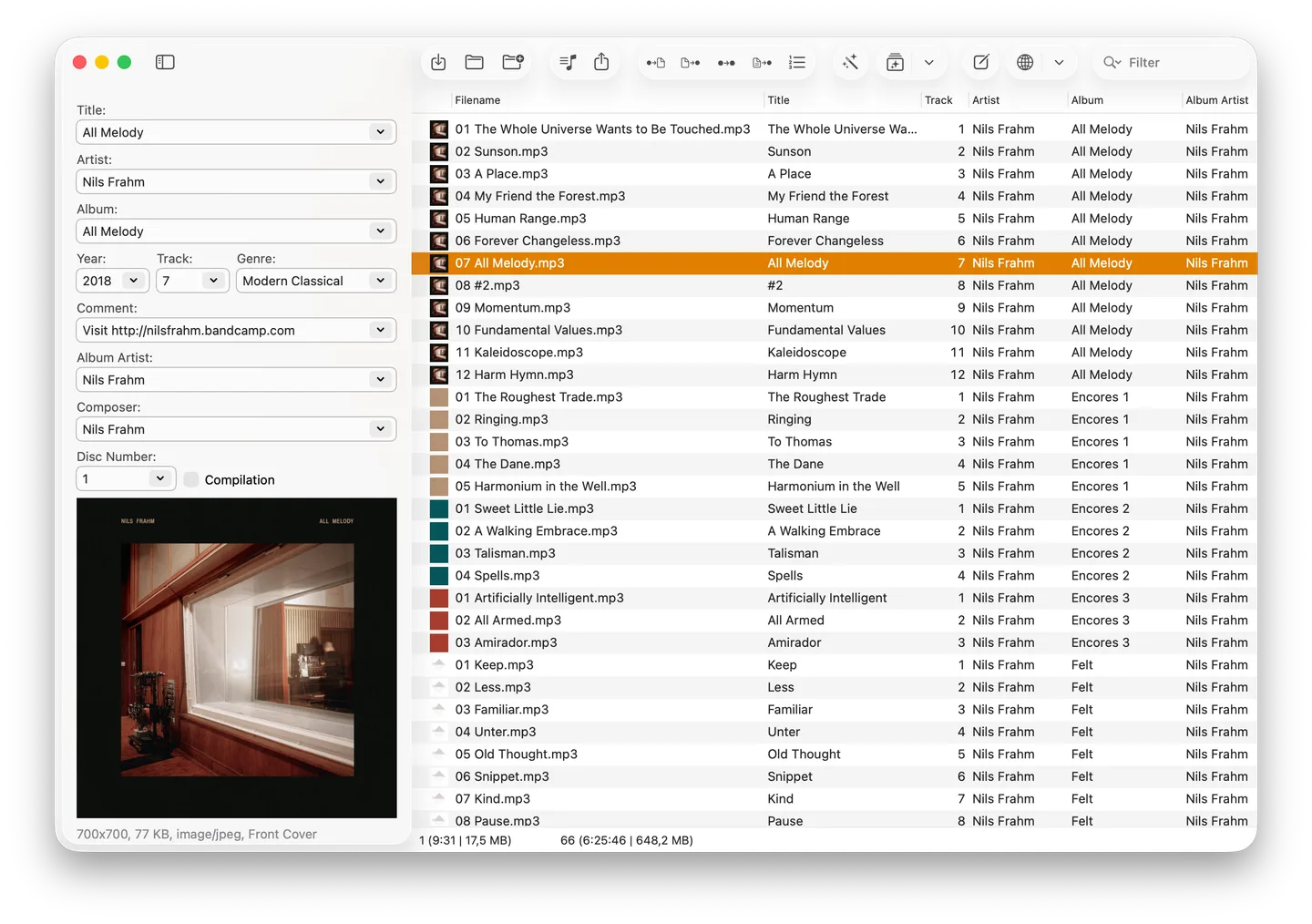
Mp3tag for Mac organizes audio libraries by editing the metadata stored in music files. Correct titles, artists and album names across multiple tracks, manage embedded artwork, or rename files using their tags. It supports formats including MP3, FLAC, MP4, OGG and WAV, so a collection does not have to use just one audio format.
For missing metadata, Mp3tag can look up tags and cover art through Discogs and MusicBrainz. Action groups combine repetitive operations such as changing letter case, formatting fields and adjusting artwork into reusable workflows.
The Mac edition is a paid application, not an unrestricted free download. Its trial counts seven days on which you actually use the app. The linked ZIP is the publisher's Mac download; macOS 10.14.6 Mojave or later is required, and the publisher states native Apple Silicon support.
What it offers
- Edit tags across multiple audio files in one batch.
- Manage embedded cover art, including its size and image format.
- Look up metadata and cover art through Discogs and MusicBrainz.
- Rename files from tag information and import metadata.
- Combine repeated tagging tasks into reusable action groups.
Good to know
- The Mac edition requires purchase for continued use after the seven-day-use trial.
- Requires macOS 10.14.6 Mojave or later.
Product images
Sources
References used for this listing. Retrieval dates do not indicate hands-on testing.
More in multimedia & graphics
View category ↗
1by1 2.17
Play music directly from folders with 1by1, a free Windows audio player with resume, gapless playback and file tools. Formats beyond MP3 need additional decoders.
3DVista Virtual Tour Pro
Build interactive 360° virtual tours from panoramas, videos and 3D models with 3DVista Virtual Tour Pro for Windows. Commercial software with a 30-day trial.


4DDiG Video Repair
Repair corrupted or unplayable videos in batches with the Video Repair tool in 4DDiG File Repair for Windows. A free trial is available; advanced features require a paid license.