
Multimedia & graphics Windows
MP3 Toolkit
Convert audio, rip CDs, edit MP3 tags, cut and merge tracks, or record to MP3 with a six-tool Windows suite.
- Operating system
- Windows 11, 10, 8, 7, Vista and XP, as listed by the publisher
- Architecture
- Publisher lists 32-bit and 64-bit Windows support; installer architecture unspecified
- Download package
- EXE installer
Publisher compatibility claims only; program not installed or run. No current version or release date confirmed.
Link checked · Download guidance
What is MP3 Toolkit?
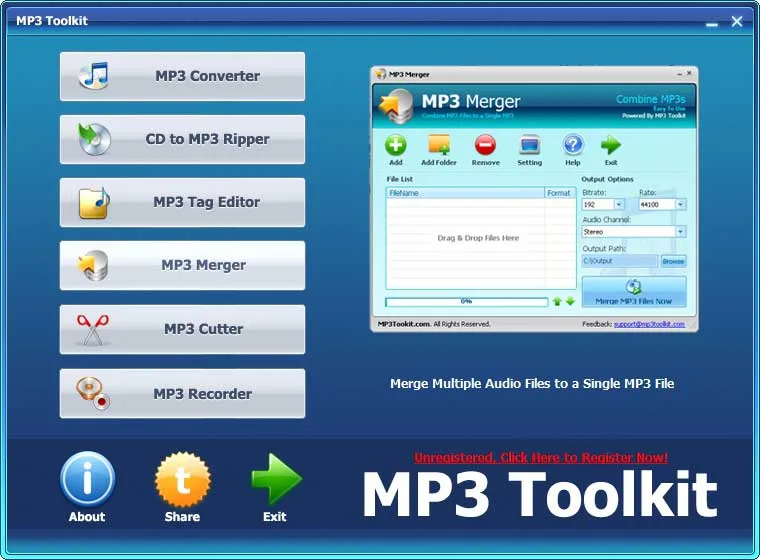
MP3 Toolkit brings six audio utilities into one Windows launcher: a converter, CD ripper, tag editor, merger, cutter and recorder. Use it to turn audio or the soundtrack of a video into another audio format, save music from an audio CD, prepare a ringtone, or correct a collection's MP3 tags. The converter accepts files or folders, while the tag editor supports batch edits to ID3 information, album artwork and lyrics.
The individual tools have different format limits. Although the converter lists a wider range of inputs, MP3 Merger accepts only WAV, FLAC, MP3 and OGG. The cutter lets you select start and end positions on an audio waveform. For recording PC playback rather than a microphone, the publisher says the sound card must support sound mixing.
The publisher offers a paid registration, and the historical screenshot shows an unregistered interface. The inspected publisher pages do not specify evaluation limits or a current release number. The download below is the publisher-linked Windows EXE; Windows support is documented by the publisher, not confirmed by running the program.
What it offers
- Convert audio files or extract audio from supported video files, with file and folder input.
- Rip audio CD tracks to MP3, WMA, APE or WAV.
- Batch-edit MP3 ID3 tags, including album artwork and lyrics.
- Merge supported audio files or cut a selected section using start and end positions.
- Record microphone audio to MP3 with selectable bitrate, sample rate and channels.
Good to know
- MP3 Merger accepts only WAV, FLAC, MP3 and OGG; the converter's broader input list does not apply to every tool.
- Recording PC playback depends on sound-card support for sound mixing.
- Paid registration is offered, but evaluation limits are not specified on the inspected publisher pages.
Product images
Sources
References used for this listing. Retrieval dates do not indicate hands-on testing.
More in multimedia & graphics
View category ↗
1by1 2.17
Play music directly from folders with 1by1, a free Windows audio player with resume, gapless playback and file tools. Formats beyond MP3 need additional decoders.
3DVista Virtual Tour Pro
Build interactive 360° virtual tours from panoramas, videos and 3D models with 3DVista Virtual Tour Pro for Windows. Commercial software with a 30-day trial.

4DDiG Video Repair
Repair corrupted or unplayable videos in batches with the Video Repair tool in 4DDiG File Repair for Windows. A free trial is available; advanced features require a paid license.