
Multimedia & graphics Windows
MySlideShow
Arrange photos into Windows slide shows with captions, transitions and music. MySlideShow is a commercial trial with Standard and Gold editions and legacy system requirements.
- Operating system
- Publisher lists Windows XP, Vista and 7
- Architecture
- Not specified in the inspected publisher sources
- Download package
- ZIP archive for the Standard trial
Windows 10/11 compatibility and archive contents were not tested. Revision history lists v3.6.0; the exact ZIP payload version is unverified.
Link checked · Download guidance
What is MySlideShow?
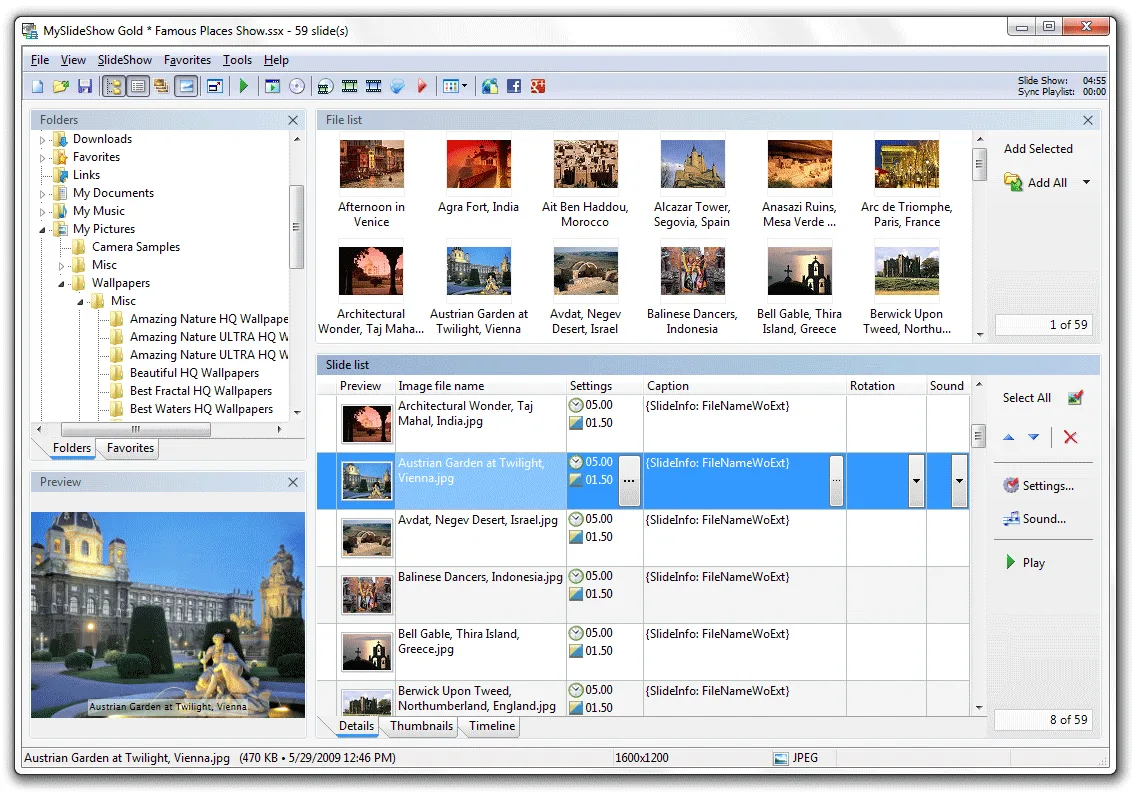
MySlideShow builds photo presentations from a sequence of images. Browse image folders, add pictures to the slide list, adjust their order and choose captions, timing and transition effects. Preview the result in the application or full screen, with automatic playback or manual control for presentations. Captions can include EXIF and IPTC information, and background music and narration can accompany the images.
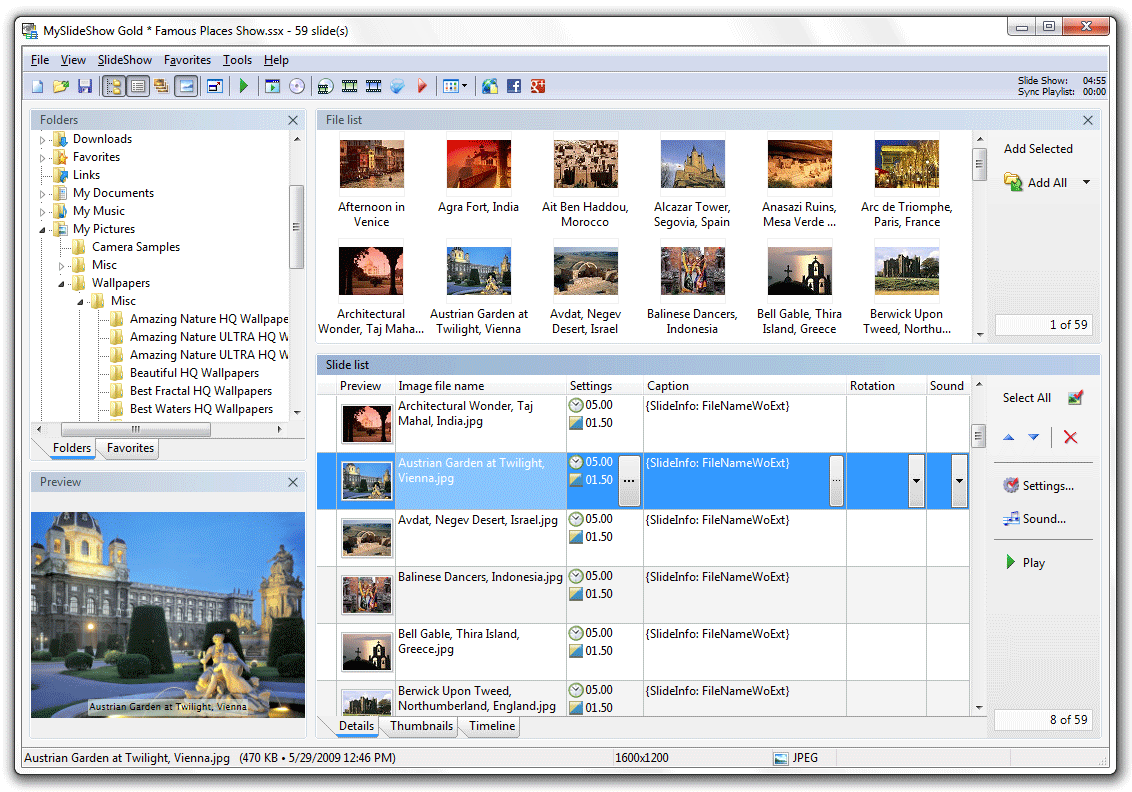
The publisher describes standalone executable slide shows, screensavers and HTML thumbnail galleries. Video-file creation and video-disc burning use the separate Video Generator plug-in. Standard and Gold are editions of the same product: the Gold edition adds a Slide Editor for extra text, images and video clips, plus a Timeline Editor for custom audio synchronization. The screenshot shows Gold, while the linked trial archive is Standard.
Treat this as legacy Windows software rather than a verified Windows 10 or 11 application. The product page is marked updated November 20, 2012 and lists Windows XP, Vista and 7; its web-gallery requirement is Internet Explorer 7 or higher. The revision history lists v3.6.0 and describes a newer engine for Vista, 7 or later, but that wording is not a compatibility test on modern Windows. The linked ZIP has been checked by HEAD only, not installed or inspected for its internal version.
What it offers
- Build a slide sequence from image folders with thumbnail ordering and preview/full-screen playback.
- Add captions, including EXIF/IPTC fields, and configure slide timing and transition effects.
- Synchronize slides with audio and use background music or narration playlists.
- Create standalone executable slide shows, screensavers and HTML thumbnail galleries.
- Use the separate Video Generator plug-in for video files and video-disc output.
Good to know
- Windows 10 and 11 compatibility is unverified; the legacy product page explicitly lists Windows XP, Vista and 7.
- The linked download is the Standard trial. Gold-only Slide Editor and Timeline Editor features are not included in Standard.
- Web-gallery requirements list Internet Explorer 7 or higher; modern browser behavior has not been verified.
- Video output relies on a separate plug-in; the publisher describes it as free for registered v3.x users.
- Commercial distribution of presentations requires the publisher's Business License.
Product images
Sources
References used for this listing. Retrieval dates do not indicate hands-on testing.
More in multimedia & graphics
View category ↗
1by1 2.17
Play music directly from folders with 1by1, a free Windows audio player with resume, gapless playback and file tools. Formats beyond MP3 need additional decoders.
3DVista Virtual Tour Pro
Build interactive 360° virtual tours from panoramas, videos and 3D models with 3DVista Virtual Tour Pro for Windows. Commercial software with a 30-day trial.

4DDiG Video Repair
Repair corrupted or unplayable videos in batches with the Video Repair tool in 4DDiG File Repair for Windows. A free trial is available; advanced features require a paid license.