

Multimedia & graphics Windows
n-Track Studio for Windows
Record audio, arrange MIDI instruments and mix songs with n-Track Studio for Windows, a commercial digital audio workstation with a free trial.
- Operating system
- Windows 8, Windows 10 and Windows 11
- Architecture
- Publisher lists Intel/AMD 32-bit and 64-bit support; the selected installer's architecture is not specified in the observed source.
- Download package
- EXE installer
Publisher specifications describe supported systems and drivers. The installer was checked by HEAD only, not downloaded or run. Exact build and package architecture remain unverified.
Link checked · Download guidance
What is n-Track Studio?
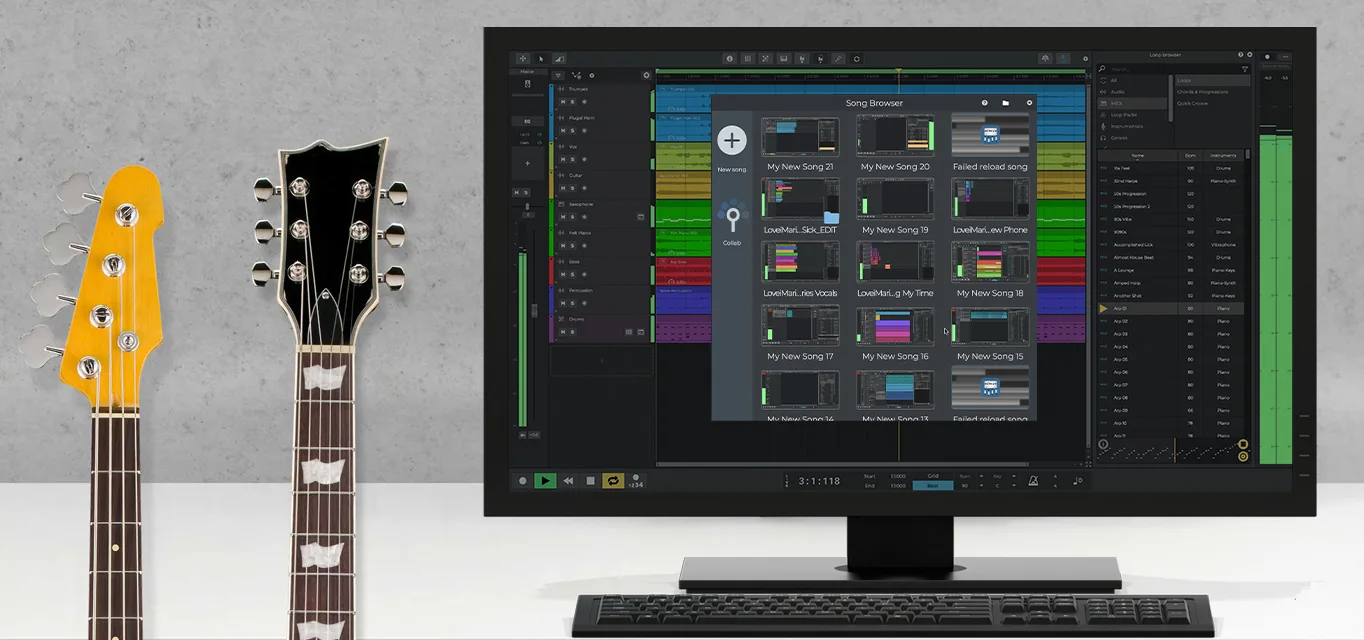
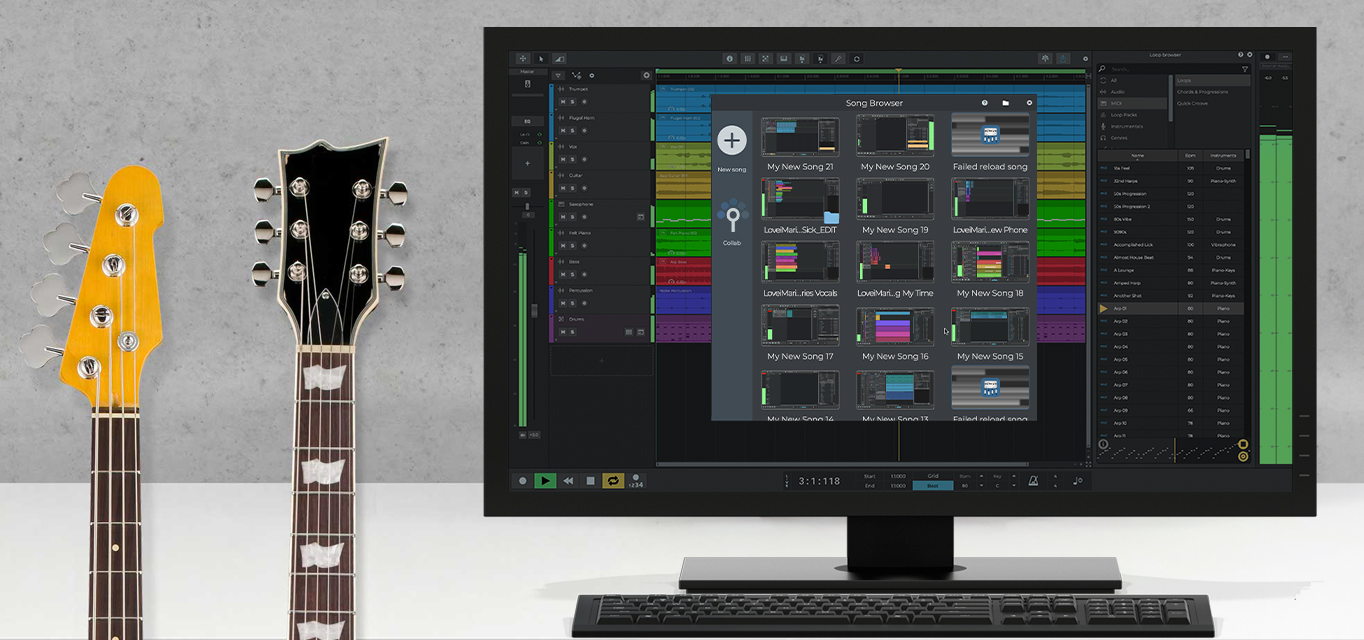
n-Track Studio brings multitrack audio recording, MIDI editing and mixing into one Windows workspace. Record instruments or vocals, build parts in the piano roll or step sequencer, and combine them with imported audio. Track automation controls volume, pan and effect parameters, while the Song Browser helps reopen existing projects.
The workstation supports VST and VST3 plug-ins alongside built-in processors such as EQ, compression, reverb and VocalTune. ASIO, WaveRT, WDM, MME and DirectSound support provides options for connecting compatible audio interfaces. You can process a live input with effects while recording the unprocessed signal for later changes.
This is commercial software with a free trial, not a free desktop edition. Included content depends on the edition: the publisher associates its 15GB-plus sound collection with Suite or Suite+. Track capacity also depends on the computer's processing power. The Windows installer linked here passed a HEAD-only availability check; it was not downloaded, installed or tested.
What it offers
- Record and arrange audio and MIDI tracks, with capacity dependent on computer performance.
- Write MIDI parts in the piano roll and create beats or sequences in the step sequencer.
- Use VST and VST3 plug-ins together with built-in EQ, compression, reverb and vocal processing.
- Automate volume, pan, sends and effect parameters; process live input while recording a dry signal.
- Connect compatible audio interfaces through ASIO, WaveRT, WDM, MME or DirectSound.
Good to know
- The desktop product is commercial; the publisher offers a free trial rather than a free full desktop license.
- The 15GB-plus sound collection described in the press kit is associated with Suite or Suite+, not every edition.
- The number of usable audio and MIDI tracks depends on the computer's processing power.
Product images
Sources
References used for this listing. Retrieval dates do not indicate hands-on testing.
More in multimedia & graphics
View category ↗
1by1 2.17
Play music directly from folders with 1by1, a free Windows audio player with resume, gapless playback and file tools. Formats beyond MP3 need additional decoders.
3DVista Virtual Tour Pro
Build interactive 360° virtual tours from panoramas, videos and 3D models with 3DVista Virtual Tour Pro for Windows. Commercial software with a 30-day trial.

4DDiG Video Repair
Repair corrupted or unplayable videos in batches with the Video Repair tool in 4DDiG File Repair for Windows. A free trial is available; advanced features require a paid license.