

Multimedia & graphics Windows
Natron for Windows
Build node-based visual effects with Natron, a free, open-source compositor for Windows with keying, rotoscoping, tracking and OpenFX plug-in support.
- Operating system
- Windows 8.1, 10 and 11
- Architecture
- x86-64 (64-bit Intel/AMD)
- Download package
- ZIP — publisher labels it Installer & Portable
Publisher minimums: 3 GB RAM, 5 GB free disk space for cache/temporary files and 1280×1024 display. OpenGL 2.0 for hardware acceleration; legacy hardware package for Windows software rendering.
Link checked · Download guidance
What is Natron?
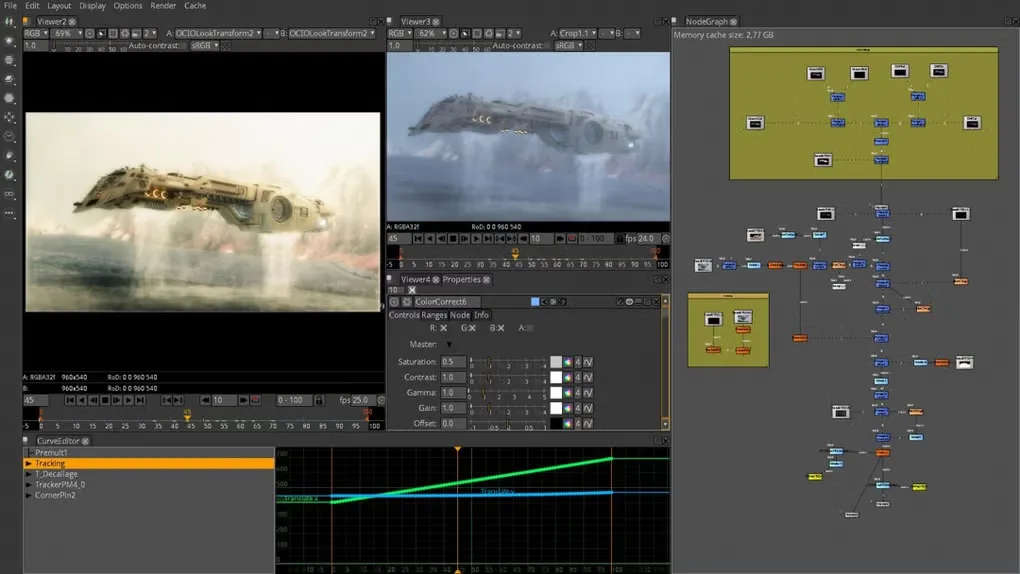
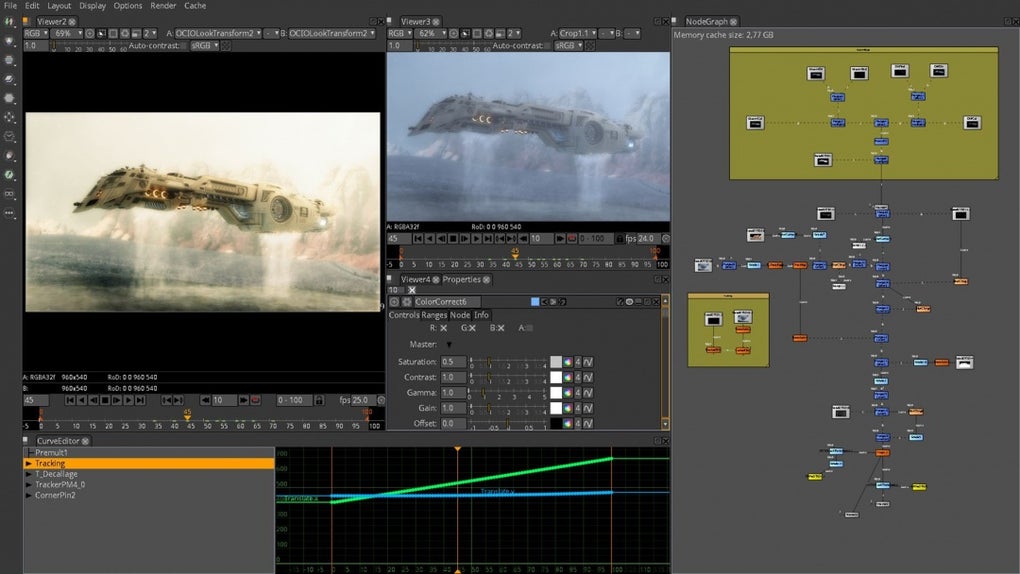
Natron combines images and footage through a node graph for 2D compositing and visual effects. Connect operations, adjust their parameters and inspect the result in a viewer. Its toolkit includes chroma keying and matte refinement, layered rotoscoping with per-vertex feathering, and 2D tracking. Curve and dope-sheet editors control animation keyframes.
For repeatable work, group and save node snippets as PyPlugs or extend a project with compatible OpenFX plug-ins. Natron also supports headless rendering for command-line and render-farm workflows.
This entry links to the publisher's Windows x86-64 ZIP, labeled Installer & Portable on its download page. The publisher identifies version 2.5.0 with a November 25, 2022 release announcement. Its release notes list unresolved issues, including renders sometimes stalling and problems reading some image and MTS video files; check those limitations before choosing it for a project.
What it offers
- Arrange and group image-processing operations in a node-based compositing workflow.
- Create and refine mattes with chroma keying, layered rotoscoping and per-vertex feathering.
- Track 2D motion and edit animation keyframes using curve and dope-sheet editors.
- Extend workflows with compatible OpenFX plug-ins and reusable PyPlug node groups.
- Render without the graphical interface for command-line or render-farm workflows.
Good to know
- The 2.5.0 release notes warn that rendering can sometimes silently stall after a number of frames.
- The same release notes identify possible PCX/PSB image-format problems and MTS video files that are not always read correctly.
- This Windows download targets x86-64 hardware; the publisher lists Windows 8.1, 10 and 11. Hardware-accelerated rendering needs OpenGL 2.0; Windows software rendering requires the installer's legacy hardware package.
Product images
Sources
References used for this listing. Retrieval dates do not indicate hands-on testing.
More in multimedia & graphics
View category ↗
1by1 2.17
Play music directly from folders with 1by1, a free Windows audio player with resume, gapless playback and file tools. Formats beyond MP3 need additional decoders.
3DVista Virtual Tour Pro
Build interactive 360° virtual tours from panoramas, videos and 3D models with 3DVista Virtual Tour Pro for Windows. Commercial software with a 30-day trial.

4DDiG Video Repair
Repair corrupted or unplayable videos in batches with the Video Repair tool in 4DDiG File Repair for Windows. A free trial is available; advanced features require a paid license.