
Multimedia & graphics Windows
obs-asio
Capture ASIO audio-interface inputs in OBS Studio with obs-asio, a free Windows plugin with device selection and channel routing.
- Operating system
- Windows; publisher documents Windows 10 x64
- Architecture
- x64
- Download package
- EXE installer
Requires compatible OBS Studio and an ASIO driver/device. Release tag v3.2.1f ships a package named 3.2.1; Windows 11 is listed by Softonic but was not tested here.
Link checked · Download guidance
What is obs-asio?
obs-asio adds ASIO audio sources to OBS Studio on Windows. It is for streamers and recording users who need to bring inputs from an ASIO-capable audio interface into an OBS scene. Select the device in the source properties, then map its input channels to OBS output channels. The JUCE-based plugin also supports using multiple ASIO devices and creating multiple sources with different channel selections from one device.
This is an OBS plugin, not a standalone recorder or a replacement audio driver. It captures device inputs; a DAW's speaker mix is not normally available through the device's output channels. Hardware loopback or a separately configured virtual ASIO route may be needed to capture that mix. The linked download is the publisher's Windows x64 EXE installer from release v3.2.1f, whose package filename identifies version 3.2.1. Check the publisher's release guidance against your OBS version before installing.
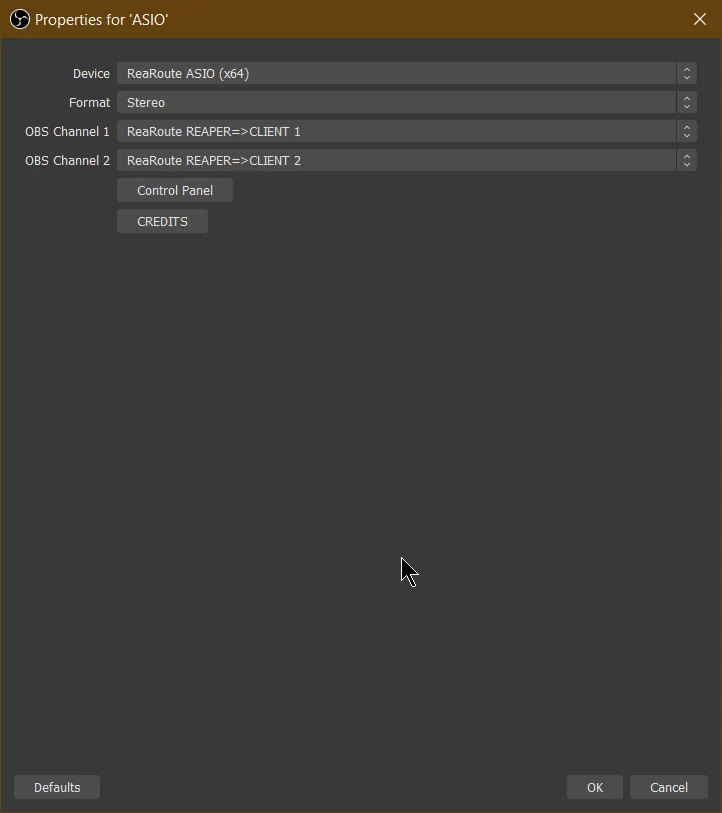
The screenshot comes from the publisher's version 2/3 usage documentation and shows the ASIO source properties using ReaRoute. It illustrates device and stereo-channel selection; it is not a capture of this installer running locally.
What it offers
- Add ASIO input sources to OBS Studio for recording or streaming.
- Select an ASIO device and route its input channels to OBS audio channels.
- Use multiple ASIO devices at the same time with the JUCE-based plugin.
- Create several sources with different channel selections from the same device.
- Open the selected driver's control panel from the source properties.
Good to know
- Requires OBS Studio and an ASIO device or virtual ASIO driver; it is not a standalone application.
- Normally captures inputs, not a device's speaker-output mix. Capturing a DAW mix may require hardware loopback or a virtual ASIO routing workaround.
- The selected installer is Windows x64. Compatibility with every current OBS release and audio interface has not been independently verified.
Product images
Sources
References used for this listing. Retrieval dates do not indicate hands-on testing.
- obs-asio - Download — normal browser product page ↗Retrieved
- obs-asio — publisher README and repository license identification ↗Retrieved
- Installation and Usage (version 2 and 3) — publisher wiki ↗Retrieved
- obs-asio wiki — input/output capture limitations ↗Retrieved
- obs-asio v3.2.1f — publisher release and checksums ↗Retrieved
- obs-asio v3.2.1f — exact publisher asset links ↗Retrieved
More in multimedia & graphics
View category ↗
1by1 2.17
Play music directly from folders with 1by1, a free Windows audio player with resume, gapless playback and file tools. Formats beyond MP3 need additional decoders.
3DVista Virtual Tour Pro
Build interactive 360° virtual tours from panoramas, videos and 3D models with 3DVista Virtual Tour Pro for Windows. Commercial software with a 30-day trial.


4DDiG Video Repair
Repair corrupted or unplayable videos in batches with the Video Repair tool in 4DDiG File Repair for Windows. A free trial is available; advanced features require a paid license.