

Multimedia & graphics Windows
OBS Studio for Windows
Record demonstrations or produce live streams in OBS Studio by combining screen capture, webcams and audio into scenes you can switch and preview.
- Operating system
- Windows 10 and 11
- Architecture
- x64
- Download package
- EXE installer
Not the ZIP or Store package; DirectX 10.1-compatible GPU required.
Link checked · Download guidance
What is OBS Studio?
OBS Studio records video and produces live streams from multiple visual and audio sources. It suits software demonstrations with a webcam and microphone, or presentations that switch between prepared views. Arrange sources into scenes, balance sound in the mixer and use Studio Mode to preview changes before sending them live. Transitions and hotkeys let you switch layouts without rebuilding the scene during a recording.
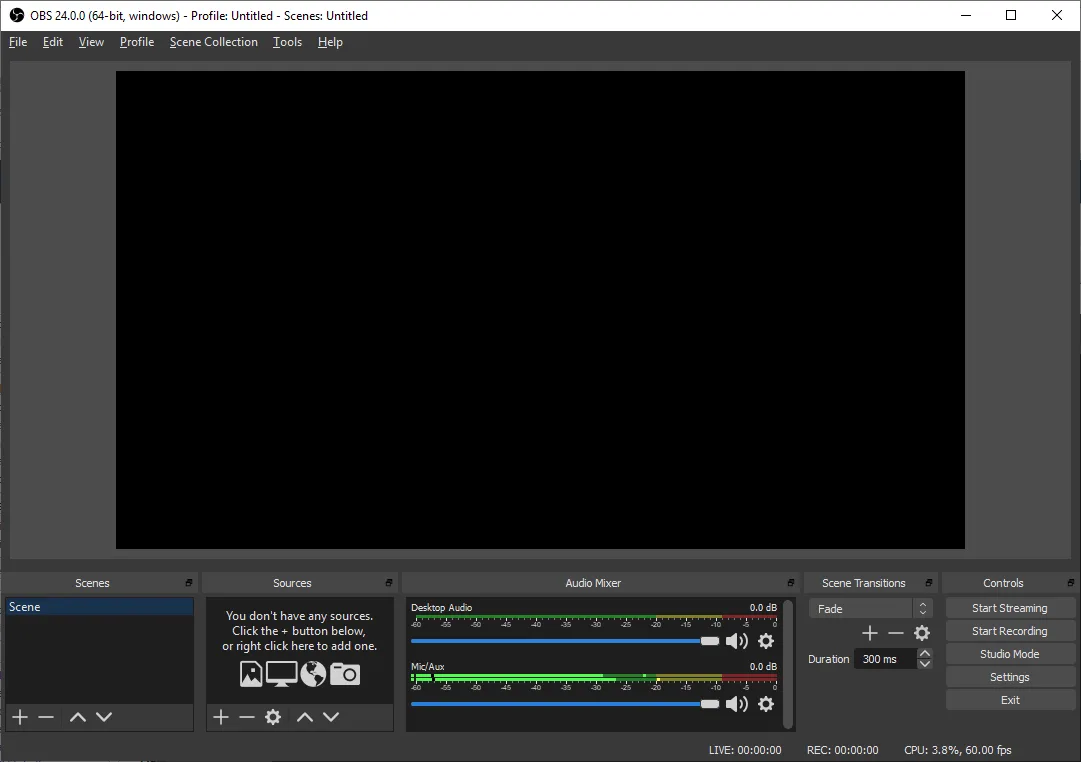
OBS provides the production tools, not a streaming-hosting service or subscription. Output settings need to match the workload: encoder choice, resolution, frame rate and scene complexity affect hardware demands. The Auto Configuration Wizard can help choose settings, but meeting the minimum requirements does not guarantee smooth output. The gallery shows the older 24.0.0 interface, not version 33.0.0.
What it offers
- Combine window captures, webcams, images, text, browser sources and capture cards into scenes.
- Create multiple scenes and switch between them with customizable transitions.
- Mix audio with per-source noise gate, noise suppression and gain filters.
- Preview scene and source changes in Studio Mode before sending them live.
- Assign hotkeys for scene switching, recording, streaming and audio controls.
- Rearrange dock panels to suit the recording or broadcast workflow.
Good to know
- Recording and streaming demands depend on encoder, resolution, frame rate and scene complexity; compatible hardware alone does not guarantee adequate performance.
- OBS is a capture and production application, not a streaming-hosting service or a subscription to one.
Product images
Sources
References used for this listing. Retrieval dates do not indicate hands-on testing.
- OBS Studio — official download ↗Retrieved
- OBS Studio — official features ↗Retrieved
- OBS Studio — system requirements ↗Retrieved
- OBS Studio repository — GPL license ↗Retrieved
- Wikimedia Commons — OBS screenshot license ↗Retrieved
More in multimedia & graphics
View category ↗
1by1 2.17
Play music directly from folders with 1by1, a free Windows audio player with resume, gapless playback and file tools. Formats beyond MP3 need additional decoders.
3DVista Virtual Tour Pro
Build interactive 360° virtual tours from panoramas, videos and 3D models with 3DVista Virtual Tour Pro for Windows. Commercial software with a 30-day trial.


4DDiG Video Repair
Repair corrupted or unplayable videos in batches with the Video Repair tool in 4DDiG File Repair for Windows. A free trial is available; advanced features require a paid license.