
Multimedia & graphics macOS
OpenComic
Read comic archives and manga on Mac with OpenComic, an open-source reader with double-page views, bookmarks and scroll or slide navigation.
What is OpenComic?
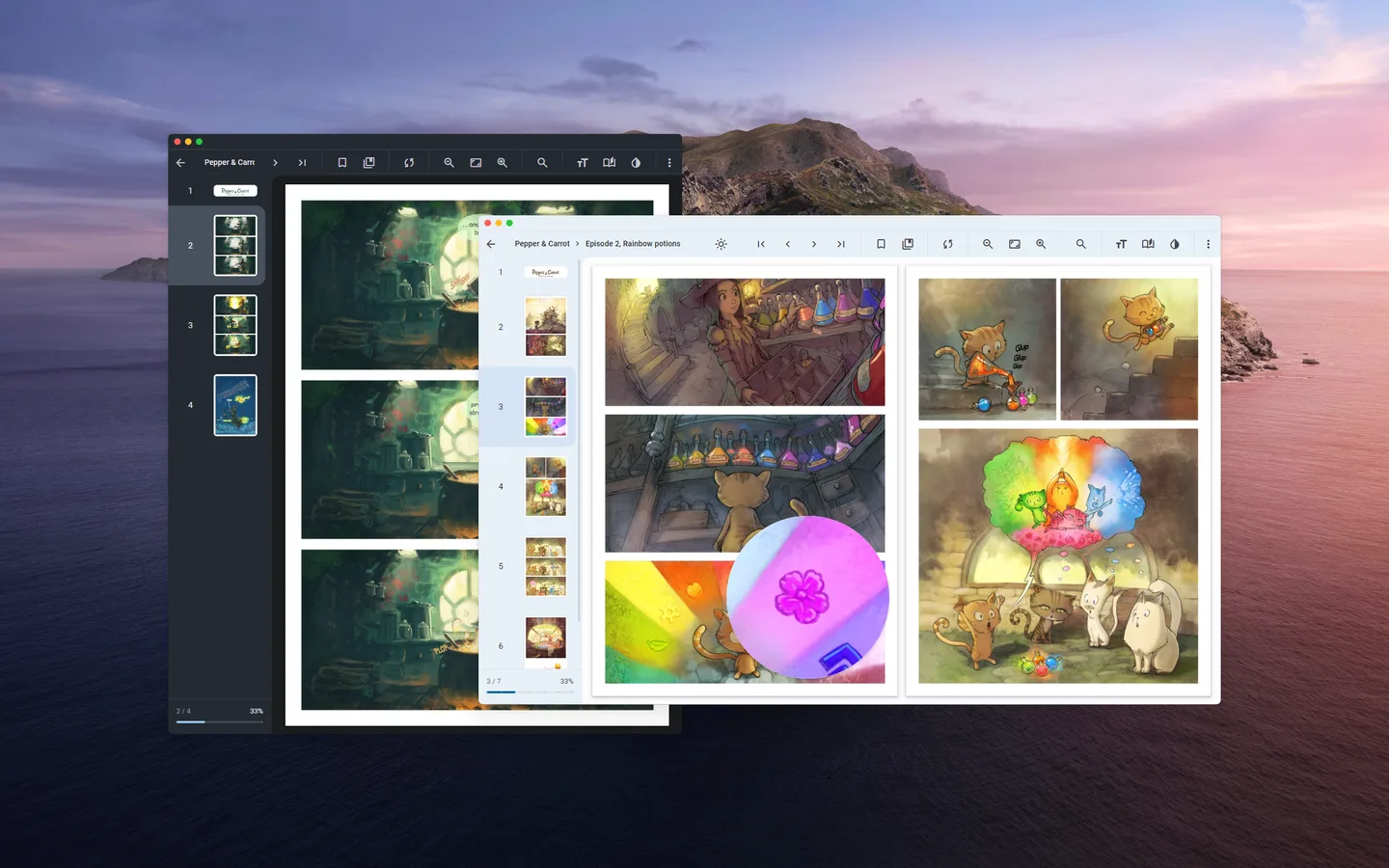
OpenComic is a comic and manga reader for macOS. It opens comic archives such as CBR and CBZ, alongside image files and documents including PDF and EPUB. Manga and webtoon reading modes, double-page views and a floating magnifying glass let you adapt the view to different page layouts. Bookmarks and continue-reading support help you return to an unfinished comic, while favorite and custom labels help organize a collection.
This entry links to the publisher-listed OpenComic 1.6.5 macOS DMG. The publisher provides a separate Arm64 download, so check the package choice before acquiring it for an Apple silicon Mac. Package installations require manual updates; the publisher distinguishes these from automatically updated app-store installations. Its homepage describes EPUB and PDF reading as basic capabilities, rather than a full document-editing workflow.
What it offers
- Open CBR, CBZ and other supported comic archives, plus image files, PDF and EPUB documents.
- Choose manga or webtoon modes, double-page views, and scroll or slide navigation.
- Use bookmarks, continue reading and a floating magnifying glass.
- Organize comics with favorite and custom labels; customize keyboard shortcuts.
Good to know
- The downloaded package requires manual updates; automatic updates are described for app-store installations.
- The publisher describes EPUB and PDF reading capabilities as basic.
- Arm64 packages are listed separately; this link is the standard macOS DMG, not the separately named Arm64 DMG.
Product images
Sources
References used for this listing. Retrieval dates do not indicate hands-on testing.
- Comic and manga reader | OpenComic ↗Retrieved
- Download | OpenComic ↗Retrieved
- Features | OpenComic ↗Retrieved
- ollm/OpenComic — official repository and license ↗Retrieved
More in multimedia & graphics
View category ↗
1by1 2.17
Play music directly from folders with 1by1, a free Windows audio player with resume, gapless playback and file tools. Formats beyond MP3 need additional decoders.
3DVista Virtual Tour Pro
Build interactive 360° virtual tours from panoramas, videos and 3D models with 3DVista Virtual Tour Pro for Windows. Commercial software with a 30-day trial.

4DDiG Video Repair
Repair corrupted or unplayable videos in batches with the Video Repair tool in 4DDiG File Repair for Windows. A free trial is available; advanced features require a paid license.