
Multimedia & graphics Windows
OpenKara
Turn your own music files into karaoke tracks with OpenKara for Windows, using on-device vocal separation, synchronized lyrics and a portable library.
- Operating system
- Windows; minimum version not stated in the inspected publisher documentation
- Architecture
- x64
- Download package
- EXE installer (NSIS)
The source catalog lists Windows 11 for its older 0.14.0 entry. This link selects publisher version 0.19.2; no minimum Windows version or ARM64 support is inferred.
Link checked · Download guidance
What is OpenKara?
OpenKara is a free, open-source desktop karaoke player for music you already own in unencrypted form. Import local tracks, separate vocals from the backing music on your computer, and sing along with timed lyrics. It accepts MP3, FLAC, WAV, OGG/Vorbis and AAC/M4A audio, so you can build a karaoke library from existing files rather than a subscription song catalog.
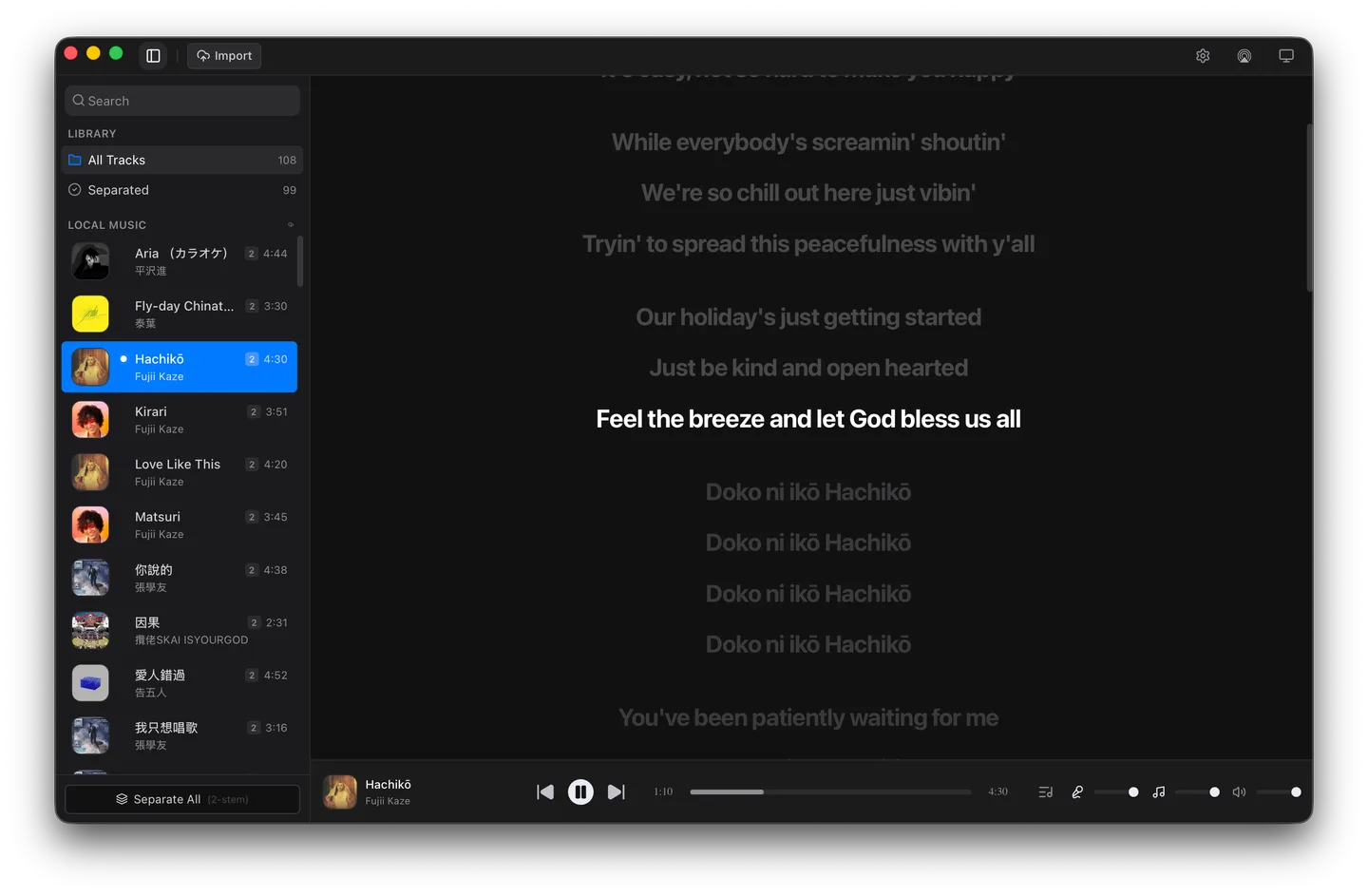
Choose two-stem separation for vocals and accompaniment, or four-stem separation to adjust vocals, drums, bass and other instruments individually. Timed lyrics can come from online sources, embedded tags or matching .lrc files. Saved playlists and singer rotation help organize a session; the self-contained library can be moved between computers or kept on a USB drive or NAS.
The linked package is the publisher’s Windows x64 NSIS installer for version 0.19.2. The publisher says the Windows build is not code-signed, so SmartScreen may display a warning. First launch also downloads an AI model; the standard model is about 199.8 MiB, separate from the installer. The screenshot below is the publisher’s macOS demonstration of the cross-platform app, not a capture of this Windows package.
What it offers
- Import MP3, FLAC, WAV, OGG/Vorbis and AAC/M4A files from your local music collection.
- Separate vocals and accompaniment on-device, with two-stem and four-stem modes.
- Display synchronized lyrics from online sources, embedded tags or sidecar .lrc files.
- Create saved playlists and rotate the playback queue between assigned singers.
- Keep songs and separated stems together in a portable library; import CD+G pairs or MP3+G ZIP bundles.
Good to know
- First launch downloads the default AI model; the publisher lists about 199.8 MiB for the standard model and about 800.1 MiB for the optional high-quality model.
- The publisher says the Windows build is not code-signed and may trigger SmartScreen.
- The local-music workflow uses unencrypted audio you already own; this is not a bundled subscription music catalog.
Product images
Sources
References used for this listing. Retrieval dates do not indicate hands-on testing.
- OpenKara v0.19.2 README — publisher documentation ↗Retrieved
- OpenKara v0.19.2 — official release ↗Retrieved
- OpenKara v0.19.2 — publisher release assets ↗Retrieved
- OpenKara - Download ↗Retrieved
More in multimedia & graphics
View category ↗
1by1 2.17
Play music directly from folders with 1by1, a free Windows audio player with resume, gapless playback and file tools. Formats beyond MP3 need additional decoders.
3DVista Virtual Tour Pro
Build interactive 360° virtual tours from panoramas, videos and 3D models with 3DVista Virtual Tour Pro for Windows. Commercial software with a 30-day trial.

4DDiG Video Repair
Repair corrupted or unplayable videos in batches with the Video Repair tool in 4DDiG File Repair for Windows. A free trial is available; advanced features require a paid license.