
Multimedia & graphics Windows
OpenScreen
Record a window or display, add zooms and cursor effects, and export a product demo with OpenScreen, a free, open-source screen recorder and editor for Windows.
- Operating system
- Windows 10 version 1903 (build 18362) or later; Windows 11 recommended
- Architecture
- x64; separate ARM64 standalone installer available
- Download package
- EXE installer, version 2.1.2
8 GB RAM minimum; Intel 8th Gen / AMD Ryzen 2000 series or newer. Native capture requires Windows build 19041+; older supported builds use browser capture. Selected EXE is unsigned.
Link checked · Download guidance
What is OpenScreen?
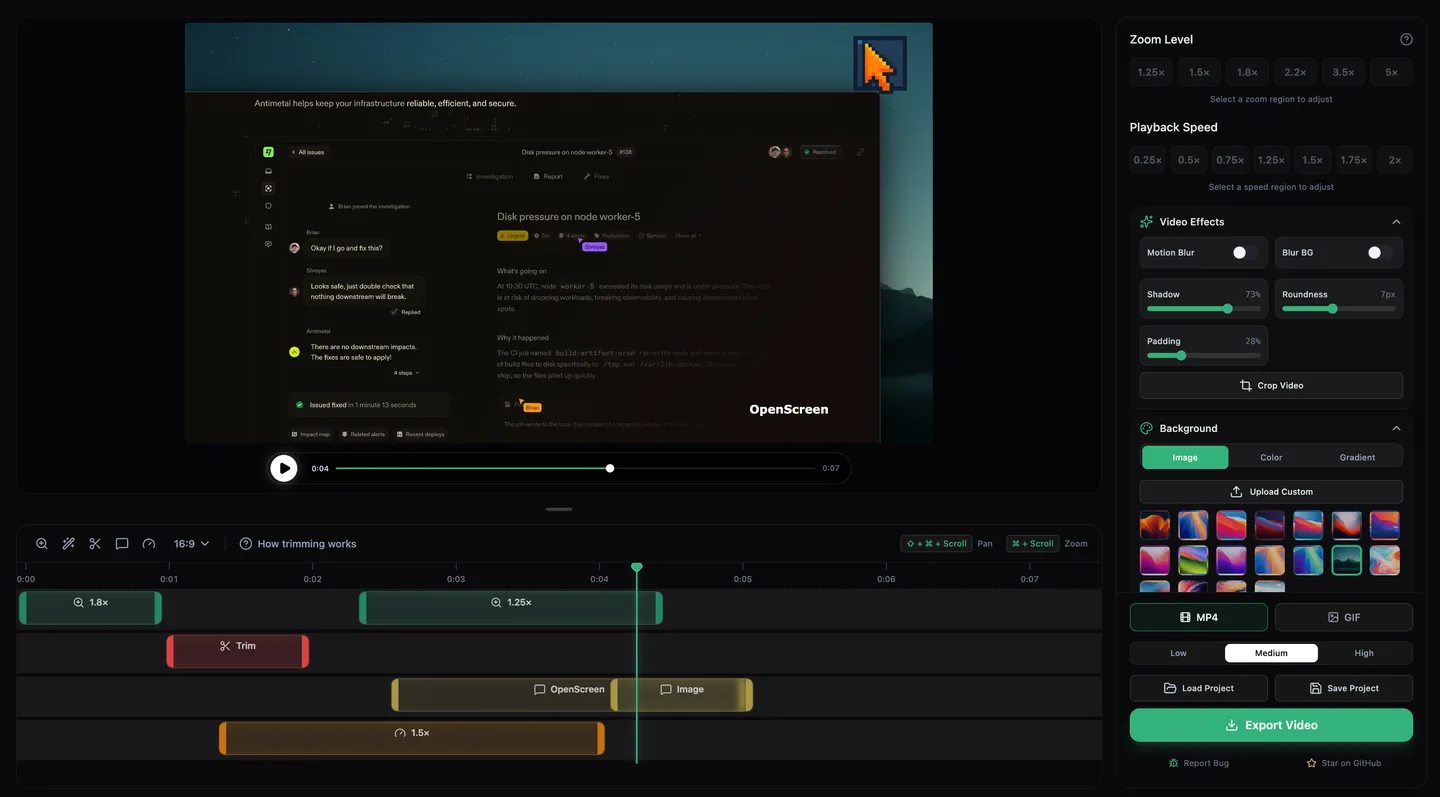
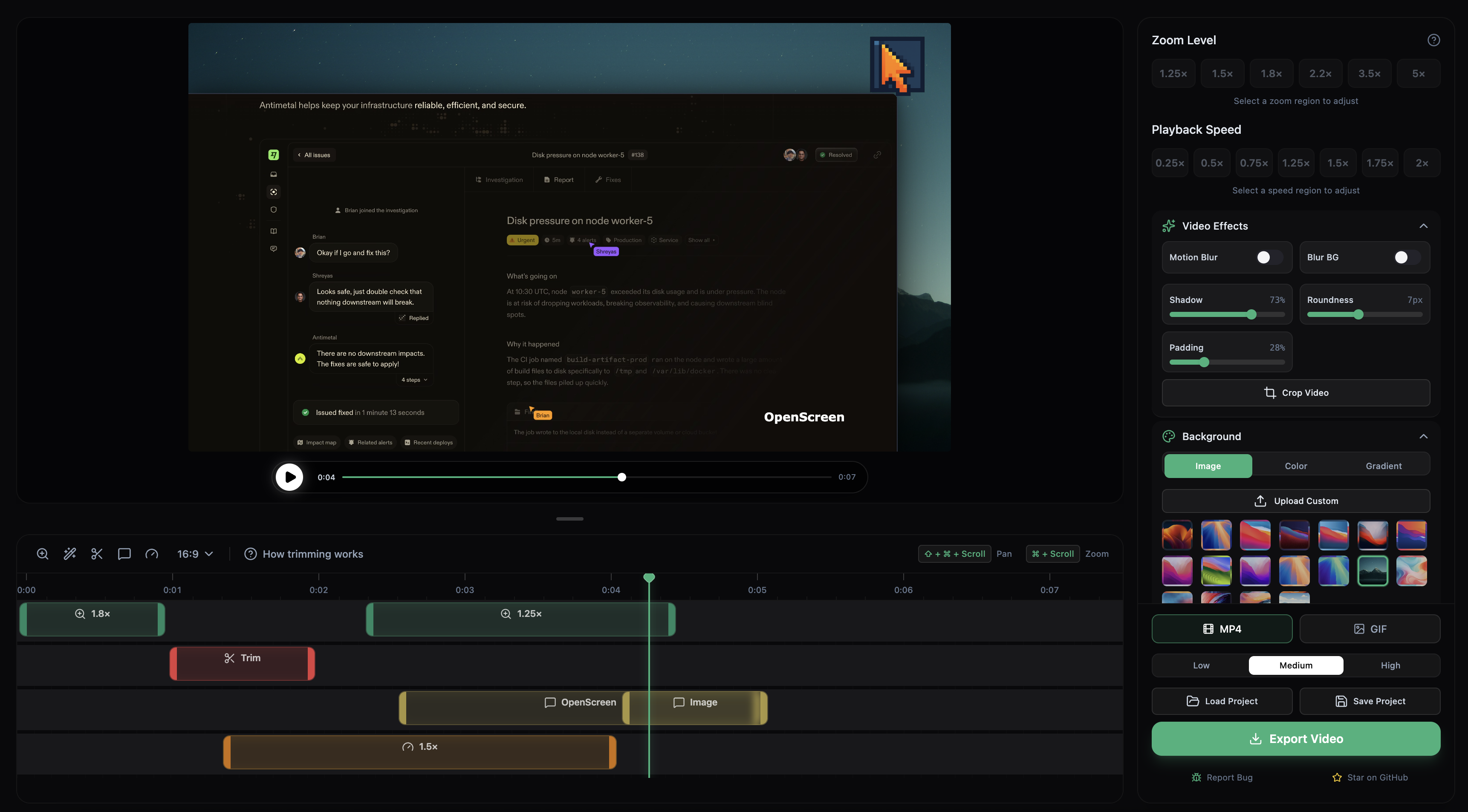
OpenScreen combines screen recording with the edits that make a software walkthrough easier to follow. Capture a window or display with microphone, system audio and an optional webcam, then trim pauses, adjust playback speed and place zooms on the timeline. Backgrounds, padding, shadows and cursor styling let you frame the recording without capturing it again. Export the result as an MP4 or GIF.
The community-maintained project continues Siddharth Vaddem's original OpenScreen under the MIT license. Its documentation describes on-device Whisper transcription and editable captions; the transcription model must download once before offline use. Optional AI chat editing and caption translation require your own provider key and use that provider's network service. Ordinary recording and editing do not require an account.
This entry links to the Windows x64 standalone installer for version 2.1.2, not the separate ARM64 build. The EXE is unsigned and can trigger a Windows SmartScreen warning; the publisher recommends its Microsoft Store distribution for a signed package. Windows 10 version 1903 is the stated minimum, but native Windows Graphics Capture requires version 2004, build 19041, or later. The project remains under active development, and saved-project or command-line formats can change between releases.
What it offers
- Record a window or display with microphone, system audio and an optional webcam overlay.
- Add automatic or manual zooms, trims, speed regions and annotations on the timeline.
- Restyle supported recorded cursors and frame videos with backgrounds, padding, shadows and rounded corners.
- Transcribe audio on-device with Whisper, edit the transcript and add captions.
- Export edited recordings as MP4 or GIF without a watermark.
Good to know
- The standalone Windows EXE is not code-signed and may show a SmartScreen warning; the publisher recommends the signed Microsoft Store package.
- Native Windows capture needs Windows 10 version 2004 (build 19041) or later, despite the lower installation minimum.
- Offline transcription needs an initial model download; optional AI editing and caption translation need a user-supplied provider key and network access.
- The project is actively developed, and .openscreen project files and CLI contracts can change between releases.
Product images
Sources
References used for this listing. Retrieval dates do not indicate hands-on testing.
- OpenScreen community continuation — features, origin and project status ↗Retrieved
- OpenScreen docs: install, record, edit, export ↗Retrieved
- Install OpenScreen — exact Windows requirements and unsigned EXE caveat ↗Retrieved
- OpenScreen v2.1.2 release ↗Retrieved
- OpenScreen v2.1.2 — exact Windows installer assets ↗Retrieved
- OpenScreen publisher repository — application screenshots ↗Retrieved
- OpenScreen MIT License ↗Retrieved
More in multimedia & graphics
View category ↗
1by1 2.17
Play music directly from folders with 1by1, a free Windows audio player with resume, gapless playback and file tools. Formats beyond MP3 need additional decoders.
3DVista Virtual Tour Pro
Build interactive 360° virtual tours from panoramas, videos and 3D models with 3DVista Virtual Tour Pro for Windows. Commercial software with a 30-day trial.

4DDiG Video Repair
Repair corrupted or unplayable videos in batches with the Video Repair tool in 4DDiG File Repair for Windows. A free trial is available; advanced features require a paid license.