

Multimedia & graphics macOS
OpenShot for macOS
Trim video, layer audio and images, add titles, and animate effects with OpenShot, a free, open-source video editor. This Mac download is the Intel 64-bit DMG.
- Operating system
- macOS
- Architecture
- Intel x86_64 (64-bit)
- Download package
- DMG disk image
Publisher identifies this as the standard Intel Mac installer. Minimum macOS version and Apple Silicon execution were not verified; no native ARM package is claimed.
Link checked · Download guidance
What is OpenShot?
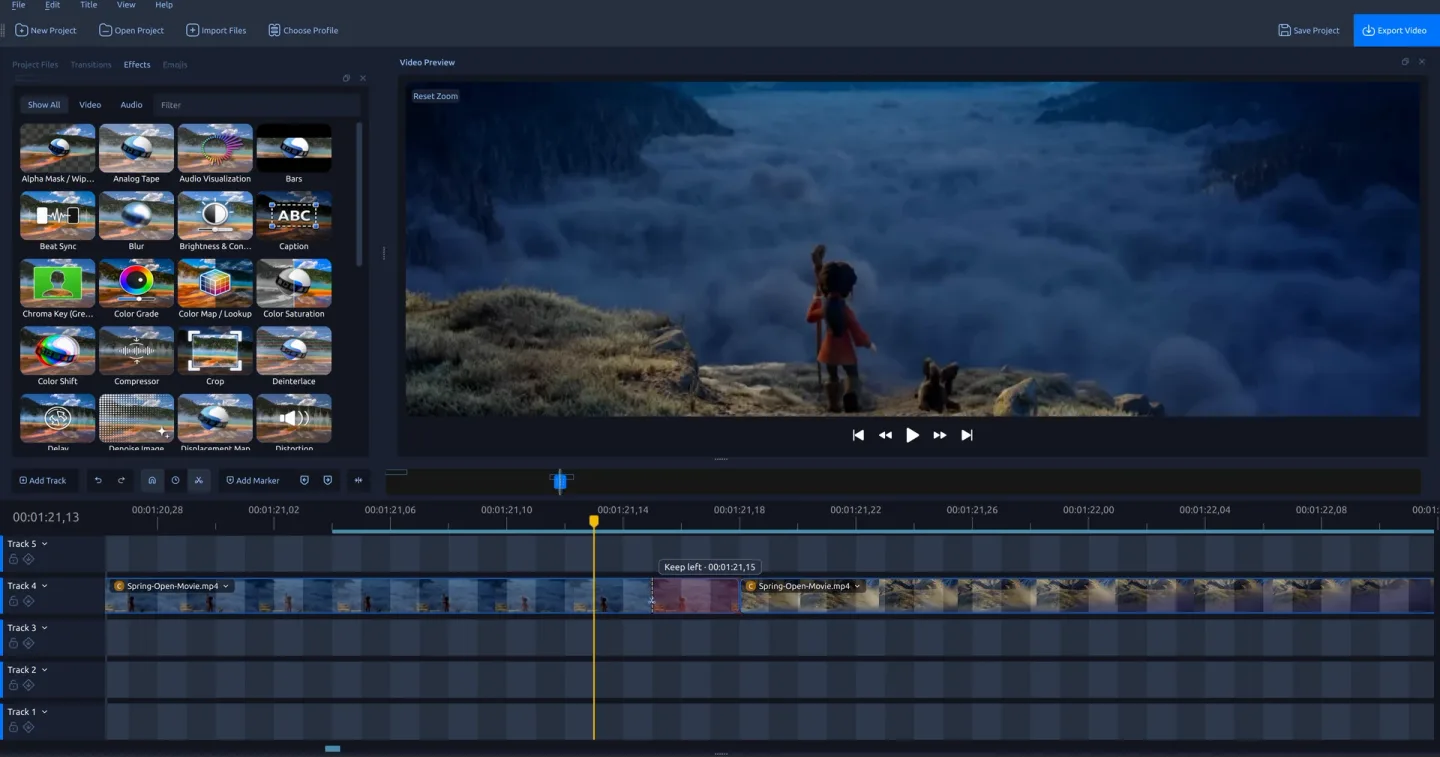
OpenShot brings video clips, audio, and still images into a multitrack editing workspace. Arrange footage on the timeline, trim unwanted sections, overlap clips for transitions, and add titles before exporting the result. Video thumbnails, audio waveforms, snapping, and frame-by-frame controls help position edits precisely.
For more detailed work, animate clip position, scale, rotation, opacity, or effect settings with keyframes. Color wheels, curves, LUTs, and video scopes provide color-adjustment tools, while effects include chroma key, blur, and brightness adjustments. Editable 2D title templates are included; animated 3D titles use Blender as an additional application.
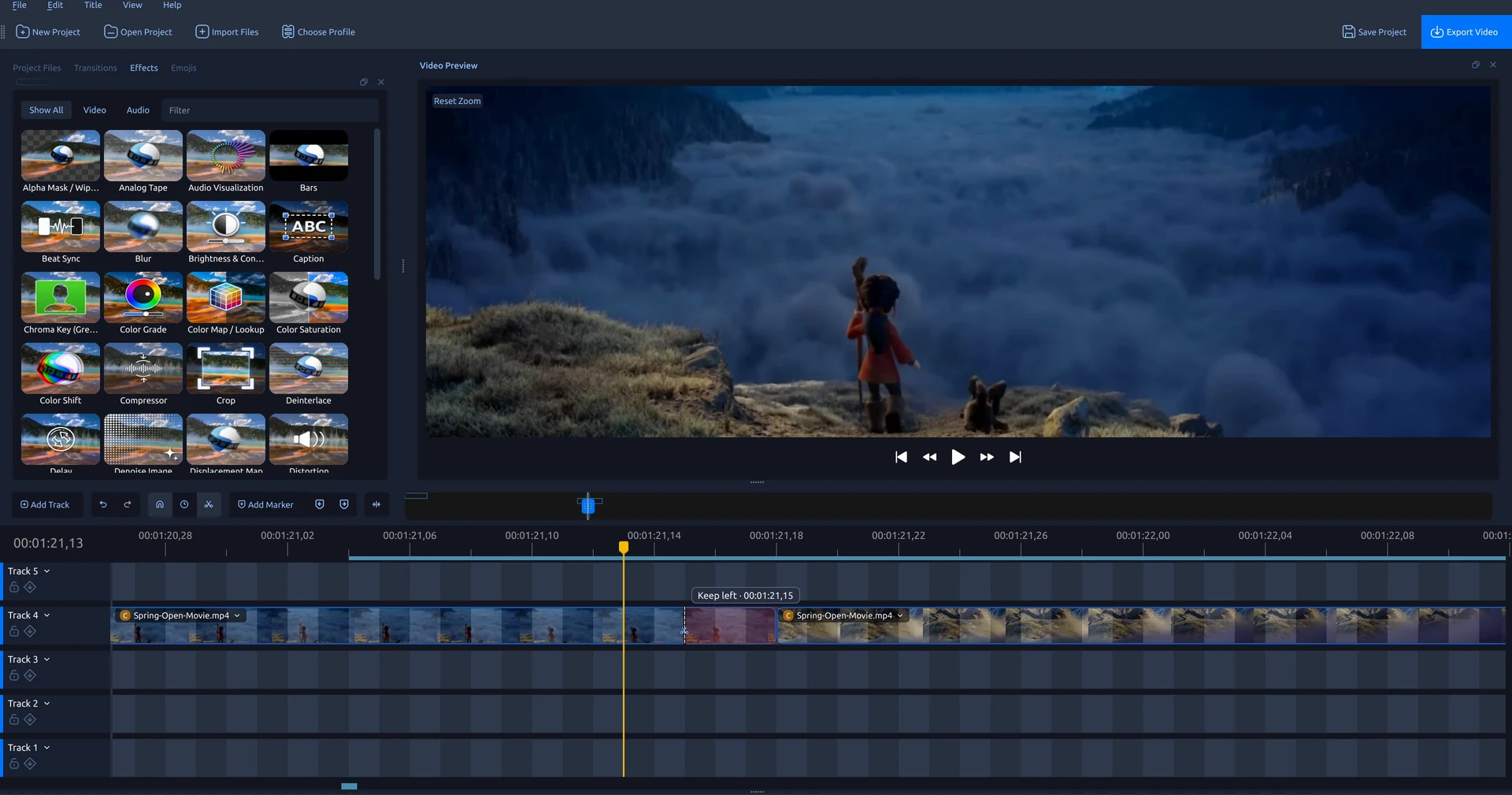
The linked package is OpenShot 4.0.1 for Intel 64-bit macOS, supplied as a DMG through the publisher's GitHub release. It is the standard release rather than a daily release candidate. Do not treat this package as a native Apple Silicon build. The screenshot is the publisher's 4.0.1 editing demonstration; its operating system is not identified by the source caption.
What it offers
- Arrange video, audio, and images across multiple tracks with trimming, slicing, snapping, thumbnails, and waveforms.
- Create transitions by overlapping clips and adjust their timing and properties.
- Animate transforms, opacity, volume, and effect properties with editable keyframes.
- Adjust color with wheels, curves, LUTs, and live video scopes; apply effects such as chroma key and blur.
- Add editable 2D titles or use Blender-powered animated 3D titles.
Good to know
- The selected macOS package targets Intel x86_64; it is not identified as a native Apple Silicon installer.
- Animated 3D titles require Blender in addition to OpenShot.
Product images
Sources
References used for this listing. Retrieval dates do not indicate hands-on testing.
- OpenShot Video Editor | Download ↗Retrieved
- OpenShot Video Editor | Features ↗Retrieved
- OpenShot 4.0.1: Improved Razor Tool, Faster Editing, and Linux Snap Support ↗Retrieved
- OpenShot/openshot-qt — official repository README ↗Retrieved
- OpenShot for Mac - Download — normal browser observation ↗Retrieved
More in multimedia & graphics
View category ↗
1by1 2.17
Play music directly from folders with 1by1, a free Windows audio player with resume, gapless playback and file tools. Formats beyond MP3 need additional decoders.
3DVista Virtual Tour Pro
Build interactive 360° virtual tours from panoramas, videos and 3D models with 3DVista Virtual Tour Pro for Windows. Commercial software with a 30-day trial.

4DDiG Video Repair
Repair corrupted or unplayable videos in batches with the Video Repair tool in 4DDiG File Repair for Windows. A free trial is available; advanced features require a paid license.