

Multimedia & graphics Windows
OpenShot for Windows
Trim and combine video, photos and audio with OpenShot, a free Windows video editor with multi-track editing, titles, transitions and keyframe animation.
- Operating system
- Windows 10 and 11; publisher guide also lists Windows 7 and 8
- Architecture
- x64 (Intel/AMD 64-bit)
- Download package
- EXE installer
Requires 64-bit Windows and a multi-core CPU; publisher minimum is 4 GB RAM and 1 GB installation/usage space. Media needs additional storage. Manual updates; no Windows installation test performed.
Link checked · Download guidance
What is OpenShot?
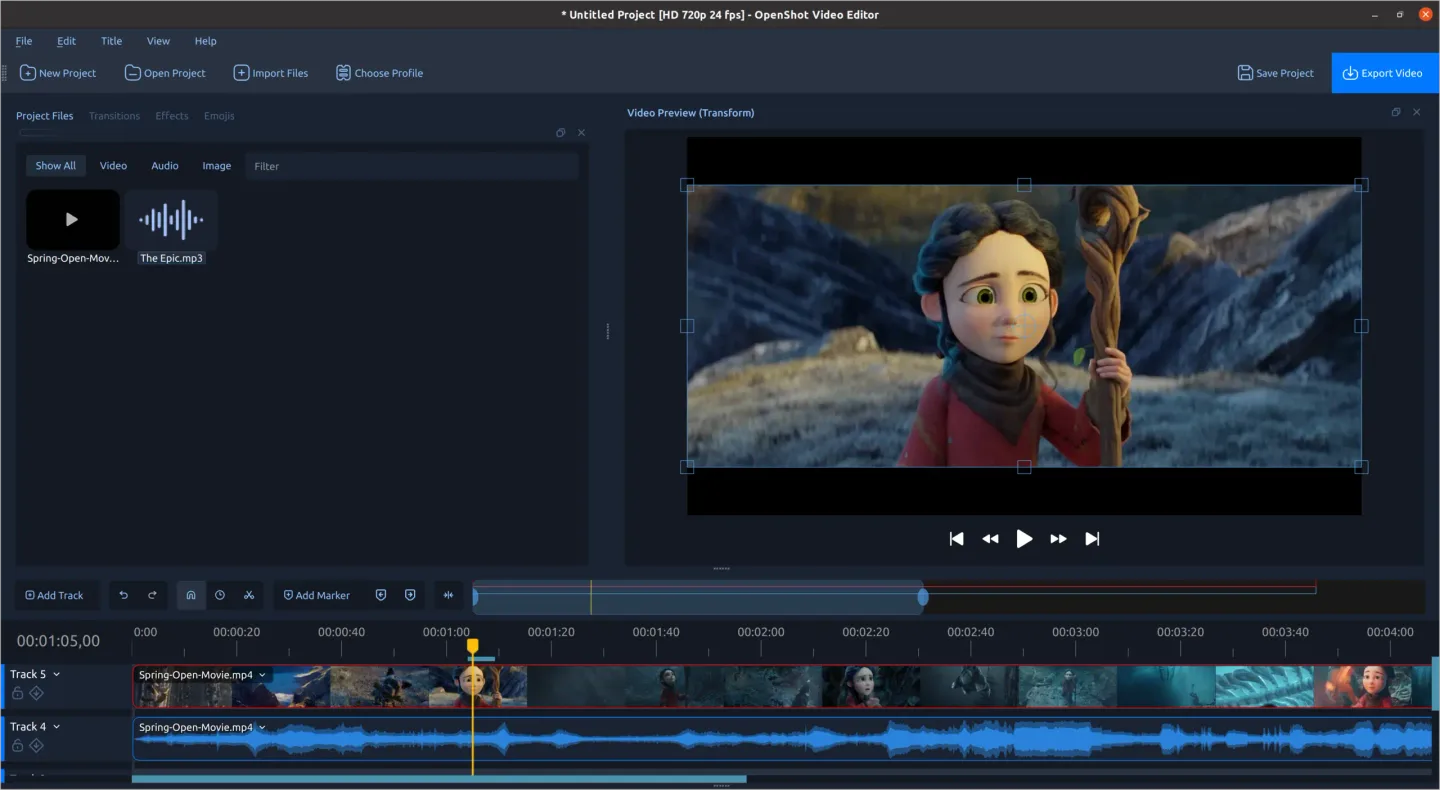
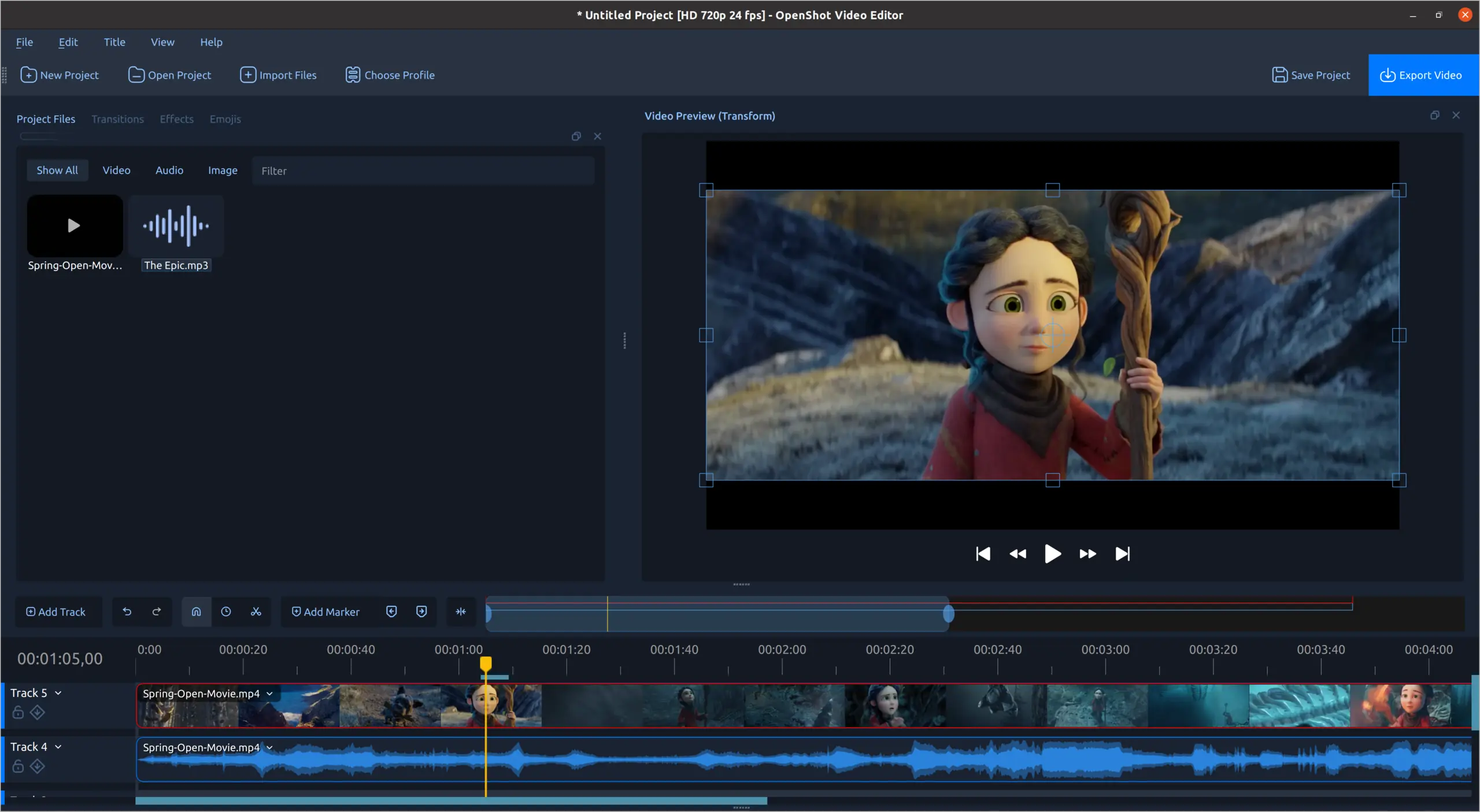
OpenShot turns video clips, photos and audio into an edited video. Arrange media on separate timeline tracks, cut unwanted sections, add transitions and place text over footage. Keyframes animate position, scale, opacity and volume; color wheels, curves and LUTs help adjust the look of a shot. Export profiles provide starting points for the finished video.
This download is the free OpenShot 4.0.1 EXE installer for x64 Windows, not a daily build or the paid Microsoft Store package. The EXE edition uses manual updates. Standard 2D title templates are included, but 3D animated titles require a separate Blender installation configured in OpenShot's preferences.
What it offers
- Trim and arrange video, audio and images across multiple timeline tracks with snapping and frame-by-frame controls.
- Layer title templates and transitions over footage, including automatic transitions when clips overlap.
- Animate clip transforms, opacity, volume and effect settings with keyframes.
- Adjust color using wheels, curves, LUTs and video scopes.
- Export finished videos using built-in target profiles.
Good to know
- 3D animated titles require Blender to be installed separately and its executable path configured in OpenShot; ordinary 2D titles do not require it.
- The free EXE installer uses manual updates, unlike the Microsoft Store distribution.
Product images
Sources
References used for this listing. Retrieval dates do not indicate hands-on testing.
- OpenShot — official downloads ↗Retrieved
- OpenShot — editing features ↗Retrieved
- OpenShot 4.0.1 User Guide — introduction, requirements and license ↗Retrieved
- OpenShot 4.0.1 User Guide — text and titles ↗Retrieved
- OpenShot 4.0.1 release announcement ↗Retrieved
- OpenShot — publisher and product identity ↗Retrieved
- OpenShot Video Editor | View Screenshots ↗Retrieved
More in multimedia & graphics
View category ↗
1by1 2.17
Play music directly from folders with 1by1, a free Windows audio player with resume, gapless playback and file tools. Formats beyond MP3 need additional decoders.
3DVista Virtual Tour Pro
Build interactive 360° virtual tours from panoramas, videos and 3D models with 3DVista Virtual Tour Pro for Windows. Commercial software with a 30-day trial.

4DDiG Video Repair
Repair corrupted or unplayable videos in batches with the Video Repair tool in 4DDiG File Repair for Windows. A free trial is available; advanced features require a paid license.