

Multimedia & graphics macOS
Pano2VR for macOS
Build interactive virtual tours from panoramas and 360° videos with Pano2VR for Mac. Link scenes with hotspots, customize navigation and export tours for the web.
What is Pano2VR?
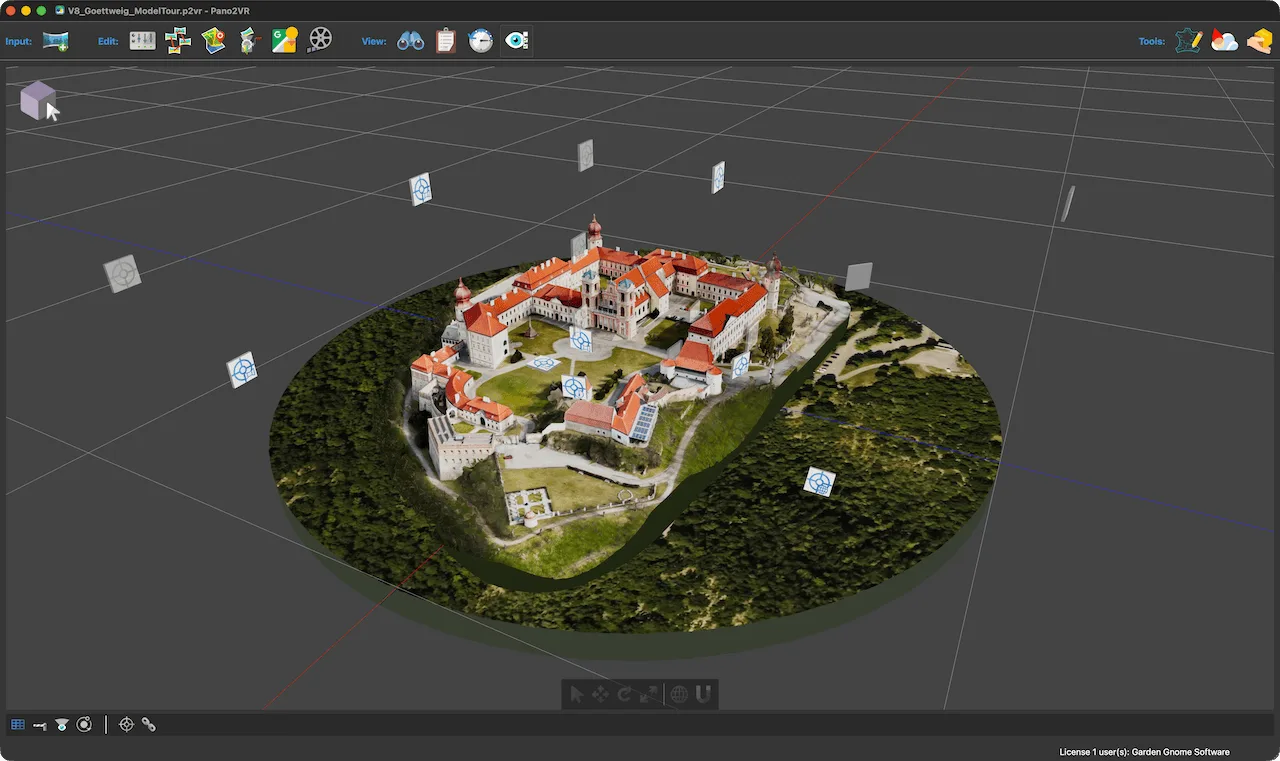
Pano2VR is a virtual-tour authoring application from Garden Gnome Software. Use it to connect panoramic images and 360° videos into tours for real estate, exhibitions or instructional projects. Hotspots link scenes, while skins add navigation controls, maps, menus and information panels. The Skin Editor lets you adapt the viewer interface to the project.
The workflow starts with prepared media: Pano2VR does not stitch photographs into panoramas. For panoramic input, the publisher recommends stitched equirectangular images with a 2:1 aspect ratio. You can organize scenes, patch parts of a panorama non-destructively and generate HTML5 output. An integrated web server previews the result locally; exporting a project does not automatically publish it online.
This entry links to the publisher's macOS DMG for stable version 8.0.10, dated October 27, 2026, rather than the separately offered 8.1 beta. The evaluation version can be used without a time limit, but removing visible watermarks and the node limitation requires a license key.
What it offers
- Connect panoramic images and 360° videos with hotspots to build multi-scene tours.
- Use built-in skins or the Skin Editor to customize navigation, maps, menus and popups.
- Extract and edit undistorted image patches without destructively changing the panorama.
- Export HTML5 tours and preview them locally with the integrated web server.
- Create animation paths through tour scenes and export a walkthrough as a video.
Good to know
- The evaluation version adds visible watermarks and limits tour nodes; a license key is required to remove those restrictions.
- Pano2VR does not stitch photographs. Prepare panoramic media in separate stitching software before importing it.
- Local preview is not online publication; the exported tour still needs to be uploaded to a web server or hosting service.
Product images
Sources
References used for this listing. Retrieval dates do not indicate hands-on testing.
More in multimedia & graphics
View category ↗
1by1 2.17
Play music directly from folders with 1by1, a free Windows audio player with resume, gapless playback and file tools. Formats beyond MP3 need additional decoders.
3DVista Virtual Tour Pro
Build interactive 360° virtual tours from panoramas, videos and 3D models with 3DVista Virtual Tour Pro for Windows. Commercial software with a 30-day trial.

4DDiG Video Repair
Repair corrupted or unplayable videos in batches with the Video Repair tool in 4DDiG File Repair for Windows. A free trial is available; advanced features require a paid license.