
Multimedia & graphics Windows
PanoramaStudio for Windows
Stitch overlapping photos into panoramas, adjust alignment with control points and export interactive tours with PanoramaStudio for Windows. The Standard edition offers a 30-day trial.
- Operating system
- Windows 10 or Windows 11 (64-bit)
- Architecture
- 64-bit
- Download package
- EXE installer
Publisher lists 75 MB for the program, at least 10 GB for panorama creation, recommends 8 GB or more RAM and requires a display of at least 1280 × 720. This is Standard, not Pro.
Link checked · Download guidance
What is PanoramaStudio?
PanoramaStudio combines photographs into panoramic images and provides tools to refine the result before export. The Standard edition can align and blend images automatically, match exposure and correct lens distortion. It accepts photos from conventional cameras, smartphones and drones, with support for common image formats and RAW files.
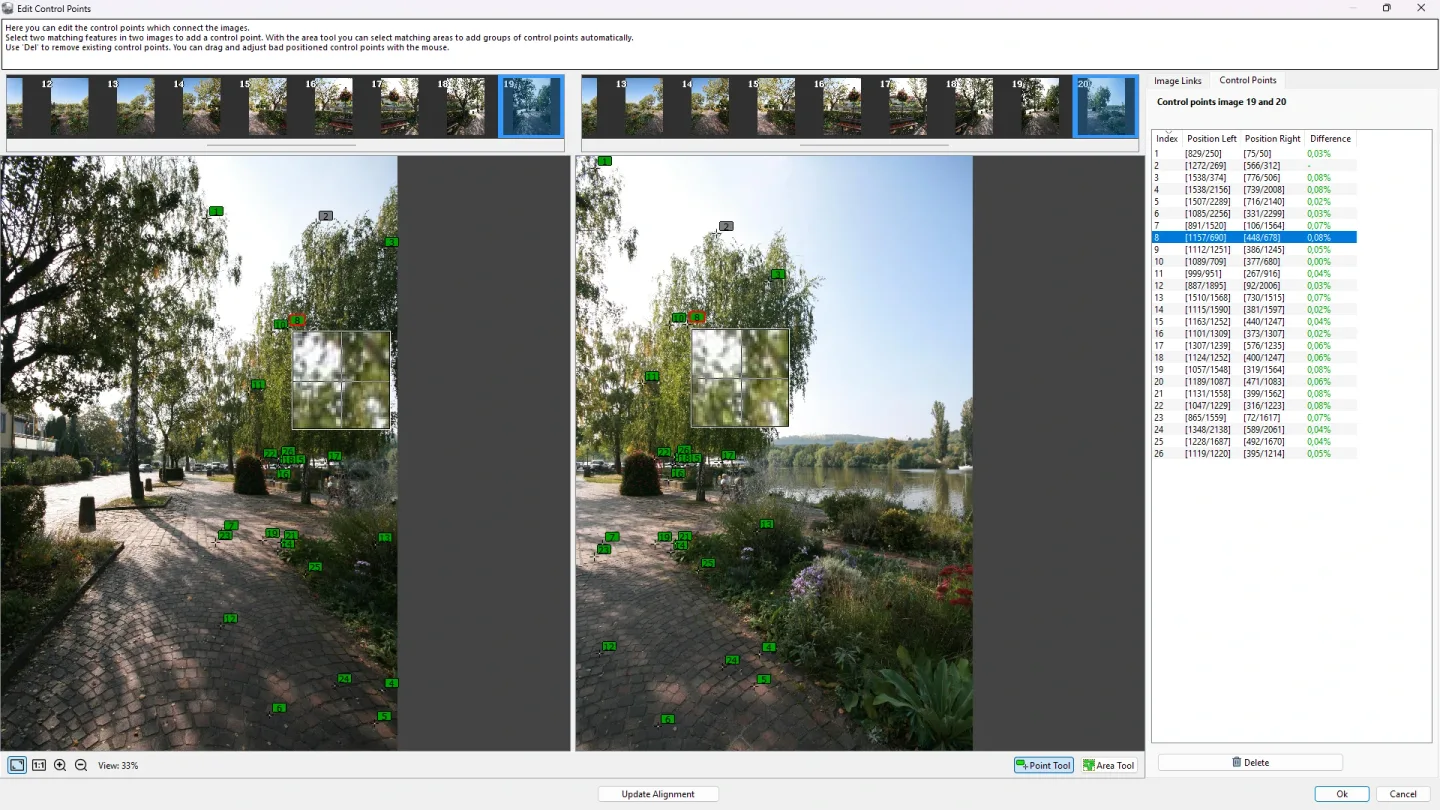
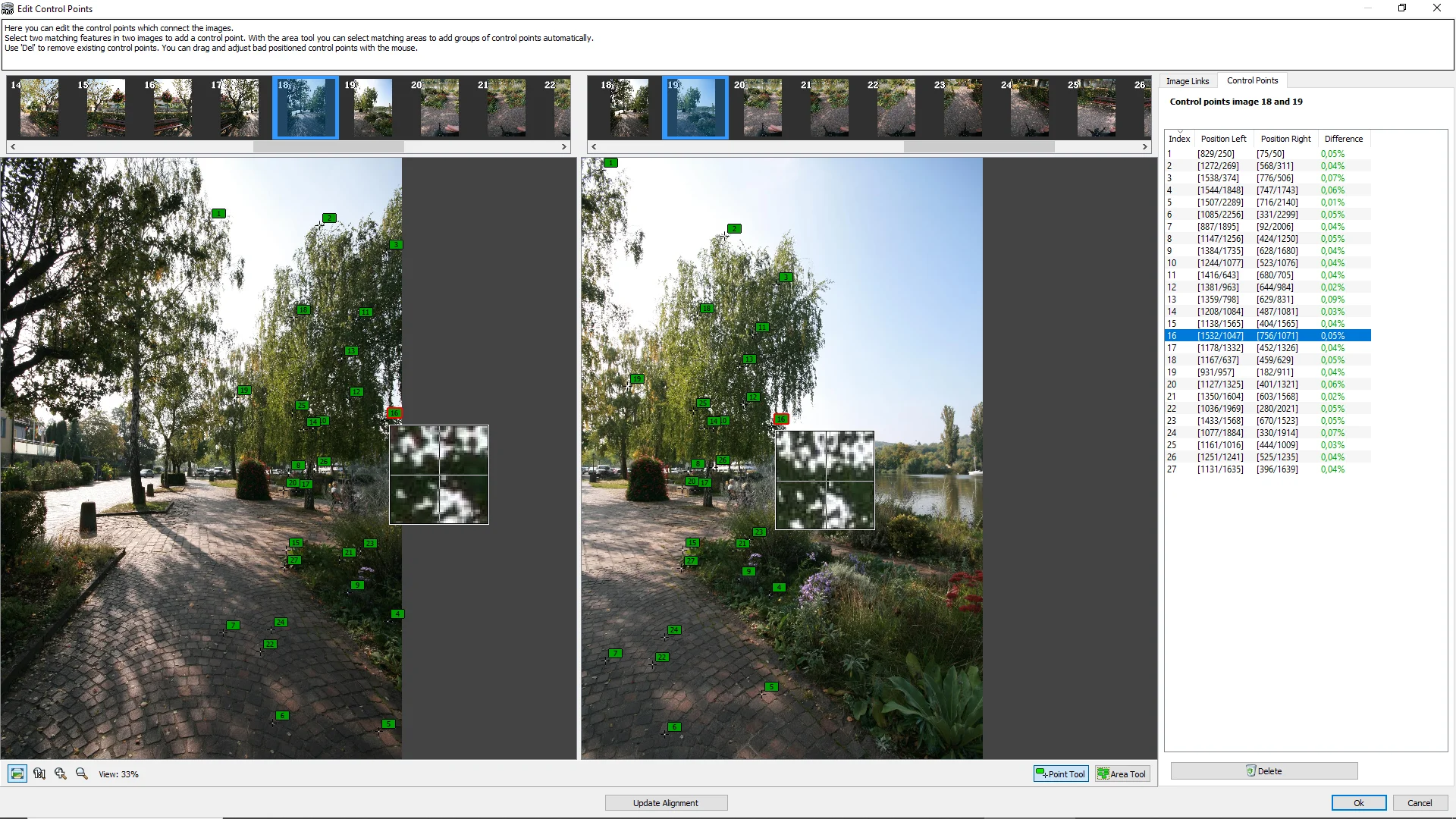
When an automatic join needs adjustment, the control point editor lets you refine image alignment, while masks exclude unwanted areas. Non-destructive filters and 2D or 3D previews help with further editing. Output options include image files, multi-page poster printing, interactive HTML5 panoramas and virtual tours linked through hotspots.
This entry links to the Standard edition's Windows 64-bit installer, not PanoramaStudio Pro. Standard includes five projection types, but HDR panorama creation with tone mapping or Exposure Fusion and fisheye-lens support require Pro. The unregistered software is for a 30-day evaluation; continued use requires a purchased license.
What it offers
- Automatically align and blend overlapping photos, with exposure matching and lens-distortion correction.
- Refine alignment with a control point editor and exclude unwanted image areas with masks.
- Apply non-destructive image filters and inspect the panorama in 2D or 3D previews.
- Import common image formats and supported RAW files; export panoramas as image files or multi-page prints.
- Export interactive HTML5 panoramas and connect them through hotspots into virtual tours.
Good to know
- The unregistered software may be evaluated for 30 days after first installation; buy a license or uninstall after that period.
- Standard has five projection types. HDR panorama creation with tone mapping or Exposure Fusion, fisheye-lens support and the additional Pro projections are not included.
Product images
Sources
References used for this listing. Retrieval dates do not indicate hands-on testing.
More in multimedia & graphics
View category ↗
1by1 2.17
Play music directly from folders with 1by1, a free Windows audio player with resume, gapless playback and file tools. Formats beyond MP3 need additional decoders.
3DVista Virtual Tour Pro
Build interactive 360° virtual tours from panoramas, videos and 3D models with 3DVista Virtual Tour Pro for Windows. Commercial software with a 30-day trial.

4DDiG Video Repair
Repair corrupted or unplayable videos in batches with the Video Repair tool in 4DDiG File Repair for Windows. A free trial is available; advanced features require a paid license.