

Multimedia & graphics Windows
Passport Photo Maker for Windows
Prepare passport, visa and other ID photos on Windows with document templates, cropping tools and print layouts. A free trial is available; full features require a paid license.
- Operating system
- Windows 11, 10, 8 and 7, as listed by the publisher
- Architecture
- Not specified by the publisher on the inspected product page
- Download package
- EXE installer
The publisher provides an unversioned PassportMaker.exe link. Its current build number and CPU architecture were not established by the HEAD check.
Link checked · Download guidance
What is Passport Photo Maker?
Passport Photo Maker turns a portrait into an ID photo using document templates and dedicated cropping tools. Choose a country and document type, align the face with markers or automatic face detection, then prepare a print layout or resize the image for an online submission. The publisher lists templates for more than 130 countries, including common 2 × 2 inch and 35 × 45 mm formats.
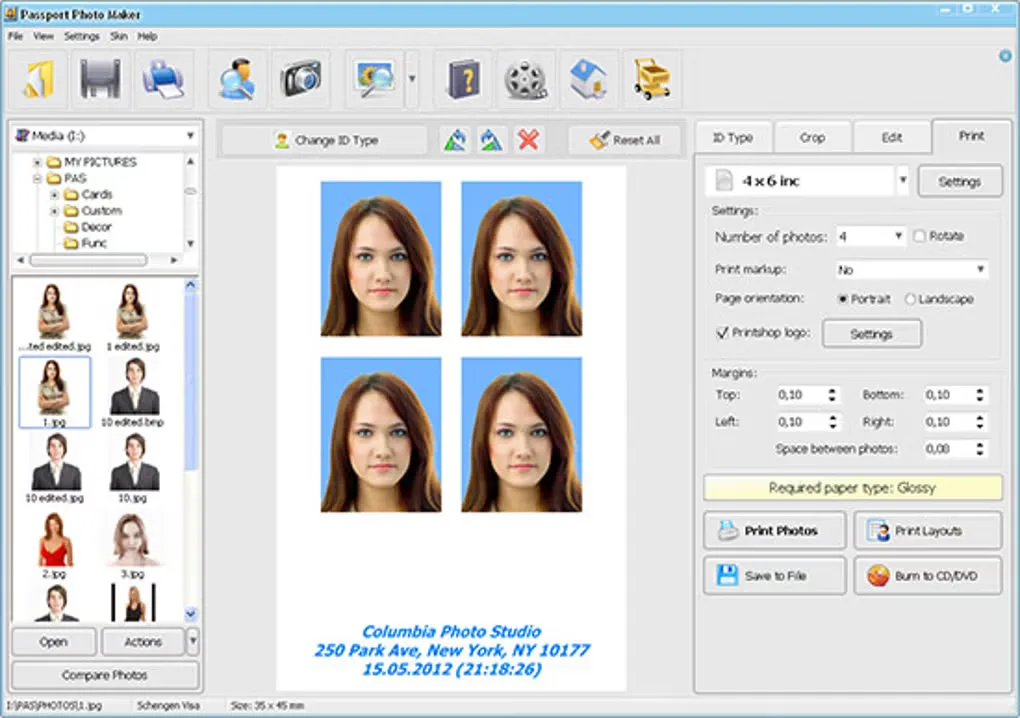
Background-editing tools let you select a backdrop color and refine the result manually. Print layouts can place several photos on a sheet, use standard or custom paper sizes and add crop marks. The publisher also offers clothing overlays and business editions with customer and order-management tools.
This is paid software with a demo, not an unrestricted free photo utility. Softonic reports that the trial cannot print or save images, and the publisher reserves full features for licensed editions. Business tools and additional clothing templates depend on the edition. The gallery screenshot illustrates the print-layout interface; it does not establish the version delivered by the publisher’s unversioned installer.
What it offers
- Choose ID photo templates for more than 130 countries, with common passport and visa sizes.
- Crop portraits with positioning markers or automatic face detection.
- Change the background color and refine the background with manual adjustment tools.
- Arrange photos on standard or custom paper sizes with reusable print layouts and crop marks.
Good to know
- The demo is limited: full features require a paid license, and Softonic reports that trial printing and saving are disabled.
- Customer and order management are business-edition features; the extra clothing-template kit is listed for the Studio version.
Product images
Sources
References used for this listing. Retrieval dates do not indicate hands-on testing.
More in multimedia & graphics
View category ↗
1by1 2.17
Play music directly from folders with 1by1, a free Windows audio player with resume, gapless playback and file tools. Formats beyond MP3 need additional decoders.
3DVista Virtual Tour Pro
Build interactive 360° virtual tours from panoramas, videos and 3D models with 3DVista Virtual Tour Pro for Windows. Commercial software with a 30-day trial.

4DDiG Video Repair
Repair corrupted or unplayable videos in batches with the Video Repair tool in 4DDiG File Repair for Windows. A free trial is available; advanced features require a paid license.