
Multimedia & graphics Windows
Photo-Brush
Adjust colors, retouch photos and paint with Photo-Brush for Windows, a commercial image editor with a free trial and RAW image browsing.
- Operating system
- Windows XP, Vista, 7 and 8, as listed by the publisher
- Architecture
- Installer architecture unspecified; publisher lists 32-bit and 64-bit Windows editions
- Download package
- EXE installer, standard gray interface
Legacy version dated January 5, 2011. Windows 10/11 compatibility is not established by the cited page. Publisher minimums include a 1 GHz processor, 2 GB RAM, 1 GB free disk space and 1024 × 768 display.
Link checked · Download guidance
What is Photo-Brush?
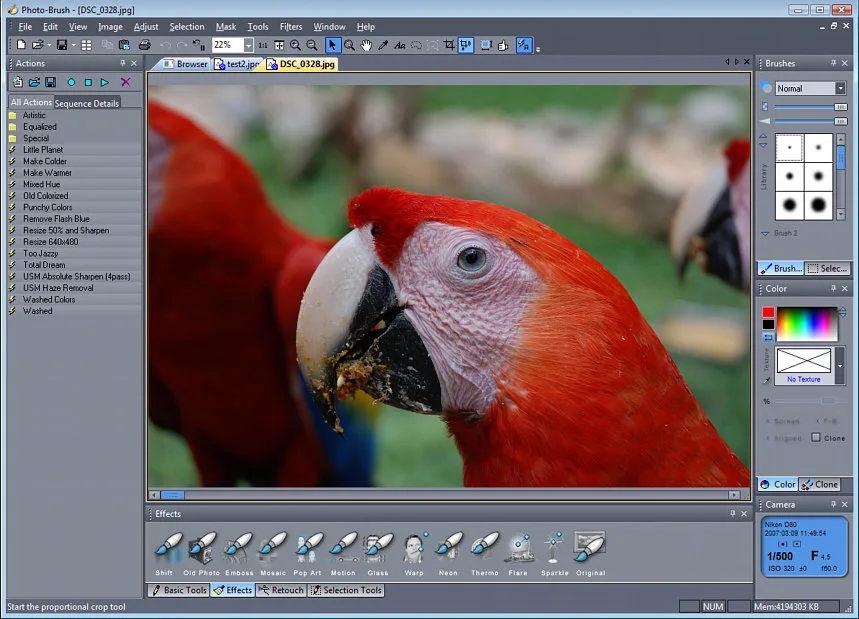
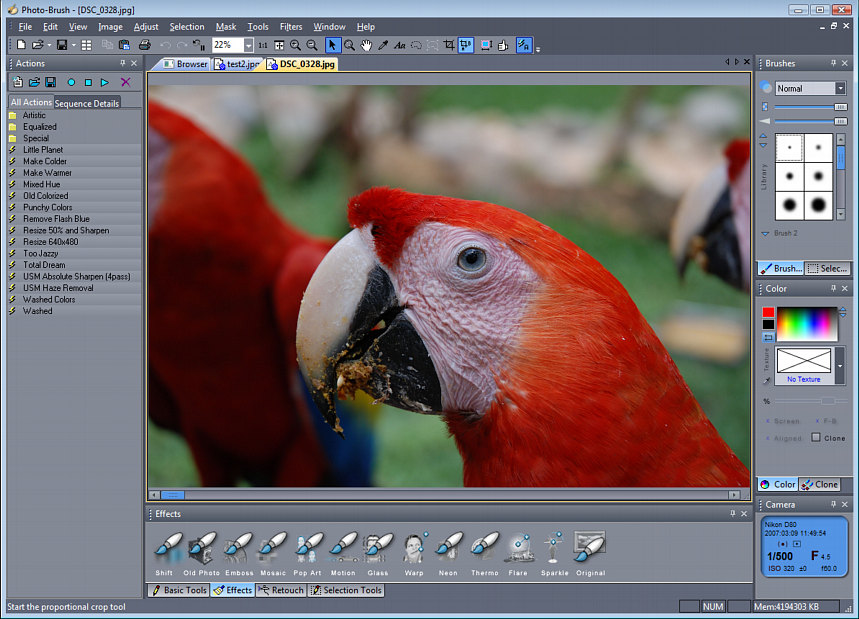
Photo-Brush combines photo correction, retouching and painting in one Windows editor. Use levels, curves and hue or saturation adjustments to change an image's tone, or use cloning and retouching brushes to work on unwanted details. Its RAW/JPG image browser helps locate photos, while pressure-sensitive tablet support and textured brushes cover painting tasks.
For more stylized edits, the publisher lists Liquid Warp, Little Planet and Fractal Droste effects, along with support for Photoshop-compatible plug-ins. A separate high-contrast interface is available for the same product and registration; the download linked here uses the standard gray interface.
This is a legacy release: the publisher identifies version 5.30 as dated January 5, 2011 and lists Windows XP, Vista, 7 and 8. Windows 10 and 11 compatibility is not established by that page. Photo-Brush is commercial software offered with a free trial, not freeware; no trial duration is specified on the cited product page.
What it offers
- Adjust levels, gamma, RGB curves, hue, saturation, brightness and contrast.
- Retouch photos with cloning, red-eye correction and scratch-cleaning tools.
- Paint with textured brushes and pressure-sensitive tablet support.
- Browse RAW/JPG images and use Photoshop-compatible plug-ins.
- Apply Liquid Warp, Little Planet and Fractal Droste effects.
Good to know
- The publisher lists legacy Windows XP, Vista, 7 and 8 support; Windows 10 and 11 compatibility is not established.
- Commercial software with a free trial; the cited product page does not specify the trial duration.
Product images
Sources
References used for this listing. Retrieval dates do not indicate hands-on testing.
More in multimedia & graphics
View category ↗
1by1 2.17
Play music directly from folders with 1by1, a free Windows audio player with resume, gapless playback and file tools. Formats beyond MP3 need additional decoders.
3DVista Virtual Tour Pro
Build interactive 360° virtual tours from panoramas, videos and 3D models with 3DVista Virtual Tour Pro for Windows. Commercial software with a 30-day trial.

4DDiG Video Repair
Repair corrupted or unplayable videos in batches with the Video Repair tool in 4DDiG File Repair for Windows. A free trial is available; advanced features require a paid license.