

Multimedia & graphics Windows
Photo Organizer for Windows
Sort photos and videos into dated event and trip folders with Gearmage’s Photo Organizer for Windows. Preview copy or move operations and compare duplicates.
- Operating system
- Windows 10 or Windows 11
- Architecture
- x64 (Intel/AMD) or ARM, as listed by the publisher
- Download package
- ZIP download
Requires .NET 4.8.1. Publisher requirements take precedence over Softonic’s conflicting Windows 7 listing. Archive contents and installation were not inspected.
Link checked · Download guidance
What is Photo Organizer?
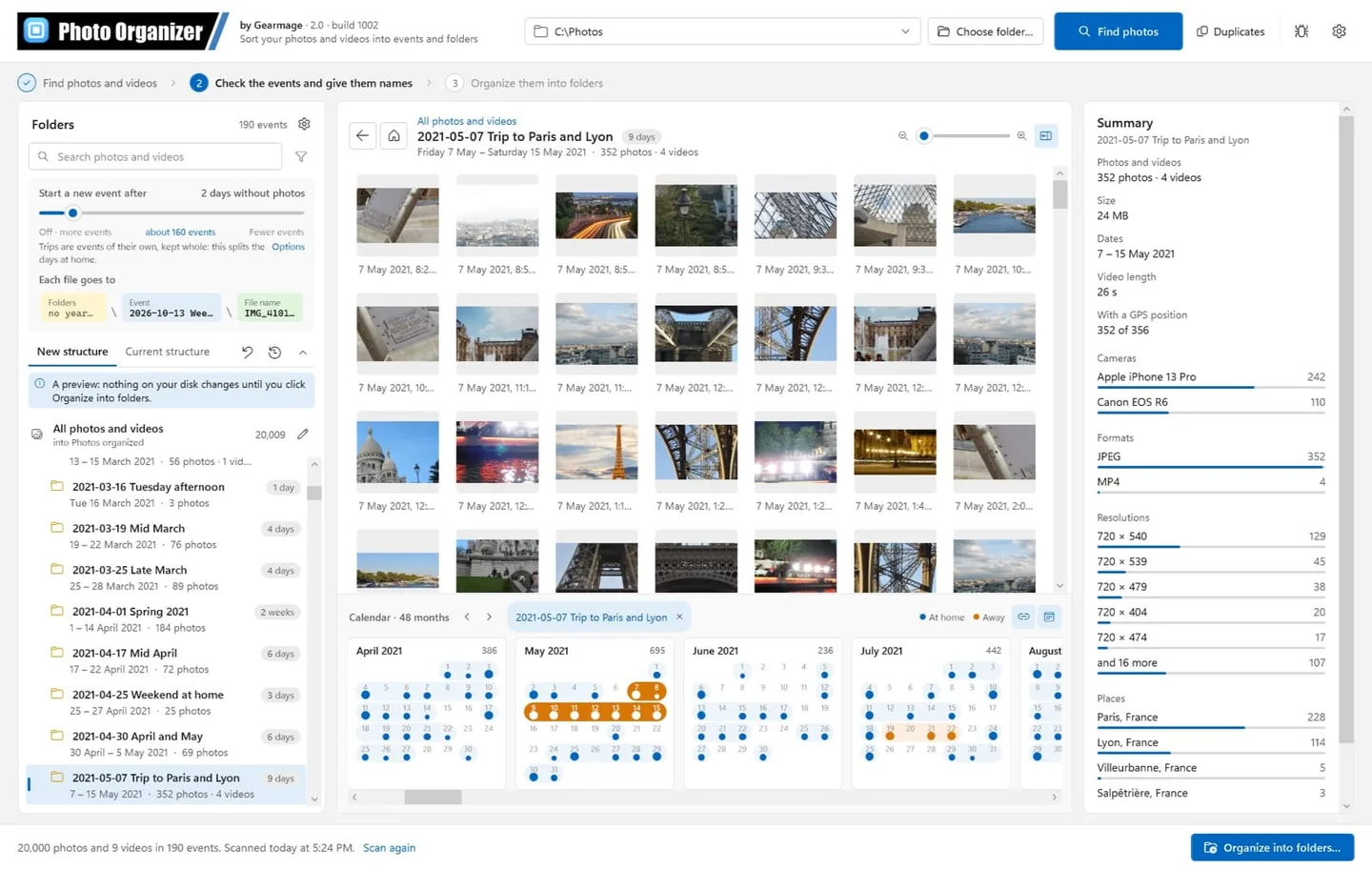
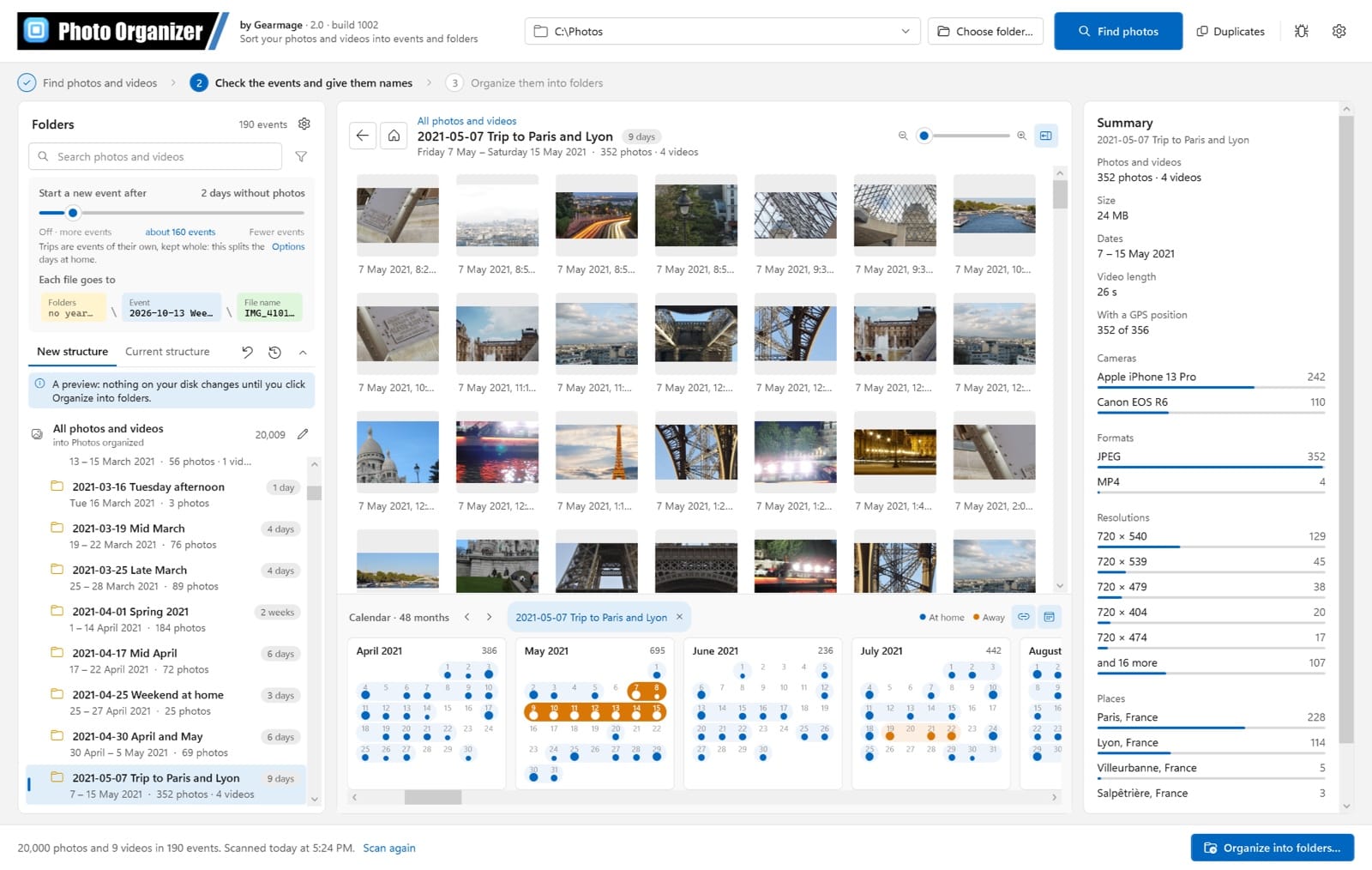
Photo Organizer turns a mixed photo and video collection into ordinary folders named by date, event or trip. Choose a source folder, review the events it finds, and set a destination and folder layout. You can use year and month folders, one folder per event, or templates built from details such as the date, camera or place. A preview shows the proposed files and folders before you choose to copy or move them. Copying leaves the originals in place.
The calendar helps you browse by day, while the duplicate window compares exact copies, alternative saves and similar-looking pictures. Event names can be changed or merged. The resulting files do not require Photo Organizer to open them, so the organized folders can be read with File Explorer or another viewer. Media Event Organizer is the program’s earlier name, not a separate product.
The publisher lists Windows 10 or 11, x64 or ARM, with .NET 4.8.1. Photo and video support depends on installed Windows codecs, and location-based trip detection needs GPS information in the photos. Personal, non-commercial use is free; business use requires contacting Gearmage. Keep a separate backup: undo cannot guarantee restoration after files have been changed, moved or deleted outside the program.
What it offers
- Group photos and videos into events and trips, with editable event names and calendar browsing.
- Choose event, year and month folders or custom folder and filename templates.
- Preview the destination layout before copying or moving files into ordinary folders.
- Compare exact duplicates, alternative saves and look-alike photos side by side.
- Use local processing and built-in place data; optional online place lookup can be enabled separately.
Good to know
- Free use is limited to personal, non-commercial purposes; contact Gearmage for business use.
- Photo and video format support depends on installed Windows codecs, and GPS-based trip detection needs location data.
- Undo and optional backups do not guarantee restoration if files have subsequently been changed, moved or deleted.
Product images
Sources
References used for this listing. Retrieval dates do not indicate hands-on testing.
- Free Photo Organizer for Windows – Sort Photos into Folders by Date ↗Retrieved
- End User License Agreement ↗Retrieved
- Photo Organizer Release Notes ↗Retrieved
- Photo Organizer - Download ↗Retrieved
More in multimedia & graphics
View category ↗
1by1 2.17
Play music directly from folders with 1by1, a free Windows audio player with resume, gapless playback and file tools. Formats beyond MP3 need additional decoders.
3DVista Virtual Tour Pro
Build interactive 360° virtual tours from panoramas, videos and 3D models with 3DVista Virtual Tour Pro for Windows. Commercial software with a 30-day trial.

4DDiG Video Repair
Repair corrupted or unplayable videos in batches with the Video Repair tool in 4DDiG File Repair for Windows. A free trial is available; advanced features require a paid license.