
Multimedia & graphics Windows
PhotoDemon for Windows
Edit photos with layers, selection tools, content-aware fill and batch processing in PhotoDemon, a free, portable Windows editor that does not need installation.
Version 2025.12 · Direct publisher file
Link checked · Download guidance
What is PhotoDemon?
PhotoDemon is a Windows photo editor for adjusting images, combining layers and applying effects without installing an application. The publisher distributes it as a portable ZIP package and says it can run from a USB stick or SD card without administrator rights or an Internet connection.
Its editing tools include digital paintbrushes, content-aware fill and resize, shadow/highlight recovery, and perspective and lens correction. Support for PSD, PSP and XCF files helps when working with images from other editors. A macro recorder and batch processor provide a way to repeat work across images, while real-time previews and saved presets help refine individual adjustments.
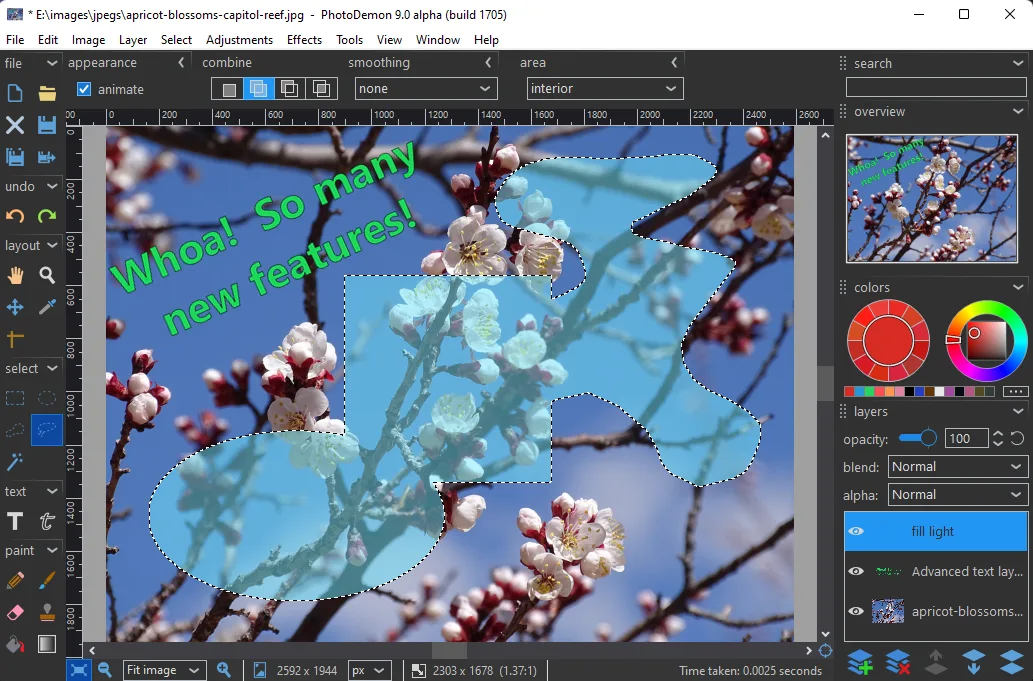
The linked package is version 2025.12. Its release notes describe improved JPEG-2000 support and DDS import and export, but full DDS support is available only on 64-bit Windows. The publisher's overview screenshot shows an older 9.0 alpha interface, not a capture of the linked release.
What it offers
- Work with layers, selections and digital paintbrushes.
- Use content-aware fill and resize, shadow/highlight recovery, and perspective and lens correction.
- Work with image formats including Adobe Photoshop PSD, PaintShop Pro PSP and GIMP XCF.
- Record macros and apply repeatable operations with the built-in batch processor.
- Preview adjustments in real time, save presets and choose built-in dark or light themes.
Good to know
- Full DDS import and export in version 2025.12 requires a 64-bit operating system.
Product images
Sources
References used for this listing. Retrieval dates do not indicate hands-on testing.
- PhotoDemon — official overview ↗Retrieved
- PhotoDemon — official download page ↗Retrieved
- PhotoDemon 2025.12 is here ↗Retrieved
- PhotoDemon — license overview ↗Retrieved
- PhotoDemon - Download ↗Retrieved
More in multimedia & graphics
View category ↗
1by1 2.17
Play music directly from folders with 1by1, a free Windows audio player with resume, gapless playback and file tools. Formats beyond MP3 need additional decoders.
3DVista Virtual Tour Pro
Build interactive 360° virtual tours from panoramas, videos and 3D models with 3DVista Virtual Tour Pro for Windows. Commercial software with a 30-day trial.

4DDiG Video Repair
Repair corrupted or unplayable videos in batches with the Video Repair tool in 4DDiG File Repair for Windows. A free trial is available; advanced features require a paid license.