
Multimedia & graphics Windows
PhotoDiva
Retouch portraits on Windows with PhotoDiva: apply automatic enhancements, reshape facial features and add virtual makeup in the free edition.
- Operating system
- Windows 11, 10, 8 and 7, as listed by the publisher
- Architecture
- Not specified in the cited publisher pages
- Download package
- EXE installer
This entry links to the Windows package. No processor architecture, release version or build-specific compatibility was established.
Link checked · Download guidance
What is PhotoDiva?
PhotoDiva is a portrait editor from AMS Software for adjusting faces in photographs. Its free edition combines automatic retouching with facial reshaping and virtual makeup, including eye-color changes. It suits focused portrait adjustments rather than making every advertised effect available without an upgrade.
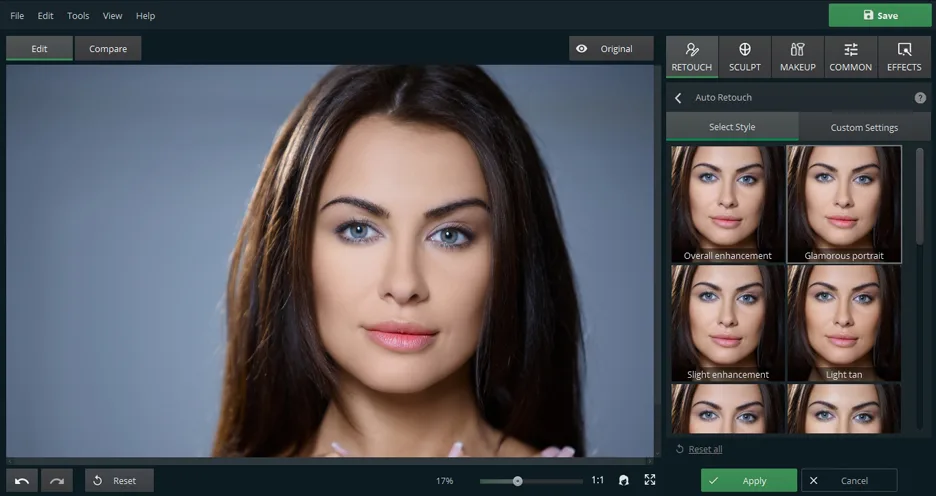
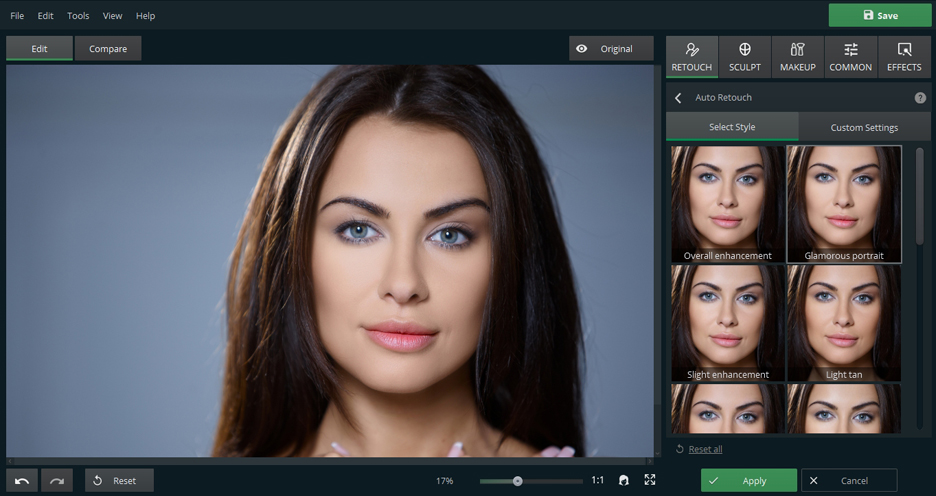
The publisher describes a workflow of opening a photo, applying retouching tools and exporting the finished portrait. The Auto Retouch panel shown in the screenshot offers named enhancement styles alongside custom settings, with an Original control for comparison and Apply or Cancel controls for the current edit.
Check the edition comparison before choosing it for background work: background blur, background replacement or removal, glamour dimension and the collection of 100+ one-click filters are listed as PRO features, not features of the free download. The link here points to the publisher’s Windows EXE; its availability was checked with HEAD only, without downloading or running the installer.
What it offers
- Apply automatic portrait retouching.
- Reshape a face and sculpt facial features.
- Add virtual makeup and change eye color.
- Choose Auto Retouch styles or custom settings, with an Original comparison control.
- Export an edited portrait after retouching.
Good to know
- Background blur and background replacement or removal require PhotoDiva PRO.
- Glamour dimension and the collection of 100+ one-click photo filters are listed as PRO-only.
Product images
Sources
References used for this listing. Retrieval dates do not indicate hands-on testing.
- Free Portrait Editor - Reveal Your Beauty with PhotoDiva ↗Retrieved
- About PhotoDiva ↗Retrieved
- PhotoDiva License Agreement ↗Retrieved
More in multimedia & graphics
View category ↗
1by1 2.17
Play music directly from folders with 1by1, a free Windows audio player with resume, gapless playback and file tools. Formats beyond MP3 need additional decoders.
3DVista Virtual Tour Pro
Build interactive 360° virtual tours from panoramas, videos and 3D models with 3DVista Virtual Tour Pro for Windows. Commercial software with a 30-day trial.

4DDiG Video Repair
Repair corrupted or unplayable videos in batches with the Video Repair tool in 4DDiG File Repair for Windows. A free trial is available; advanced features require a paid license.