
Multimedia & graphics Windows
PhotoGlory
Restore old photos on Windows with PhotoGlory: colorize black-and-white pictures, repair scratches and stains, and adjust faded colors.
- Operating system
- Windows 11, 10, 8 and 7
- Architecture
- Not specified on the publisher product page
- Download package
- EXE download (PhotoGloryAMS.exe)
Operating systems are publisher-listed, not independently tested. Package architecture and exact installed build are not established.
Link checked · Download guidance
What is PhotoGlory?
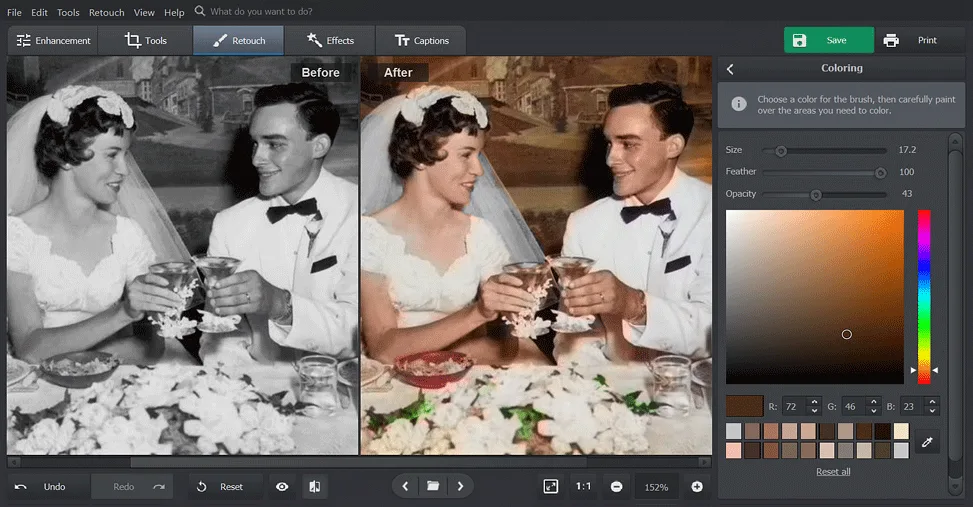
PhotoGlory is a Windows photo editor focused on restoring old photographs. Its automatic colorization gives black-and-white images a color starting point, with a coloring brush and palette for manual refinements. For damaged pictures, the publisher describes a Healing Brush for small scratches and Clone Stamp and Patch tools for larger defects. Cropping can remove torn edges.
The editor also offers automatic lighting and color correction, individual color adjustments, RGB Curves and more than 100 effects with adjustable strength. These are publisher-described capabilities, not results from an installation or hands-on restoration test.
A free download is offered alongside paid editions; that is not evidence of unrestricted freeware, and the product page does not specify free-use limits. The dedicated product page lists version 8.0, while the publisher homepage news teaser still says 7.0. This entry uses the product-page version, not a verified installer build or a claim about the latest release.
What it offers
- Colorize black-and-white photographs automatically, then refine areas with a coloring brush and palette.
- Repair small scratches with the Healing Brush and work on larger defects with Clone Stamp and Patch tools.
- Crop damaged edges and adjust lighting, individual colors and RGB Curves.
- Apply more than 100 effects, adjust their strength and save favorite effects.
Good to know
- Commercial purchase is offered alongside the free download; the product page does not explain free-use restrictions.
- The product page lists 8.0 but the homepage news teaser says 7.0; the downloaded package version has not been inspected.
Product images
Sources
References used for this listing. Retrieval dates do not indicate hands-on testing.
More in multimedia & graphics
View category ↗
1by1 2.17
Play music directly from folders with 1by1, a free Windows audio player with resume, gapless playback and file tools. Formats beyond MP3 need additional decoders.
3DVista Virtual Tour Pro
Build interactive 360° virtual tours from panoramas, videos and 3D models with 3DVista Virtual Tour Pro for Windows. Commercial software with a 30-day trial.

4DDiG Video Repair
Repair corrupted or unplayable videos in batches with the Video Repair tool in 4DDiG File Repair for Windows. A free trial is available; advanced features require a paid license.