

Multimedia & graphics Windows
PhotoResizerOK for Windows
Resize batches of photos, adjust compression and add optional watermarks with PhotoResizerOK, a free Windows tool with RAW input and EXIF-copying options.
- Operating system
- Windows 11, 10, 8.1 and 7; Windows Server also listed by publisher
- Architecture
- x64 (selected download)
- Download package
- ZIP archive
The publisher lists separate standard and x64 ZIP archives. This link selects x64. No installer or application was downloaded or run.
Link checked · Download guidance
What is PhotoResizerOK?
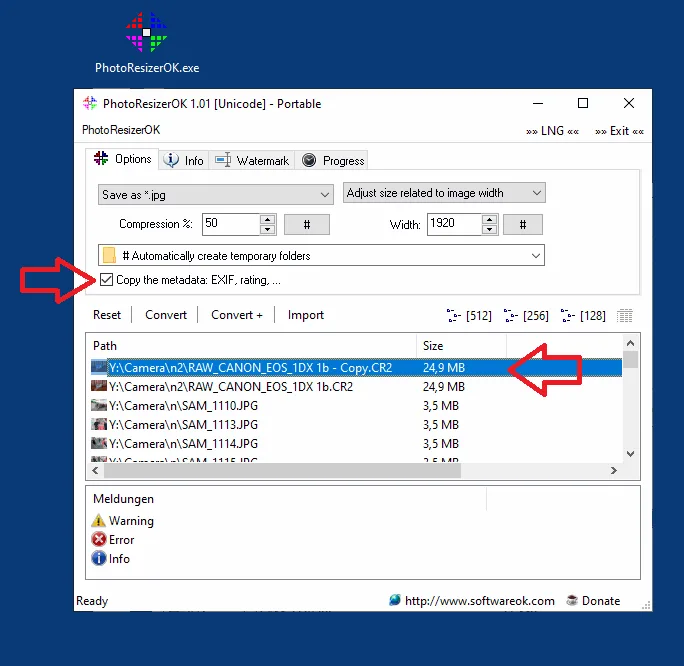
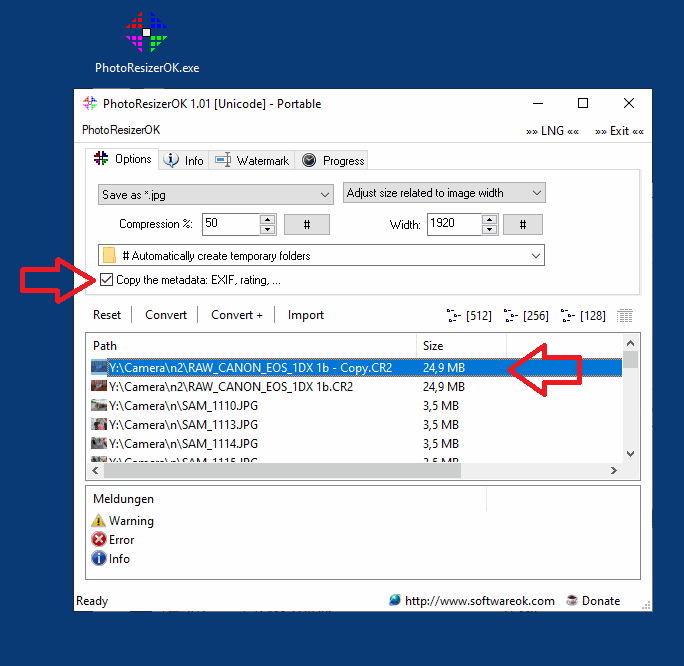
PhotoResizerOK makes smaller copies of photos for sharing or storage. Add images by drag and drop or import a folder, choose a size and output format, then convert the batch. Resize by percentage or a target width with proportional height, adjust compression, and choose an output folder or automatically created temporary folders.
The publisher documents RAW input, including Canon examples, for producing reduced JPG copies. Optional controls copy EXIF information and add multiline watermarks. The program runs without installation; the publisher says adding _p to the executable name enables portable use.
Smaller files are a trade-off, not a promise of unchanged image quality: stronger compression can lose detail. Keep original photos when creating reduced copies. The screenshot is the publisher's historical PhotoResizerOK 1.01 interface, illustrating the batch controls rather than documenting the appearance of version 3.51.
What it offers
- Process multiple photos added through drag and drop or folder import.
- Reduce dimensions by percentage or target width with proportional height, and adjust compression.
- Convert supported image inputs, including RAW photos, into reduced JPG copies or other supported output formats.
- Optionally copy EXIF information and add multiline watermarks.
- Run without installation, with a portable mode documented by the publisher.
Good to know
- Higher compression can reduce image quality; reduced copies should not replace originals that you need at full quality.
Product images
Sources
References used for this listing. Retrieval dates do not indicate hands-on testing.
- PhotoResizerOK 3.51 Helps to reduce photos in file size quickly ↗Retrieved
- PhotoResizerOK — publisher PAD metadata ↗Retrieved
- PhotoResizerOK - License Agreement ↗Retrieved
- Batch processing of photos and reduction options! ↗Retrieved
- Well suited for reducing RAW image data in batch processing! ↗Retrieved
More in multimedia & graphics
View category ↗
1by1 2.17
Play music directly from folders with 1by1, a free Windows audio player with resume, gapless playback and file tools. Formats beyond MP3 need additional decoders.
3DVista Virtual Tour Pro
Build interactive 360° virtual tours from panoramas, videos and 3D models with 3DVista Virtual Tour Pro for Windows. Commercial software with a 30-day trial.

4DDiG Video Repair
Repair corrupted or unplayable videos in batches with the Video Repair tool in 4DDiG File Repair for Windows. A free trial is available; advanced features require a paid license.