

Multimedia & graphics Windows
PhotoStage for Windows
Turn photos and video clips into slideshows with music, narration and transitions using PhotoStage for Windows. The free edition is for non-commercial use only.
What is PhotoStage?
PhotoStage combines photos, video clips and audio into a slideshow. Arrange pictures by dragging them into order, or use Quick Create to start from a folder. Add captions, record narration and adjust slide timing to build a family slideshow or a narrated photo presentation. Its editing tools include brightness, color and saturation adjustments, plus crop, rotate and flip controls.
Transitions and pan-and-zoom effects help connect individual slides. The publisher lists video-file export, DVD output and formats for web and mobile sharing. NCH Software lists Windows 7 through 11 among the supported systems.
The linked installer is the publisher's free Windows edition, not a purchase of the commercial edition. NCH states that the free edition does not expire, is restricted to non-commercial use and includes most features of the normal version. Do not assume every advertised feature is included in the free edition: the product page does not provide a complete edition-by-edition feature list. Screenshots illustrate the application's workflow; they are not evidence of the version in the current installer.
What it offers
- Combine photos and video clips with background music and recorded or imported narration.
- Arrange slides by dragging media, or create a slideshow from a folder with Quick Create.
- Add captions, transitions and pan-and-zoom effects; adjust slide timing.
- Adjust brightness, color and saturation, and crop, rotate or flip photos.
- Export slideshows as video files or use the publisher's listed DVD, web and mobile output options.
Good to know
- The free edition is licensed for non-commercial use only.
- NCH says the free edition includes most features, not all features; its product page does not enumerate every free-versus-paid restriction.
Product images
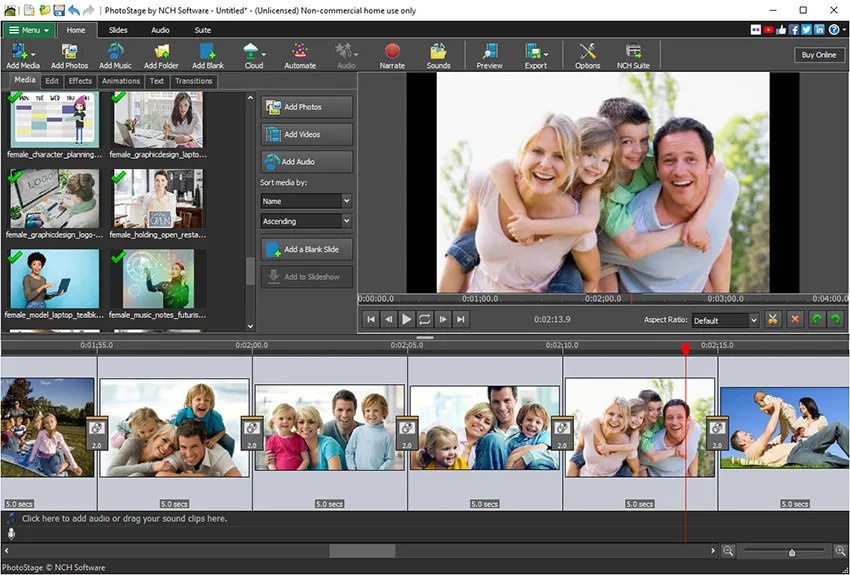
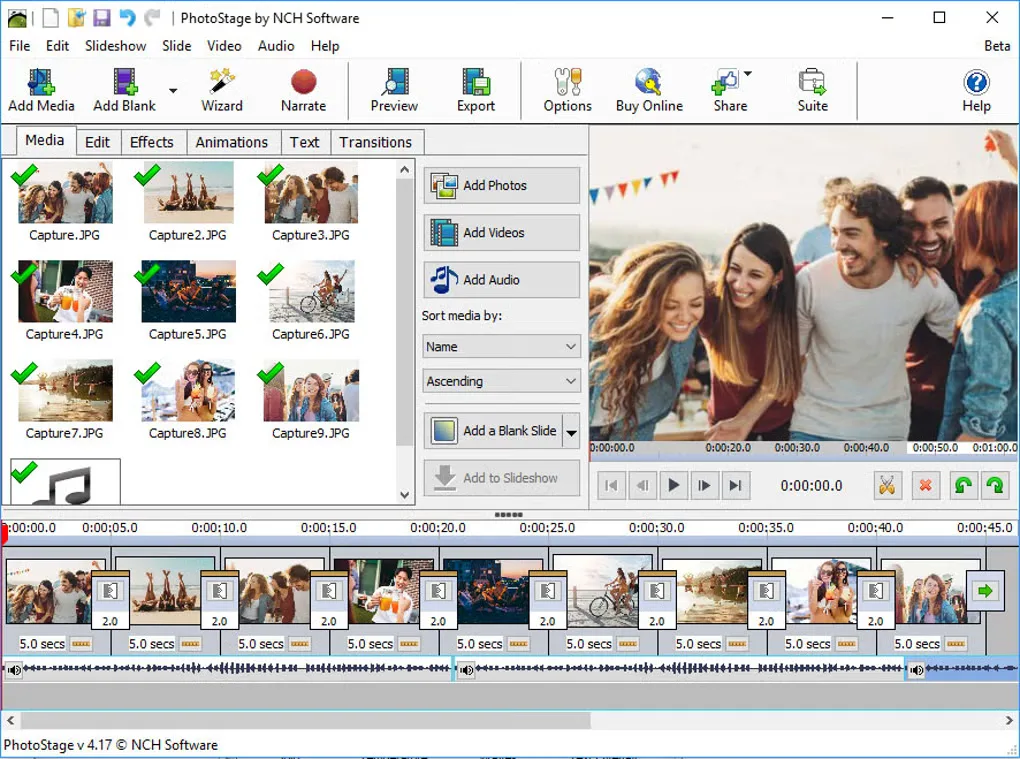
Sources
References used for this listing. Retrieval dates do not indicate hands-on testing.
- Photo Slideshow Software. Free Slideshow Maker Download ↗Retrieved
- PhotoStage - Download ↗Retrieved
- PhotoStage Slideshow Software Screenshots ↗Retrieved
- NCH Software Legal Terms ↗Retrieved
More in multimedia & graphics
View category ↗
1by1 2.17
Play music directly from folders with 1by1, a free Windows audio player with resume, gapless playback and file tools. Formats beyond MP3 need additional decoders.
3DVista Virtual Tour Pro
Build interactive 360° virtual tours from panoramas, videos and 3D models with 3DVista Virtual Tour Pro for Windows. Commercial software with a 30-day trial.


4DDiG Video Repair
Repair corrupted or unplayable videos in batches with the Video Repair tool in 4DDiG File Repair for Windows. A free trial is available; advanced features require a paid license.