
Multimedia & graphics Windows
PhotoWorks
Correct exposure and color, retouch portraits and process photos in batches with PhotoWorks for Windows, a paid photo editor with a free trial.
- Operating system
- Windows 11, 10, 8 and 7, as listed by the publisher
- Architecture
- Windows installer architecture not specified by the cited publisher page
- Download package
- EXE installer
Publisher lists a 1 GHz processor, at least 256 MB RAM and 500 MB disk space. These are published requirements, not independently tested compatibility results.
Link checked · Download guidance
What is PhotoWorks?
PhotoWorks is a Windows photo editor for improving portraits, landscapes and everyday pictures. It combines automatic light and color correction with manual exposure, highlights, shadows and color controls. Portrait tools address blemishes and skin tone, while object removal, sky replacement and perspective correction tackle distractions and composition problems.
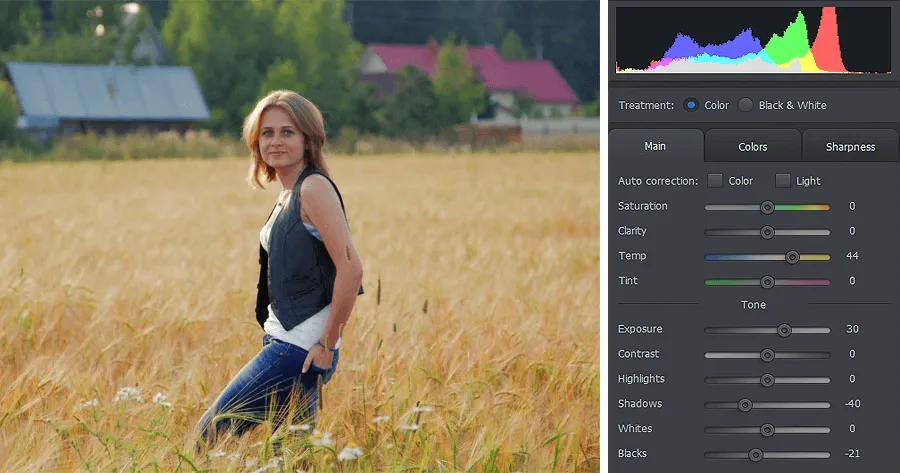
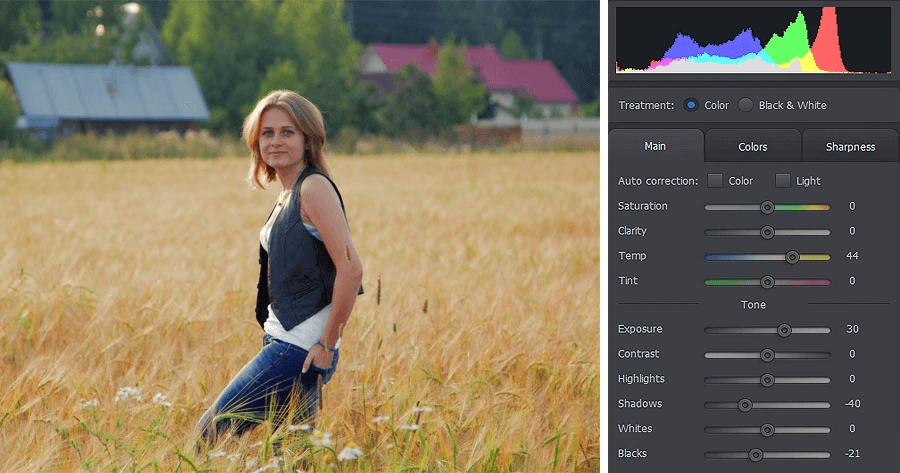
For a group of pictures, batch processing can apply enhancements, add text or watermarks, resize and export. Creative options include artistic filters, captions and collages. The publisher's exposure tutorial illustrates the editor's histogram and adjustment sliders; its example settings are specific to that photograph, not universal correction values.
PhotoWorks is trial software, not freeware. The publisher offers a free trial and a paid license; this entry links to the publisher's Windows EXE. The installer endpoint was checked with HEAD only. The application was not downloaded, installed or tested, and feature descriptions reflect publisher documentation rather than measured editing results.
What it offers
- Adjust exposure, highlights, shadows, white balance and color, or use automatic light and color correction.
- Retouch portraits with blemish removal, skin smoothing and facial adjustment tools.
- Remove unwanted objects, replace skies and correct tilted horizons or perspective.
- Batch-enhance, watermark, resize and export multiple photographs.
- Add artistic effects, captions and collages.
Good to know
- The free download is a trial; continued full use requires a paid license.
- The publisher's tutorials are online and require an internet connection to view.
Product images
Sources
References used for this listing. Retrieval dates do not indicate hands-on testing.
More in multimedia & graphics
View category ↗
1by1 2.17
Play music directly from folders with 1by1, a free Windows audio player with resume, gapless playback and file tools. Formats beyond MP3 need additional decoders.
3DVista Virtual Tour Pro
Build interactive 360° virtual tours from panoramas, videos and 3D models with 3DVista Virtual Tour Pro for Windows. Commercial software with a 30-day trial.

4DDiG Video Repair
Repair corrupted or unplayable videos in batches with the Video Repair tool in 4DDiG File Repair for Windows. A free trial is available; advanced features require a paid license.