

Multimedia & graphics Windows
PhotoX Batch Watermark Software for Windows
Add text and logo watermarks to batches of photos on Windows, with opacity, alignment and preview controls. The free trial adds its own watermark to output.
- Operating system
- Windows 11, 10, 8.1, 8 and 7
- Architecture
- Not specified by the publisher for this Windows installer
- Download package
- EXE installer (photox-setup.exe)
Publisher-listed Windows support, not independently installation-tested. macOS uses separate packages.
Link checked · Download guidance
What is PhotoX Batch Watermark Software?
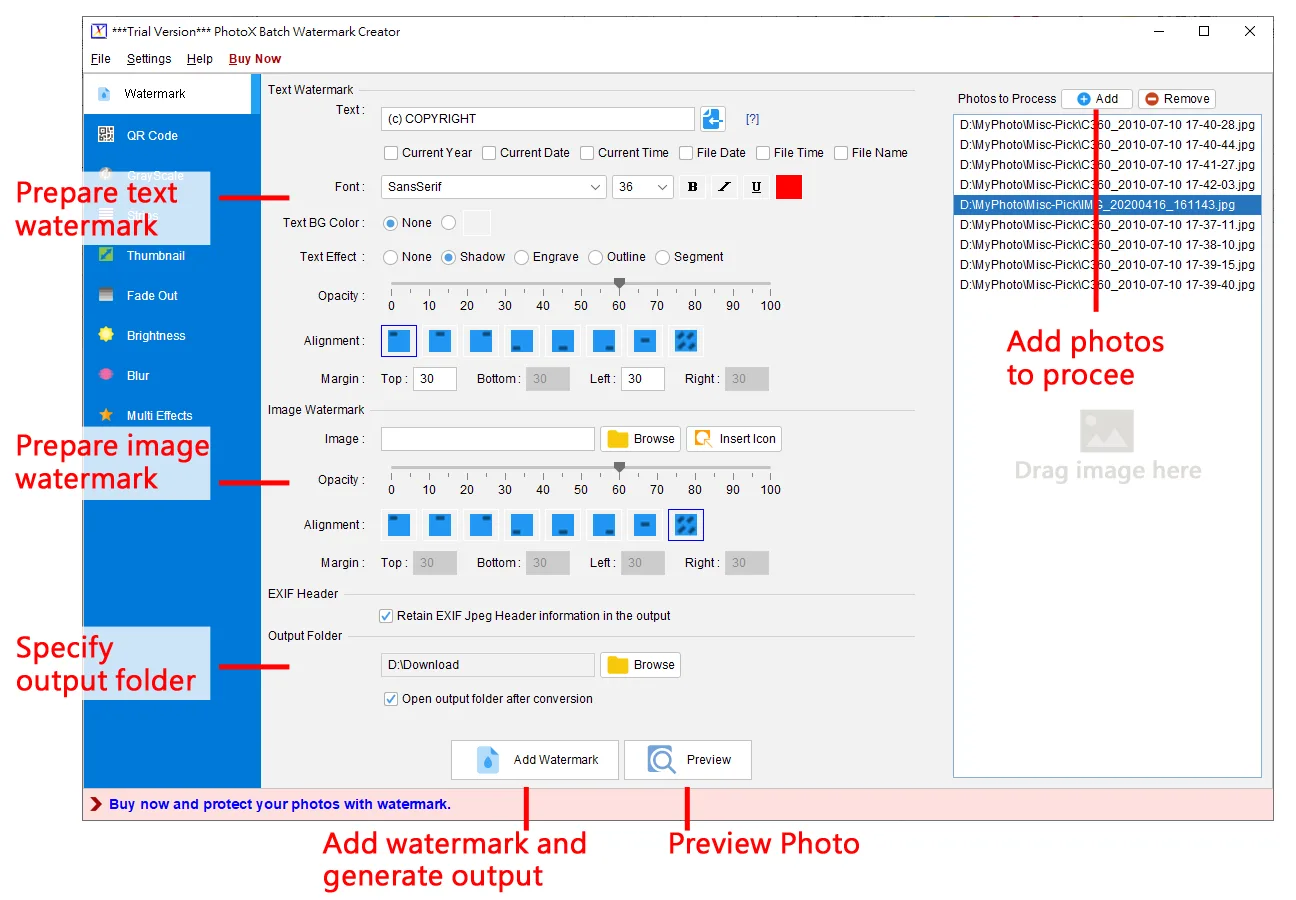
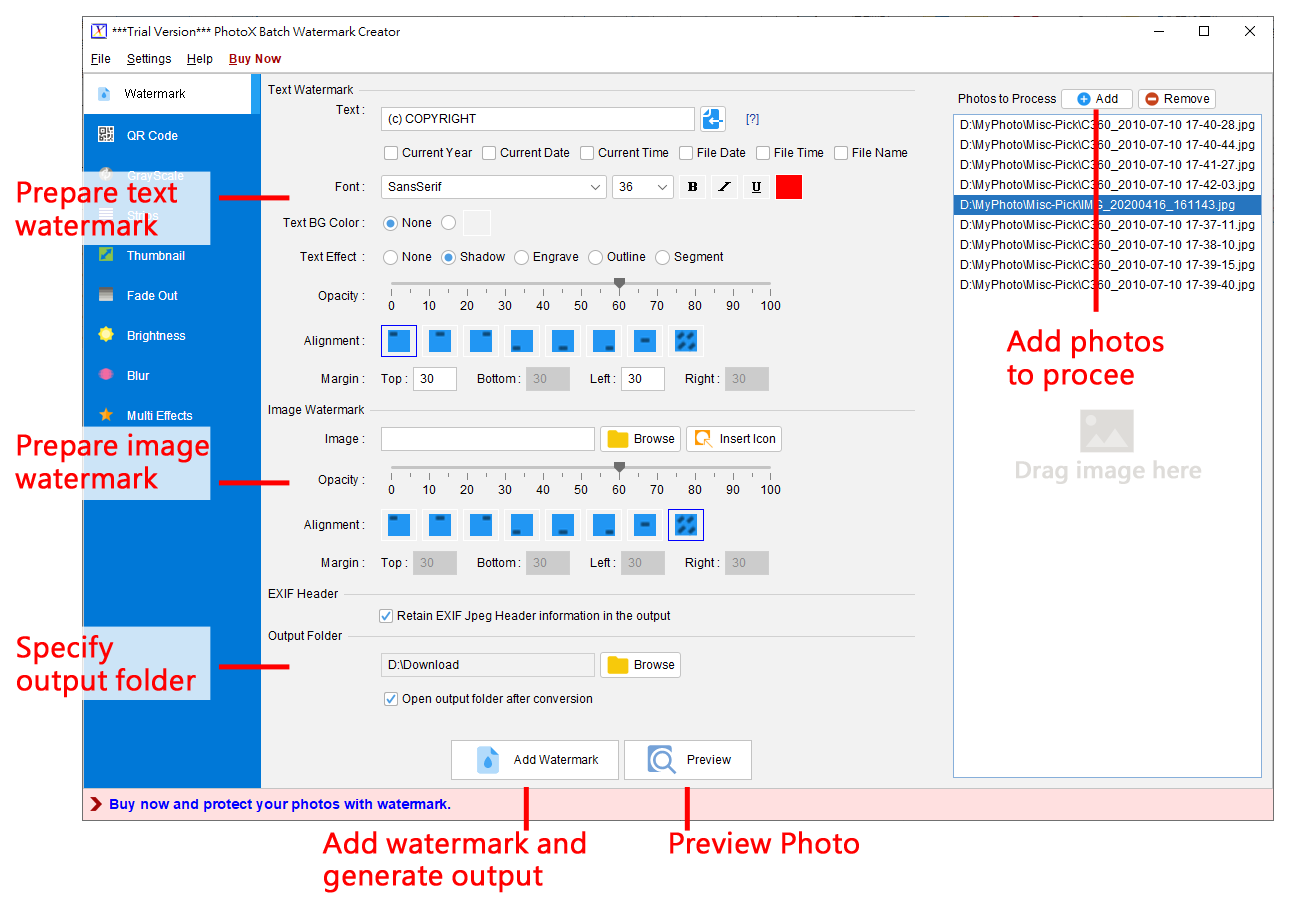
PhotoX Batch Watermark Software applies text or image watermarks to collections of photos. It suits photographers and sellers who need the same copyright notice or logo across multiple images. Set the text style, transparency, position and margins, add photos to the processing list, then preview the result before generating output. Text and image watermarks can be used together.
Beyond watermarking, PhotoX offers QR-code stamping, resizing, brightness and contrast adjustments, grayscale conversion, blur, strips, fade-out edges and thumbnails. Multiple effects can be combined in one operation. The publisher describes photo processing as local rather than cloud-based.
The download is a commercial application's free trial, not a free unrestricted edition. Evinco's registration guide says trial output carries an additional watermark; registering a purchased license removes that restriction. PhotoX is a standalone desktop application, not a server-based watermarking service. The Windows installer linked here is separate from the publisher's macOS packages.
What it offers
- Batch-apply text and image watermarks, including both types on the same photos.
- Adjust text styling, watermark opacity, alignment and margins; preview before output.
- Stamp QR codes and combine watermarking with resizing or other effects.
- Apply brightness, contrast, grayscale, blur, strips, fade-out edges and thumbnail generation.
- Process photos locally; the publisher lists JPEG, PNG, BMP, TIFF and RAW support.
Good to know
- Trial output is stamped with an additional watermark. A purchased license and registration are required to remove this trial restriction.
- PhotoX is a standalone desktop application; the publisher does not offer a server-based edition.
- The publisher's FAQ warns that images with corrupted color profiles may fail to preview or process.
Product images
Sources
References used for this listing. Retrieval dates do not indicate hands-on testing.
- Batch Photo Watermark Software: Add Logo & Text (Win/Mac) ↗Retrieved
- Register | PhotoX Batch Watermark User Guide ↗Retrieved
- PhotoX Batch Watermark Creator software - Frequently Asked Questions ↗Retrieved
- PhotoX Batch Watermark Creator software - Software Release History ↗Retrieved
- Free PhotoX Download: Batch Photo Watermark (Win/Mac) ↗Retrieved
More in multimedia & graphics
View category ↗
1by1 2.17
Play music directly from folders with 1by1, a free Windows audio player with resume, gapless playback and file tools. Formats beyond MP3 need additional decoders.
3DVista Virtual Tour Pro
Build interactive 360° virtual tours from panoramas, videos and 3D models with 3DVista Virtual Tour Pro for Windows. Commercial software with a 30-day trial.

4DDiG Video Repair
Repair corrupted or unplayable videos in batches with the Video Repair tool in 4DDiG File Repair for Windows. A free trial is available; advanced features require a paid license.