

Multimedia & graphics Windows
PhoXoSee for Windows
Browse photos, crop images and batch convert HEIC to JPEG with PhoXoSee, a free image viewer for Windows 10 and 11.
- Operating system
- Windows 10 and Windows 11
- Architecture
- Not specified by the cited publisher pages
- Download package
- EXE installer
The linked download is the publisher's installer. A separate portable version is mentioned by the publisher.
Link checked · Download guidance
What is PhoXoSee?
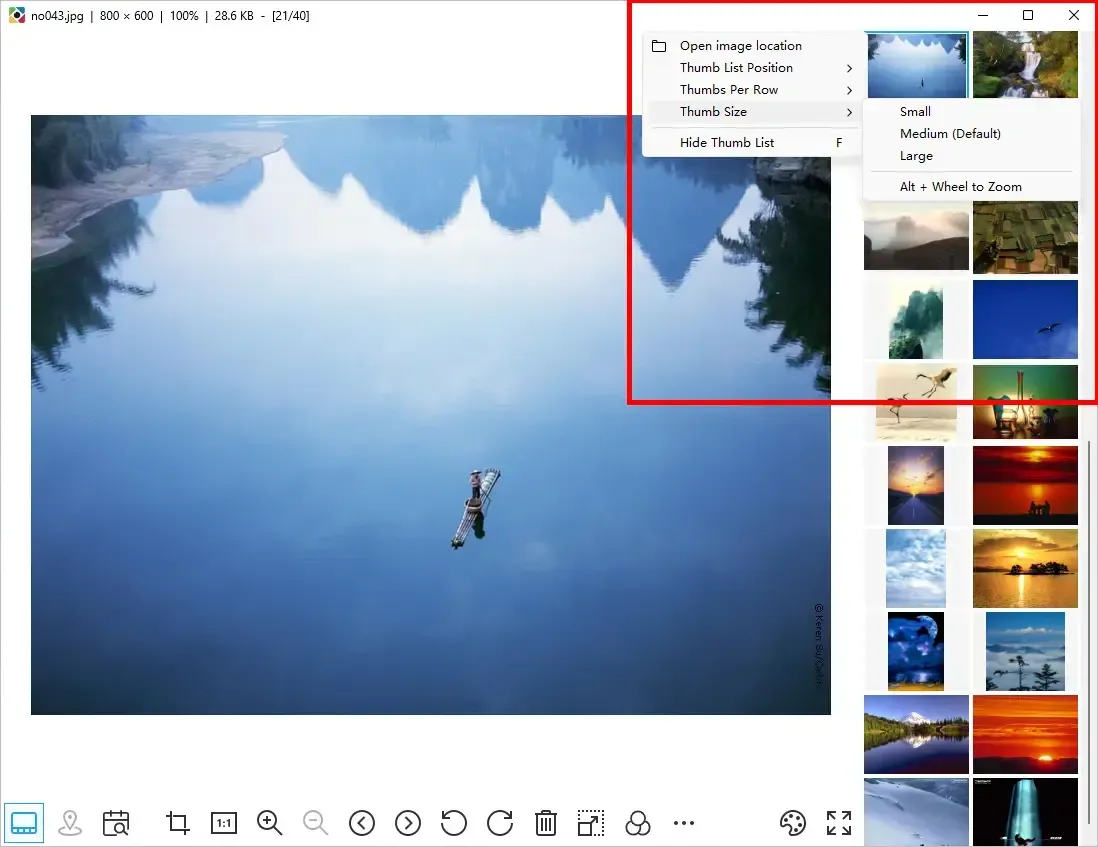
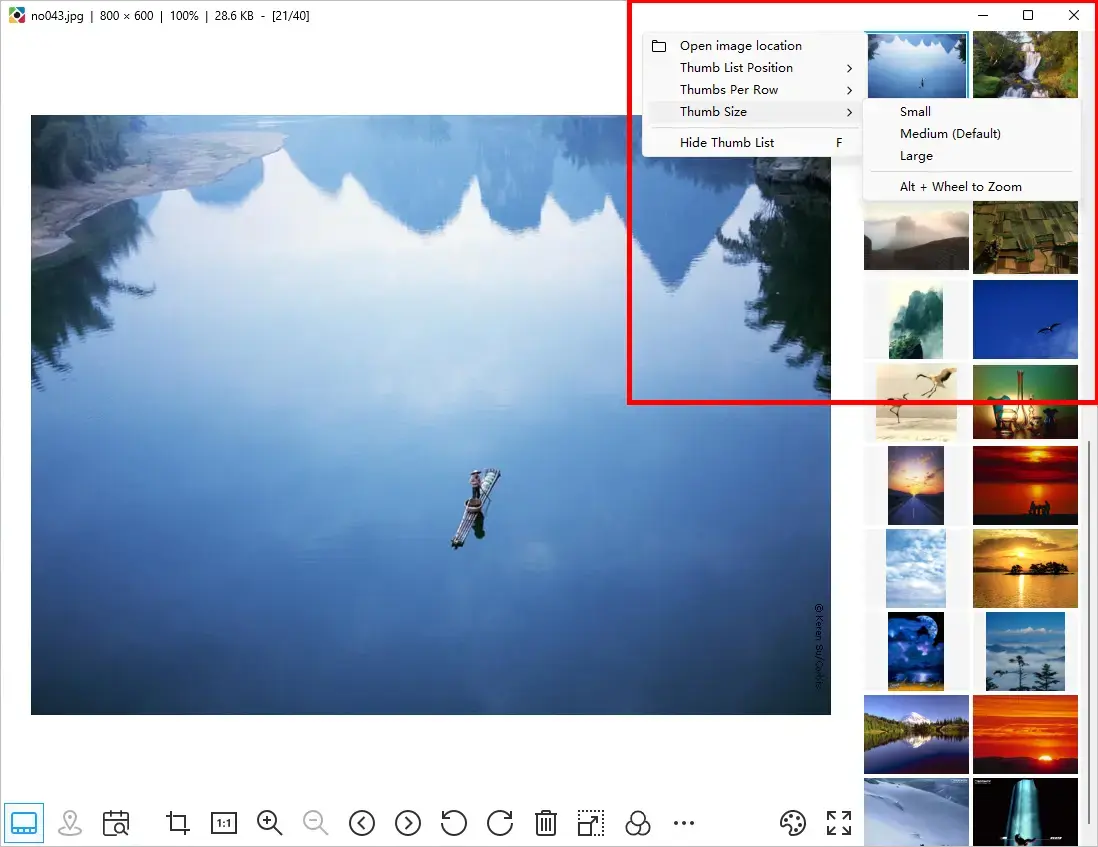
PhoXoSee is an image viewer for browsing photos on Windows 10 and 11. A configurable thumbnail list helps you move through a collection, while full-screen and borderless modes provide different viewing layouts. Built-in tools include cropping, brightness adjustment and sharpening.
For photo collections, PhoXoSee offers searching by capture date and viewing a photo's recorded GPS location. It also supports batch conversion from HEIC to JPEG and adds HEIC, SVG and PSD thumbnail previews to Windows Explorer. The publisher offers both an installer and a separate portable version; the download here is the EXE installer.
The publisher lists Windows 10 and 11 as the system requirements. Support for older Windows versions is not established by the cited pages. PhoXoSee is free for personal and commercial use; no installation or performance testing was performed for this entry.
What it offers
- Browse images with a configurable thumbnail list, keyboard support, full-screen viewing and borderless viewing.
- Crop images and adjust brightness or sharpening using built-in tools.
- Search photos by capture date and view recorded GPS location information.
- Batch convert HEIC images to JPEG.
- Preview HEIC, SVG and PSD thumbnails in Windows Explorer.
Good to know
- The publisher lists Windows 10 and 11; compatibility with older Windows versions is not established by the cited sources.
Product images
Sources
References used for this listing. Retrieval dates do not indicate hands-on testing.
More in multimedia & graphics
View category ↗
1by1 2.17
Play music directly from folders with 1by1, a free Windows audio player with resume, gapless playback and file tools. Formats beyond MP3 need additional decoders.
3DVista Virtual Tour Pro
Build interactive 360° virtual tours from panoramas, videos and 3D models with 3DVista Virtual Tour Pro for Windows. Commercial software with a 30-day trial.

4DDiG Video Repair
Repair corrupted or unplayable videos in batches with the Video Repair tool in 4DDiG File Repair for Windows. A free trial is available; advanced features require a paid license.