
Multimedia & graphics Windows
Piano Booster
Practice reading music with scrolling MIDI notation and accompaniment that follows your playing. Piano Booster is free, open-source software for a MIDI piano keyboard, with a Windows installer that includes a SoundFont.
- Operating system
- Windows; specific Windows releases are not stated on the publisher download page
- Architecture
- Not specified by the publisher download page
- Download package
- EXE installer with SoundFont; uninstaller provided
MIDI piano keyboard recommended; a PC keyboard can be used to try the software. Acoustic-piano microphone input is not supported.
Link checked · Download guidance
What is Piano Booster?
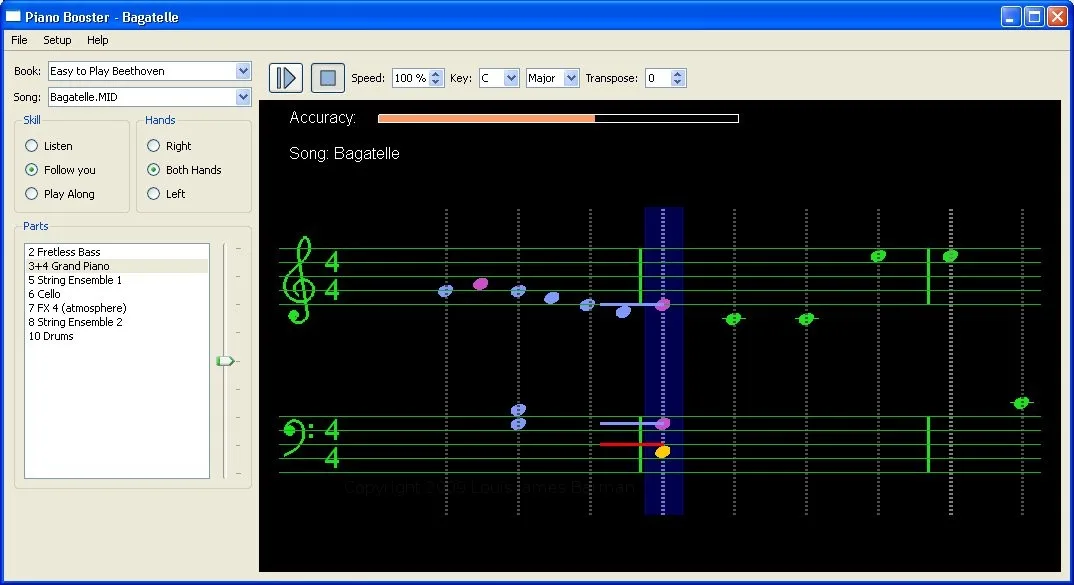
Piano Booster turns a MIDI arrangement into a practice session with scrolling notation. Select a part, slow the playback and work on one hand while the program supplies the other parts. In its follow mode, the accompaniment waits when you stop, so you can find the next note rather than race a fixed recording. Colored note feedback and timing markers help show mistakes and whether you are ahead of or behind the beat.
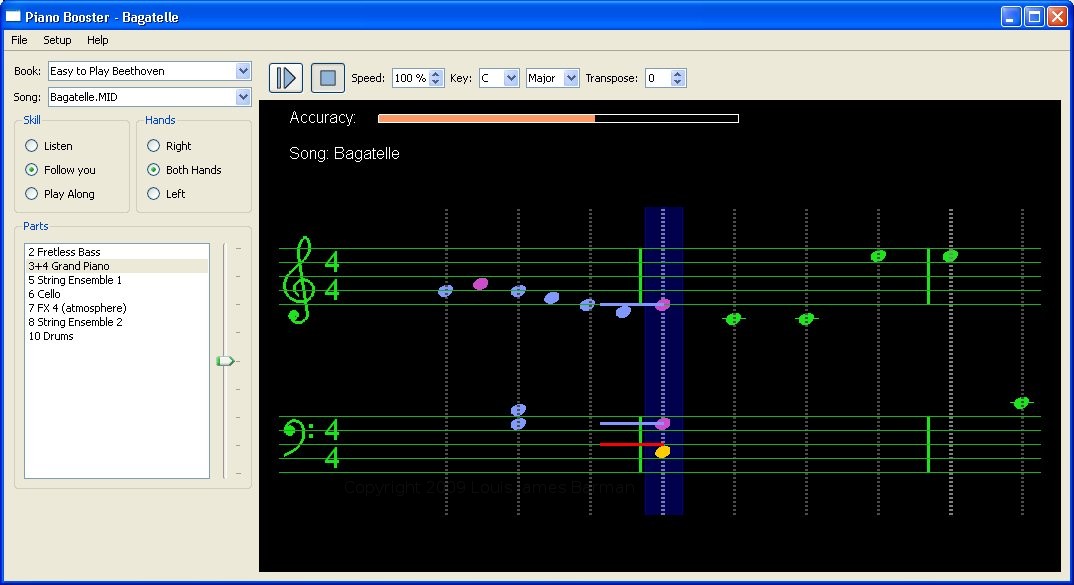
It is designed around MIDI input, not microphone recognition: the publisher explicitly says an ordinary acoustic piano cannot be used for input. A PC keyboard lets you try the program, but a MIDI piano keyboard is recommended for playing. The Windows 1.0.0 installer includes the FluidSynth sound generator and the recommended SoundFont. The publisher does not specify supported Windows releases or CPU architecture on the download page; Windows 10/11 compatibility has not been established here. The screenshot is the publisher's historical Windows illustration, not a capture of an installation tested for this entry.
What it offers
- Follow your MIDI keyboard playing with accompaniment that waits when you stop.
- Practice either hand while the program plays the other hand and accompanying parts.
- Adjust playback speed, transpose by up to 12 semitones in either direction and change the key signature.
- Repeat difficult bars, select a starting bar and view colored note feedback with timing markers.
- Play standard MIDI and KAR files; the Windows installer includes FluidSynth, a SoundFont and the Booster Music course.
Good to know
- Does not listen to an acoustic piano through a microphone; interactive piano input requires a MIDI keyboard. A PC keyboard is available for trying it out.
- The publisher download page does not identify supported Windows versions or CPU architecture; compatibility with a particular modern Windows setup is unverified.
Product images
Sources
References used for this listing. Retrieval dates do not indicate hands-on testing.
- PianoBooster — official introduction and features ↗Retrieved
- PianoBooster Downloads — Windows 1.0.0 installer and requirements ↗Retrieved
- PianoBooster FAQ — MIDI input and sound requirements ↗Retrieved
- PianoBooster Dev Info — license ↗Retrieved
- PianoBooster Screen Shots — Windows application illustration ↗Retrieved
More in multimedia & graphics
View category ↗
1by1 2.17
Play music directly from folders with 1by1, a free Windows audio player with resume, gapless playback and file tools. Formats beyond MP3 need additional decoders.
3DVista Virtual Tour Pro
Build interactive 360° virtual tours from panoramas, videos and 3D models with 3DVista Virtual Tour Pro for Windows. Commercial software with a 30-day trial.

4DDiG Video Repair
Repair corrupted or unplayable videos in batches with the Video Repair tool in 4DDiG File Repair for Windows. A free trial is available; advanced features require a paid license.