
Multimedia & graphics Windows
PICOLAY
Combine sharp details from a focus series, create depth maps and generate stereo views with PICOLAY, a portable Windows tool free for non-commercial use.
- Operating system
- Windows; exact minimum version not specified in inspected current publisher sources
- Architecture
- 64-bit
- Download package
- ZIP containing portable application, help and demo files
Selected package is PICOLAY_261014.zip. A separate 32-bit package is listed. No installation or Windows compatibility test was performed.
Link checked · Download guidance
What is PICOLAY?
PICOLAY combines pictures taken at different focus levels into a sharper composite. Its focus-stacking tools suit image series of the same subject, including microscopy, while depth maps and stereo projections provide ways to explore the subject in 3D. It also offers colour and sharpness adjustments, white balance and flat-field background correction.
For the publisher’s newer workflow, add your series through File > Add images, then use F1 for Simple focus stacking. F2 opens Expert focus stacking when you need to adjust alignment or compare parameters on a region of interest. Work on copies: the publisher’s reference warns against risking original images.
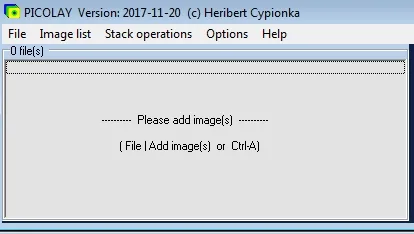
The linked 2026-10-14 package is the publisher’s 64-bit, AI-supported edition with help and demo files. Extract the ZIP into a writable folder and keep its help-file subfolder intact; the publisher advises against Program Files when permissions may interfere. Free use is limited to non-commercial purposes. The exact minimum Windows version for this build is not stated in the inspected publisher sources, and the documentation includes older interface instructions. The screenshot below is explicitly the publisher’s historical 2017 interface, not a capture of the 2026 build.
What it offers
- Combine sharp areas from pictures taken at different focus levels.
- Generate depth maps, stereo images and 3D projections.
- Use Simple focus stacking or Expert mode with region-of-interest parameter comparisons.
- Adjust colours and sharpness, set white balance and correct flat-field backgrounds.
- Run portably from an extracted folder or USB storage without a conventional installer.
Good to know
- Free use is restricted to non-commercial purposes; the publisher supplies the program without warranty.
- Focus stacking requires a series taken at different focus levels, rather than a single photograph.
- Exact minimum Windows version for the selected 2026 build is not established by the inspected publisher pages.
- Some manuals describe older interfaces; the included screenshot shows the publisher’s 2017 main window, not the current build.
Product images
Sources
References used for this listing. Retrieval dates do not indicate hands-on testing.
- PICOLAY - Home ↗Retrieved
- About PICOLAY ↗Retrieved
- PICOLAY - Download ↗Retrieved
- Publisher introduction to the new PICOLAY, dated 2026-09-18 ↗Retrieved
- PICOLAY - Short reference ↗Retrieved
- Picolay - Download ↗Retrieved
More in multimedia & graphics
View category ↗
1by1 2.17
Play music directly from folders with 1by1, a free Windows audio player with resume, gapless playback and file tools. Formats beyond MP3 need additional decoders.
3DVista Virtual Tour Pro
Build interactive 360° virtual tours from panoramas, videos and 3D models with 3DVista Virtual Tour Pro for Windows. Commercial software with a 30-day trial.


4DDiG Video Repair
Repair corrupted or unplayable videos in batches with the Video Repair tool in 4DDiG File Repair for Windows. A free trial is available; advanced features require a paid license.