

Multimedia & graphics macOS
PicView for macOS
Browse photos, inspect EXIF data and resize batches of images with PicView, a free image viewer for macOS. This download is the Apple Silicon DMG.
- Operating system
- macOS
- Architecture
- arm64 (Apple Silicon)
- Download package
- DMG disk image
Separate x64 DMG available for Intel Macs. Minimum macOS version not established by the consulted publisher pages.
Link checked · Download guidance
What is PicView?
PicView is an image viewer for browsing a folder of pictures, checking image information and making basic edits. It supports formats including JPEG, PNG, animated WebP, GIF, AVIF, HEIC and PSD, plus comic-book archives such as CBR and CBZ. Its gallery gives you a thumbnail overview, while the Image information window shows file details and available EXIF metadata.
For routine image preparation, PicView includes cropping, rotation, format conversion and batch resizing. You can switch between light and dark themes, hide the interface to focus on an image, or use the dockable gallery to move through a collection.
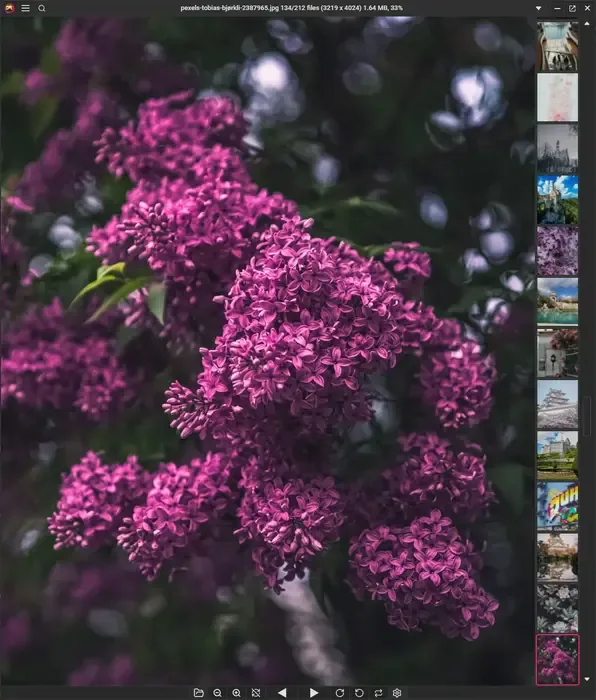
The linked version 5.1.4 package is for Apple Silicon Macs; the publisher offers a separate x64 DMG for Intel Macs. The publisher's 5.0–5.0.6 upgrade notes list restrictions on tabs and multi-page TIFF viewing: tab creation is unavailable while the gallery is docked, and multi-page TIFFs may not render correctly in side-by-side mode. The screenshot is the publisher's Windows-interface illustration of the shared viewer and gallery, not a macOS installation capture.
What it offers
- View JPEG, PNG, animated WebP, GIF, AVIF, HEIC and PSD images, along with supported comic-book archives.
- Browse thumbnail galleries and dock the gallery to different sides of the viewer.
- Inspect file information and available EXIF data, including date taken and GPS coordinates when present.
- Crop, rotate and convert images, or resize and optimize selected files in a batch.
- Choose light or dark themes and hide interface controls when viewing an image.
Good to know
- The linked DMG is arm64 for Apple Silicon; Intel Macs need the separate x64 package from the publisher.
- The publisher's 5.0–5.0.6 upgrade notes list unavailable tab creation with a docked gallery and possible multi-page TIFF rendering problems in side-by-side mode.
Product images
Sources
References used for this listing. Retrieval dates do not indicate hands-on testing.
More in multimedia & graphics
View category ↗
1by1 2.17
Play music directly from folders with 1by1, a free Windows audio player with resume, gapless playback and file tools. Formats beyond MP3 need additional decoders.
3DVista Virtual Tour Pro
Build interactive 360° virtual tours from panoramas, videos and 3D models with 3DVista Virtual Tour Pro for Windows. Commercial software with a 30-day trial.

4DDiG Video Repair
Repair corrupted or unplayable videos in batches with the Video Repair tool in 4DDiG File Repair for Windows. A free trial is available; advanced features require a paid license.