

Multimedia & graphics Windows
PicView for Windows
Browse pictures and comic book archives, inspect EXIF data and batch resize images with PicView, a free Windows image viewer.
- Operating system
- Windows 10 and 11
- Architecture
- x64
- Download package
- EXE installer
This link is the x64 installer. ARM64 installers and portable Windows ZIP packages are separate publisher downloads.
Link checked · Download guidance
What is PicView?
PicView is an image viewer for browsing pictures, checking their metadata and making common image edits. It opens formats including WEBP, GIF, AVIF, HEIC and PSD, and can display pictures inside supported archives. A thumbnail gallery helps you move through a collection, while light and dark themes let you adjust the interface.
The Image information window shows file details and EXIF metadata. For changes beyond viewing, PicView offers cropping, rotation, image effects and batch resizing or conversion. This entry links to the Windows x64 EXE installer for version 5.1.4; the publisher also supplies separate ARM64 and portable packages.
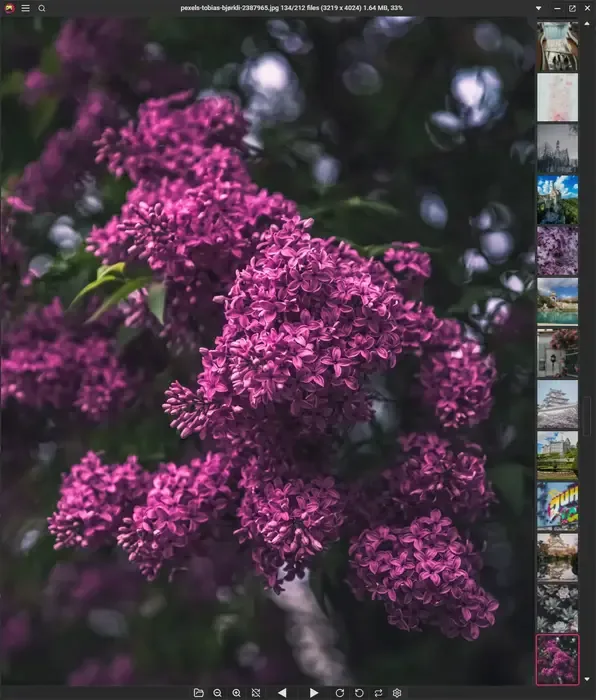
Archive support has a dependency: opening .7z and .cb7 archives requires 7-Zip or WinRAR to be installed. The publisher screenshot illustrates the 5.0 interface, rather than documenting a hands-on test of the linked 5.1.4 release.
What it offers
- View common and specialist image formats, including animated WEBP and GIF, AVIF, HEIC and PSD.
- Browse images with a thumbnail gallery and switch between light and dark interface themes.
- Inspect EXIF metadata and image file information.
- Crop, rotate and flip images, or apply image effects.
- Batch resize, convert and optimize images; browse supported image and comic book archives.
Good to know
- Opening .7z and .cb7 archives requires an installed copy of 7-Zip or WinRAR.
Product images
Sources
References used for this listing. Retrieval dates do not indicate hands-on testing.
- PicView — Free and customizable image viewer ↗Retrieved
- PicView — All Downloads and release notes ↗Retrieved
- PicView — LICENSE.txt ↗Retrieved
More in multimedia & graphics
View category ↗
1by1 2.17
Play music directly from folders with 1by1, a free Windows audio player with resume, gapless playback and file tools. Formats beyond MP3 need additional decoders.
3DVista Virtual Tour Pro
Build interactive 360° virtual tours from panoramas, videos and 3D models with 3DVista Virtual Tour Pro for Windows. Commercial software with a 30-day trial.

4DDiG Video Repair
Repair corrupted or unplayable videos in batches with the Video Repair tool in 4DDiG File Repair for Windows. A free trial is available; advanced features require a paid license.