

Multimedia & graphics macOS
Pinta for macOS
Draw, retouch photos and edit layered images with Pinta, a free, open-source image editor for Mac. This download is the Apple Silicon build.
- Operating system
- macOS; minimum version not established from the checked sources
- Architecture
- arm64 (Apple Silicon)
- Download package
- DMG disk image
The publisher provides a separate Intel x86_64 DMG. This entry links to the Apple Silicon package; installation and runtime compatibility were not tested.
Link checked · Download guidance
What is Pinta?
Pinta is a bitmap image editor for drawing and everyday photo edits. Use selection, crop, rotate and resize tools to prepare an image, or work with clone, recolor and magic-wand tools for more targeted changes. Layers keep parts of a composition separate, while the undo history lets you return to earlier editing steps. Effects and adjustments offer live previews before you commit a change.
This entry links to the Pinta 3.1.2 DMG for Apple Silicon Macs (arm64). The publisher also provides a separate Intel build; choose the package for your Mac rather than treating the two downloads as interchangeable. A minimum macOS version was not established from the sources checked.
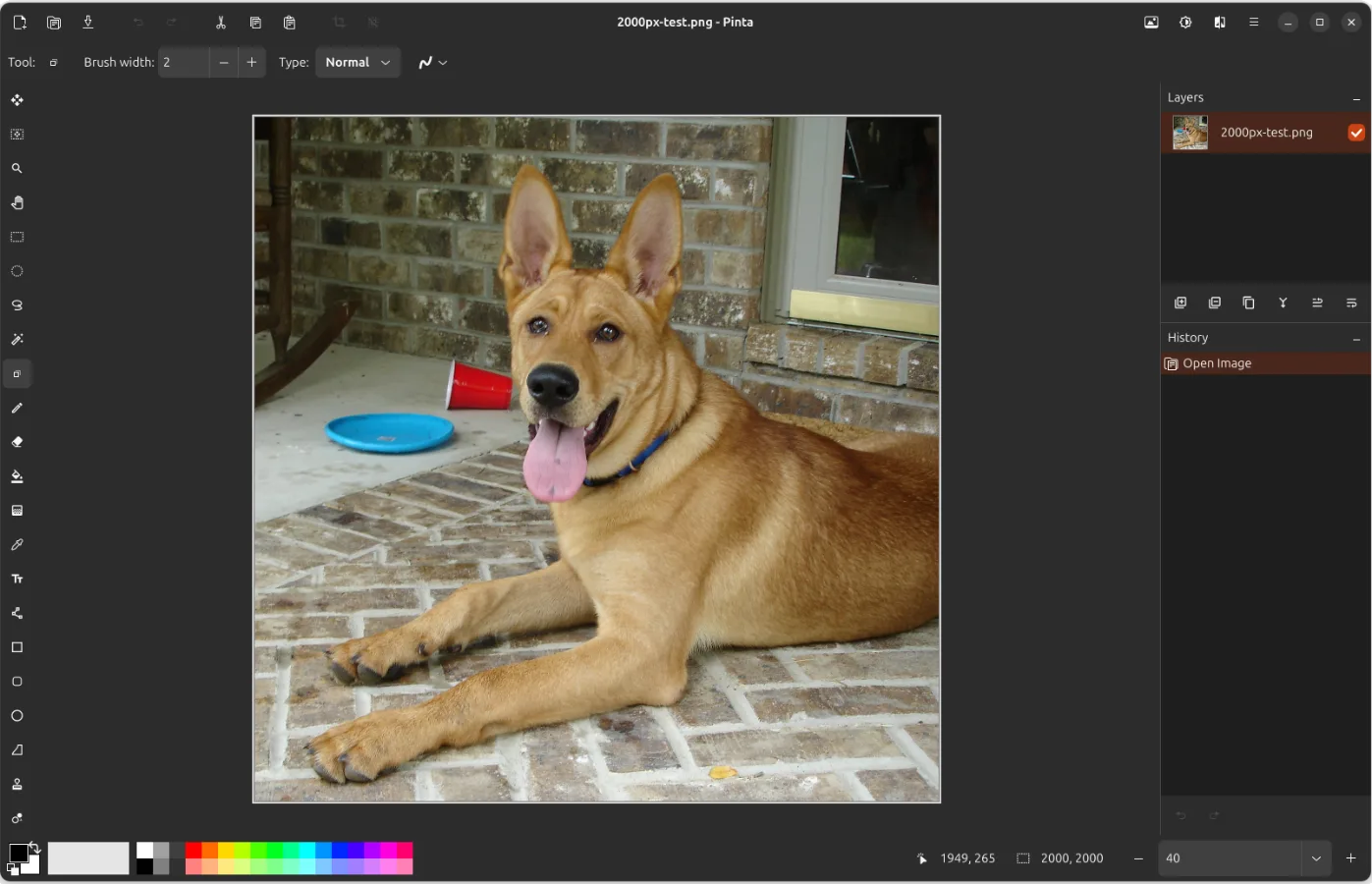
Keep a layered working copy when you need to revise individual elements later. Saving a layered image to a format that cannot store layers requires flattening it. The screenshot is the publisher's cross-platform Pinta interface example, not a verified capture of the Mac build.
What it offers
- Select, crop, rotate and resize images.
- Use clone, recolor and magic-wand tools for targeted editing.
- Organize image elements in layers and revisit edits through undo history.
- Preview effects and adjustments as their settings change.
Good to know
- Formats without layer support require flattening a layered image when saving; retain a layered working copy for later edits.
- This download is arm64 for Apple Silicon; Intel Macs have a separate publisher package. The minimum macOS version is not established here.
Product images
Sources
References used for this listing. Retrieval dates do not indicate hands-on testing.
- Pinta: Painting Made Simple — official features ↗Retrieved
- Downloads — Pinta: Painting Made Simple ↗Retrieved
- Pinta website release configuration — version and exact Mac packages ↗Retrieved
- Release Notes 3.1.2 — Pinta ↗Retrieved
- Pinta Project repository — license and contributors ↗Retrieved
- Pinta 3.0 release notes — layer saving behavior ↗Retrieved
- Pinta website screenshot directory and README ↗Retrieved
More in multimedia & graphics
View category ↗
1by1 2.17
Play music directly from folders with 1by1, a free Windows audio player with resume, gapless playback and file tools. Formats beyond MP3 need additional decoders.
3DVista Virtual Tour Pro
Build interactive 360° virtual tours from panoramas, videos and 3D models with 3DVista Virtual Tour Pro for Windows. Commercial software with a 30-day trial.

4DDiG Video Repair
Repair corrupted or unplayable videos in batches with the Video Repair tool in 4DDiG File Repair for Windows. A free trial is available; advanced features require a paid license.