

Multimedia & graphics Windows
Pinta for Windows
Draw pictures, retouch photos and combine image layers with Pinta, a free, open-source image editor. This download is the Windows x64 installer.
- Operating system
- Windows; minimum supported version not confirmed
- Architecture
- x64 (x86-64)
- Download package
- EXE installer
This link is the x64 package; ARM64 has a separate installer. Publisher packaging includes .NET and GTK dependencies. Not a portable ZIP.
Link checked · Download guidance
What is Pinta?
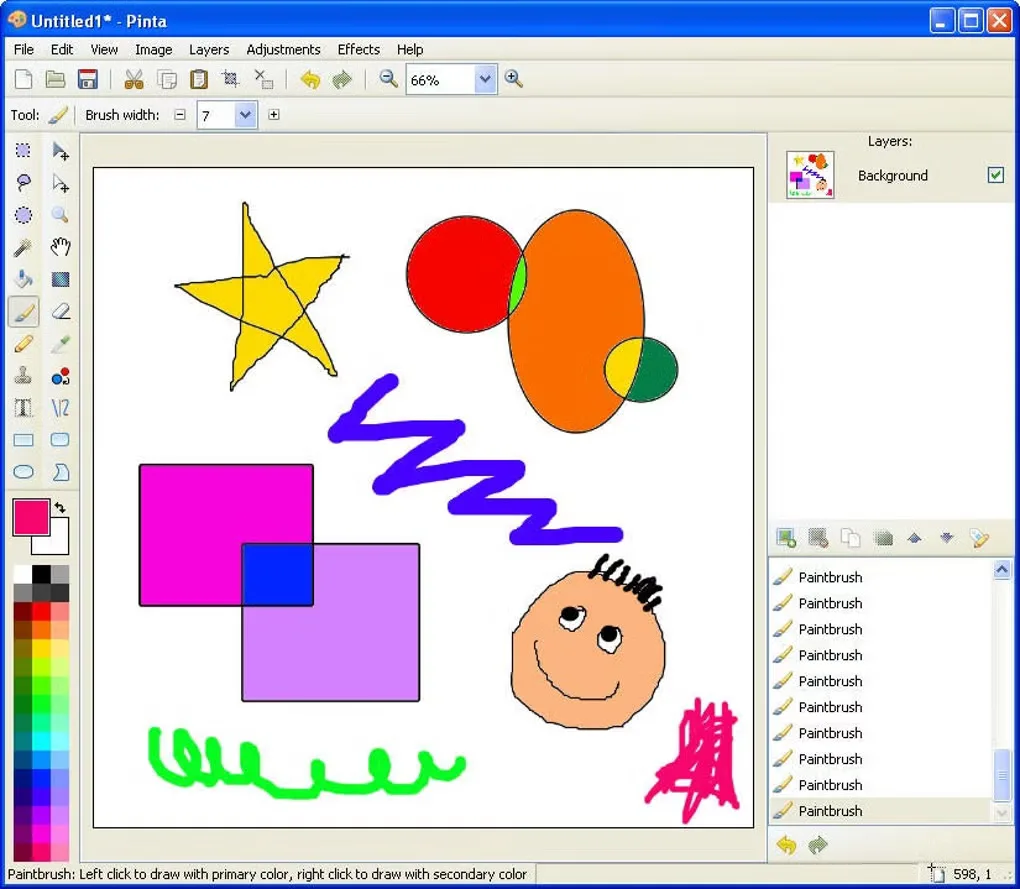
Pinta brings drawing tools and photo adjustments into one image editor. Use freehand brushes and shapes to create a picture, crop or resize an existing image, or work with selections and the clone tool for local edits. Layers keep parts of a composition separate, while effect previews and undo history help you compare changes before continuing.
Keep an editable layered copy when preparing an image for sharing: saving to a format that does not support layers flattens the image. Pinta warns about this conversion, but the exported file will not retain separate layers.
The linked Pinta 3.1.2 download is an EXE installer for x64 Windows, not the ARM64 package or a portable ZIP. The publisher's Windows packaging includes the .NET runtime and GTK libraries. A minimum supported Windows version was not confirmed in the publisher documentation consulted.
What it offers
- Draw with freehand tools, lines, rectangles and circles.
- Crop, rotate and resize images; use selections, clone and recolor tools for local edits.
- Arrange image elements on separate layers.
- Preview effects and adjustments while changing their settings.
- Revisit editing steps through undo history.
Good to know
- Saving to an image format without layer support flattens the composition; retain a separate layered copy if you need to edit individual layers later.
Product images
Sources
References used for this listing. Retrieval dates do not indicate hands-on testing.
- Pinta — official drawing and image editing features ↗Retrieved
- Pinta website — release and official download configuration ↗Retrieved
- Pinta 3.1.2 — Windows installer definition ↗Retrieved
- Pinta 3.1.2 — project license and platform documentation ↗Retrieved
- Pinta 3.1.2 — feature metadata and release history ↗Retrieved
- Pinta 3.1.2 — Windows package build recipe ↗Retrieved
- Pinta 3.1.2 — bundled Windows GTK libraries ↗Retrieved
- Pinta — official release notes 3.1.2 ↗Retrieved
- Pinta for Windows — historical application screenshot gallery ↗Retrieved
More in multimedia & graphics
View category ↗
1by1 2.17
Play music directly from folders with 1by1, a free Windows audio player with resume, gapless playback and file tools. Formats beyond MP3 need additional decoders.
3DVista Virtual Tour Pro
Build interactive 360° virtual tours from panoramas, videos and 3D models with 3DVista Virtual Tour Pro for Windows. Commercial software with a 30-day trial.

4DDiG Video Repair
Repair corrupted or unplayable videos in batches with the Video Repair tool in 4DDiG File Repair for Windows. A free trial is available; advanced features require a paid license.