
Multimedia & graphics Windows
Pixelformer
Create and edit icons, sprites and small bitmap graphics with Pixelformer, a free Windows beta with layers, alpha-channel editing and ICO export.
- Operating system
- Windows XP, Vista, 7, 8 and 10
- Architecture
- Publisher supports 32-bit and 64-bit Windows; installer native architecture unspecified
- Download package
- EXE installer
Publisher minimums: 500 MHz CPU, 256 MB RAM and 1024×768 display at 15 bpp. Windows 11 support and installation on current systems have not been verified.
Link checked · Download guidance
What is Pixelformer?
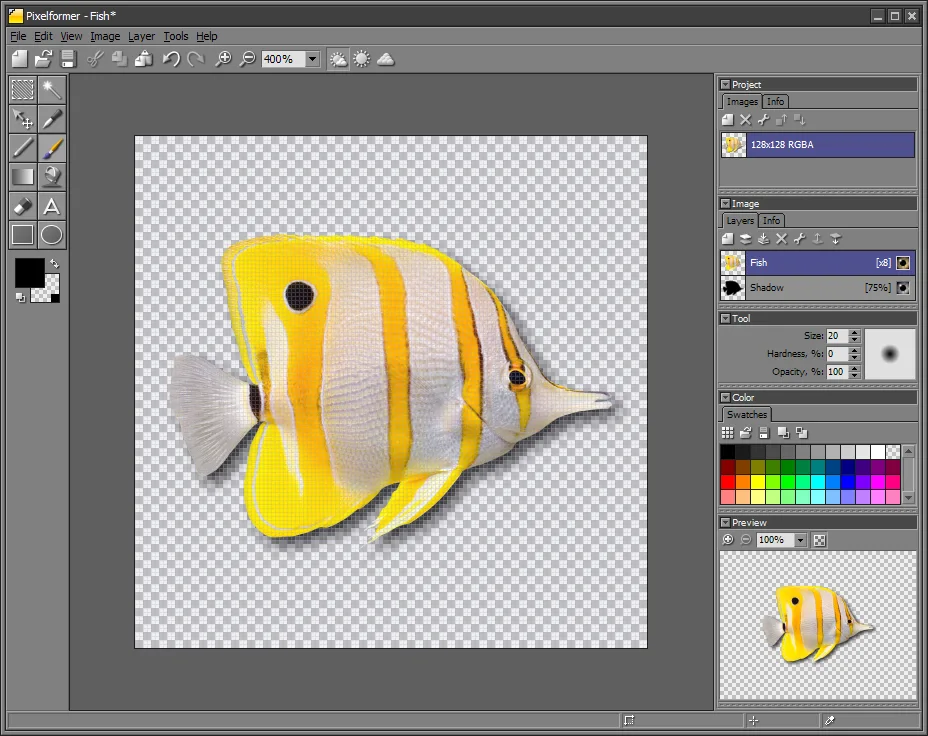
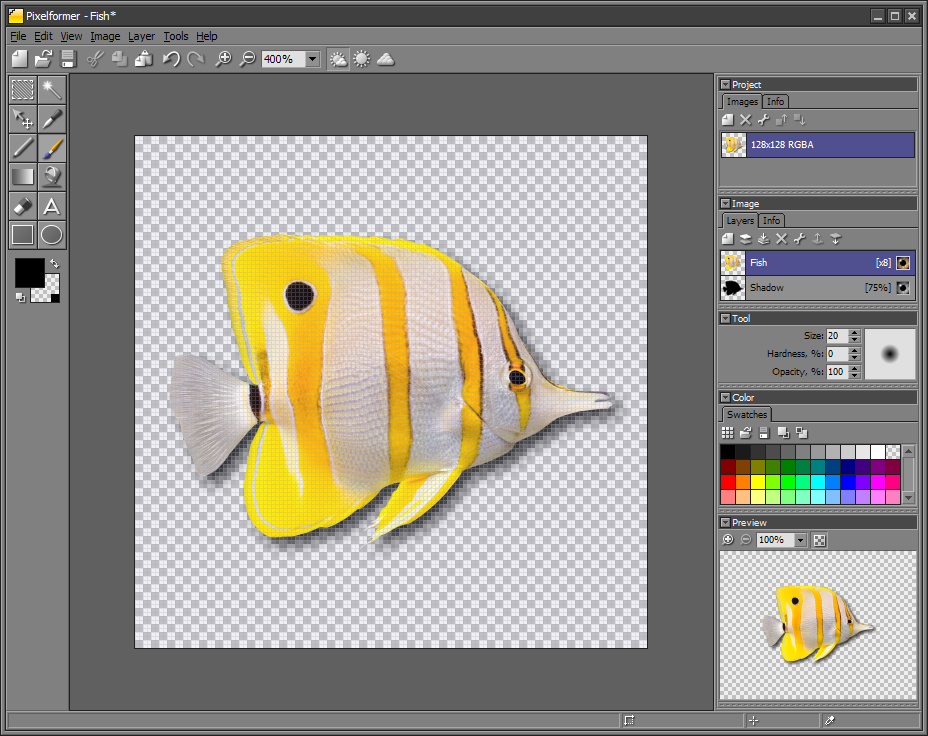
Pixelformer is a bitmap editor for icons, buttons, sprites and other small or medium-sized graphics. Its 32-bit RGBA workspace supports layered editing and separate access to color and transparency, making it useful for refining an icon's edges or assembling graphics with translucent areas. Multiple image sizes and color depths can be packed into one ICO file.
The editor also handles conversion work: it imports BMP, PNG, ICO, CUR, JPEG, TGA and PSD images, while export is limited to BMP, PNG, ICO and TGA. Its supersampling workflow lets you draw above the intended output resolution and see the resampled result. PNG export includes compression optimization, and supported ICO images can use PNG compression.
Qualibyte lists version 0.9.6.3 RC3 as a free beta, not a final release. The publisher's compatibility list covers Windows XP through Windows 10 and both 32-bit and 64-bit Windows; Windows 11 support is not established by these sources. This entry links to the publisher's EXE installer. The download check verifies the endpoint with HEAD only; it does not establish installation success or current-system compatibility.
What it offers
- Edit layered images in a 32-bit RGBA workspace, including separate color and alpha channels.
- Combine multiple image sizes and color depths in a single ICO file.
- Draw above the target output resolution using in-place supersampling.
- Import BMP, PNG, ICO, CUR, JPEG, TGA and PSD; export BMP, PNG, ICO and TGA.
- Optimize PNG compression during export and use PNG compression for supported ICO subimages.
Good to know
- The publisher labels 0.9.6.3 RC3 a free beta rather than a final release.
- The published Windows support list ends at Windows 10; Windows 11 compatibility has not been established.
- Import and export support differ: JPEG, PSD and CUR are listed for import, but not among the available export formats.
Product images
Sources
References used for this listing. Retrieval dates do not indicate hands-on testing.
- Pixelformer :: Icon and Bitmap Editor ↗Retrieved
- Pixelformer :: DOWNLOAD ↗Retrieved
More in multimedia & graphics
View category ↗
1by1 2.17
Play music directly from folders with 1by1, a free Windows audio player with resume, gapless playback and file tools. Formats beyond MP3 need additional decoders.
3DVista Virtual Tour Pro
Build interactive 360° virtual tours from panoramas, videos and 3D models with 3DVista Virtual Tour Pro for Windows. Commercial software with a 30-day trial.

4DDiG Video Repair
Repair corrupted or unplayable videos in batches with the Video Repair tool in 4DDiG File Repair for Windows. A free trial is available; advanced features require a paid license.