

Multimedia & graphics macOS
Pixelorama for macOS
Draw pixel art, build sprite animations and create game tiles with Pixelorama, a free, open-source editor for macOS.
- Operating system
- macOS
- Architecture
- Universal macOS build preset (Intel x86_64 and Apple silicon arm64)
- Download package
- DMG disk image
Architecture is supported by the tagged release export preset, not local binary inspection. Minimum runtime requirements and successful launch were not independently verified.
Link checked · Download guidance
What is Pixelorama?
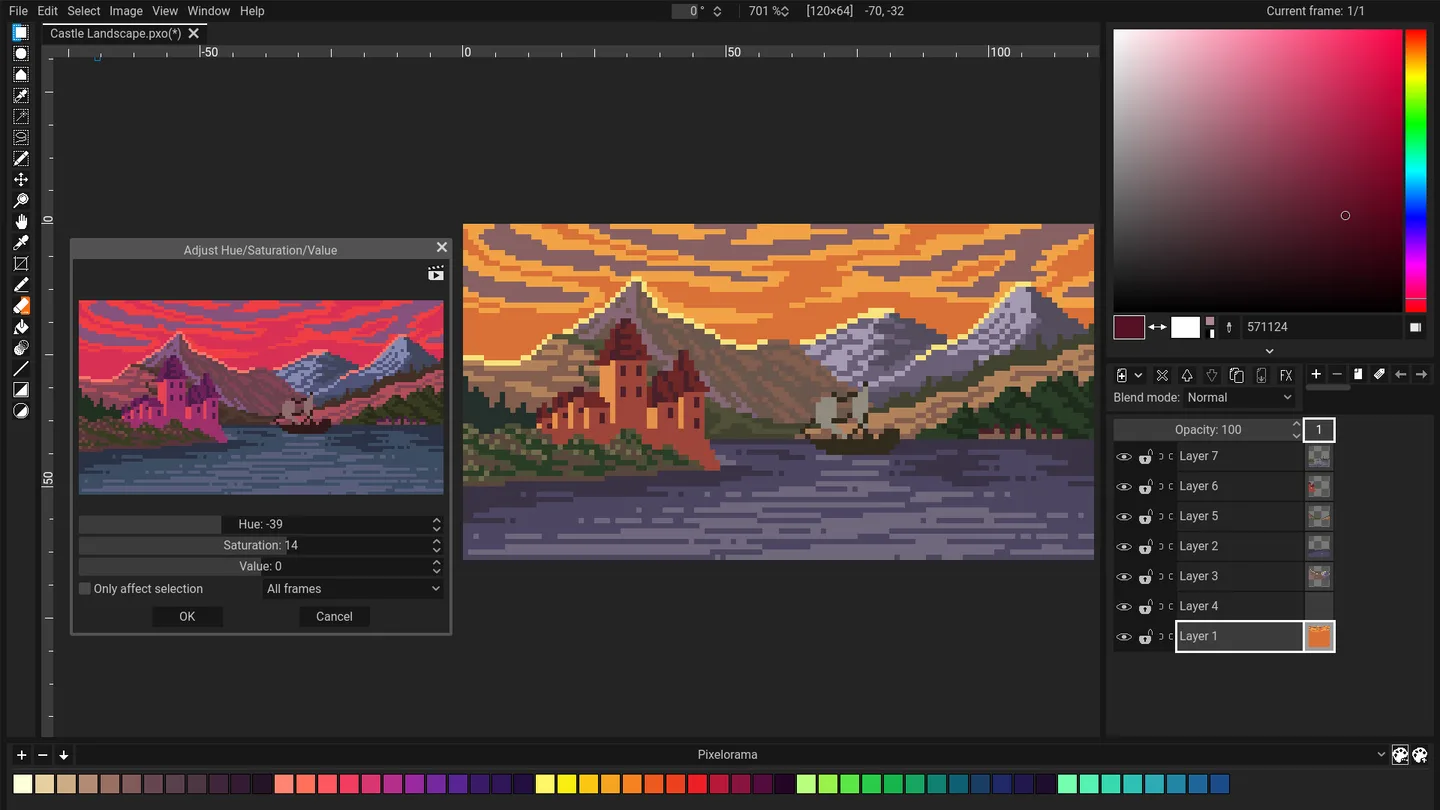
Pixelorama is a pixel-art editor for drawing sprites, animating characters and preparing tiles for games. Its timeline organizes frames and layers, with onion skinning, frame tags and audio synchronization to support frame-by-frame work. Palettes, pixel-focused drawing tools and tilemap layers keep the workflow centered on small-scale artwork.
Save editable projects as .pxo files to retain layers and animation data. Export PNG images, animated PNGs, GIFs or spritesheets when the artwork needs to move into a game engine or another application. Video export needs a separately available FFmpeg executable configured in Pixelorama; it is not a self-contained video exporter.
This entry links to the publisher’s version 1.2.3 macOS DMG on GitHub Releases. The tagged macOS build preset is universal, but the package has not been downloaded or installed here. The publisher documents possible macOS “damaged application” launch errors; successful launch on a particular Mac is not established by the download-link check.
What it offers
- Draw pixel art with pixel-perfect lines, palettes and indexed color mode.
- Animate across frames and layers with onion skinning, frame tags and audio synchronization.
- Create rectangular, isometric or hexagonal tiles using tilemap layers.
- Use clipping masks and non-destructive layer effects such as outlines, gradient maps and drop shadows.
- Export PNG, APNG, GIF and spritesheets; video export integrates with separately configured FFmpeg.
Good to know
- Video export requires FFmpeg; Pixelorama cannot export video on its own.
- GIF export can be slow with large canvases or many frames, according to the publisher’s export documentation.
- The publisher documents macOS launch errors reporting that the application is damaged; no installation or launch test was performed here.
Product images
Sources
References used for this listing. Retrieval dates do not indicate hands-on testing.
- Pixelorama for Mac - Download ↗Retrieved
- Installation | Pixelorama ↗Retrieved
- Pixelorama publisher repository and README ↗Retrieved
- Release v1.2.3 · Orama-Interactive/Pixelorama ↗Retrieved
- Pixelorama v1.2.3 release assets ↗Retrieved
- Pixelorama v1.2.3 macOS export preset ↗Retrieved
- Save and Export | Pixelorama ↗Retrieved
- Troubleshooting | Pixelorama ↗Retrieved
More in multimedia & graphics
View category ↗
1by1 2.17
Play music directly from folders with 1by1, a free Windows audio player with resume, gapless playback and file tools. Formats beyond MP3 need additional decoders.
3DVista Virtual Tour Pro
Build interactive 360° virtual tours from panoramas, videos and 3D models with 3DVista Virtual Tour Pro for Windows. Commercial software with a 30-day trial.

4DDiG Video Repair
Repair corrupted or unplayable videos in batches with the Video Repair tool in 4DDiG File Repair for Windows. A free trial is available; advanced features require a paid license.