
Multimedia & graphics Windows
PixPlant
Turn photos and scanned textures into seamless PBR materials with PixPlant for 64-bit Windows. Edit texture maps, preview surfaces in 3D and export for rendering or game projects.
- Operating system
- Windows 11, 10, 8.1 or 7 SP1 (publisher requirements)
- Architecture
- 64-bit only
- Download package
- EXE installer
Direct3D 11-compatible GPU with 2 GB or more VRAM required. Publisher recommends a display at least 1366 pixels wide. Initial license activation needs Internet access.
Link checked · Download guidance
What is PixPlant?
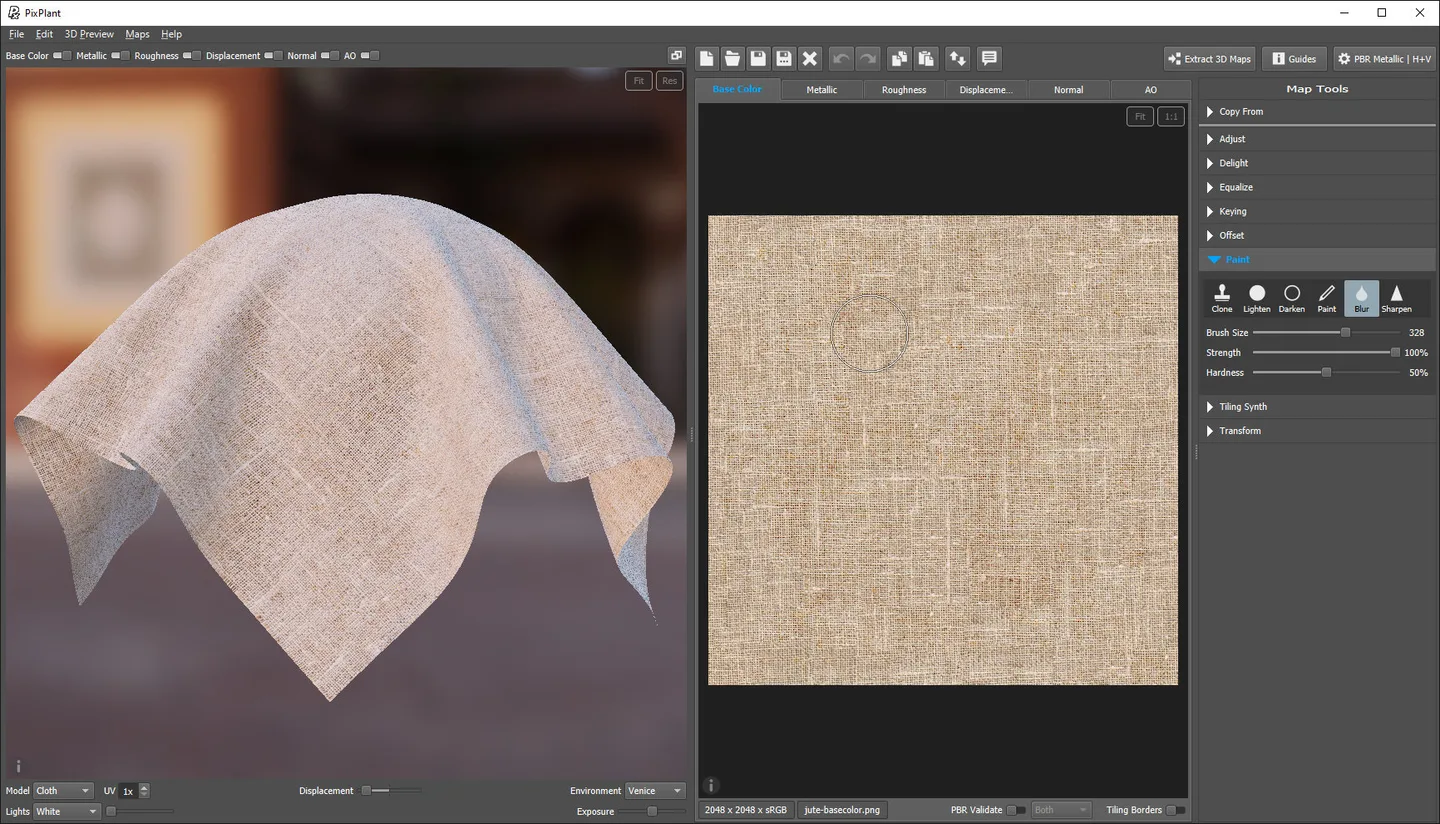
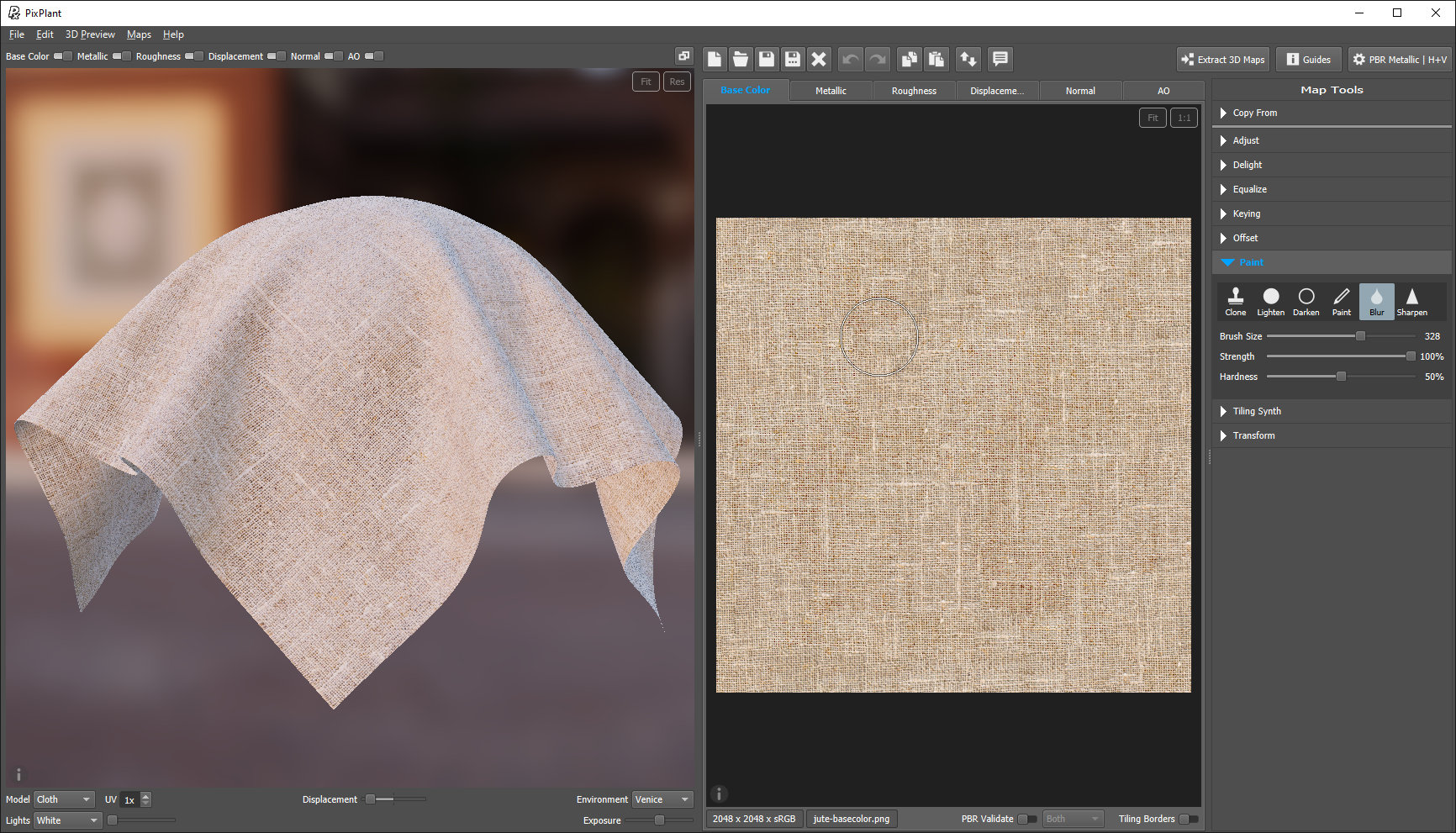
PixPlant is a texture and material editor for turning photographs of real surfaces into repeatable 3D materials. It suits preparing fabric, brick, stone and similar surfaces for visualization or game environments. The Tiling Synth works with a source photo or synchronized scanned maps; separate editors handle Base Color, Metallic, Roughness, Displacement, Normal, Ambient Occlusion and Opacity maps. A 3D preview shows how the material looks on a model while you edit.
A practical starting point is to open a surface photo in the Base Color editor and use Extract 3D Maps. The publisher offers tiling before extraction and removal of lighting from Base Color in the PBR workflow. For structured subjects such as brickwork, check the seed alignment and pattern rather than assuming every photo will tile cleanly. Export presets target applications and renderers including Blender, Unreal, Unity, 3ds Max, VRay and Maxwell.
This download is the publisher’s Windows EXE trial, not a free commercial license. The license permits 15 days of full evaluation, followed by 15 further days with saving disabled, and prohibits selling work made during evaluation. Paid licenses are one-time purchases; the Freelancer option has individual and one-person-business eligibility limits. Internet access is required for initial license activation. No installer was downloaded or run for this entry.
What it offers
- Create seamless tiling textures from photos or synchronized scanned maps.
- Extract and edit PBR maps including Base Color, Metallic, Roughness, Displacement, Normal, Ambient Occlusion and Opacity.
- Inspect materials in a PBR 3D preview or use the Traditional Diffuse-Specular workflow.
- Edit maps at 16-bit precision and save PNG or TIFF at 8 or 16 bits, or EXR with floating-point precision.
- Export map sets for Blender, Unreal, Unity and other supported 3D applications; use the included plug-in with compatible 64-bit Photoshop hosts.
Good to know
- Evaluation work cannot be sold or offered on a for-charge basis. Full evaluation lasts 15 days; saving is disabled for the following 15 days before a purchase is required.
- Requires 64-bit Windows and a Direct3D 11-compatible GPU with at least 2 GB VRAM; this is not a 32-bit Windows package.
- Changes to a Displacement map do not automatically update Normal and Ambient Occlusion maps extracted from it; extract those maps again after changing Displacement.
- The Photoshop plug-in returns only the original image at its original dimensions; save additional maps separately.
Product images
Sources
References used for this listing. Retrieval dates do not indicate hands-on testing.
- PixPlant - Download ↗Retrieved
- Tiling 3D Materials, Quickly ↗Retrieved
- PixPlant 5 Help ↗Retrieved
- PixPlant 5 software license — FaronStudio Unipessoal Lda ↗Retrieved
- Purchase PixPlant ↗Retrieved
- PixPlant 5 Release History ↗Retrieved
- PixPlant Screenshots ↗Retrieved
- PixPlant Support: FAQ ↗Retrieved
More in multimedia & graphics
View category ↗
1by1 2.17
Play music directly from folders with 1by1, a free Windows audio player with resume, gapless playback and file tools. Formats beyond MP3 need additional decoders.
3DVista Virtual Tour Pro
Build interactive 360° virtual tours from panoramas, videos and 3D models with 3DVista Virtual Tour Pro for Windows. Commercial software with a 30-day trial.

4DDiG Video Repair
Repair corrupted or unplayable videos in batches with the Video Repair tool in 4DDiG File Repair for Windows. A free trial is available; advanced features require a paid license.