
Multimedia & graphics Windows
Plezy
Browse and stream your Plex, Jellyfin and Emby libraries on Windows with Plezy, a free open-source client with offline downloads, subtitles and playback resume.
- Operating system
- Windows; Softonic lists Windows 11
- Architecture
- x64 and ARM64 (publisher installer source)
- Download package
- EXE installer
EXE minimum Windows build unconfirmed. Separate Store MSIX declares Windows 10 build 17763 minimum; that is not an EXE requirement or runtime test.
Link checked · Download guidance
What is Plezy?
Plezy is a Windows client for media already available through Plex, Jellyfin or Emby. It brings libraries, collections and playlists into one interface, with cross-server search when you connect more than one server. Use it to find a film, resume an episode or browse music without switching between separate server clients. It does not supply a media library: you need a Plex account or access credentials for a Jellyfin or Emby server.
Playback options include remembered audio and subtitle choices, ASS/SSA subtitle styling, chapter navigation and progress sync. Download supported movies, shows and music while connected for later offline playback; watch-state changes can sync back when you reconnect. Desktop keyboard shortcuts are customizable. These are publisher-documented capabilities, not results of a hands-on installation or playback test.
The linked download is the publisher’s version 2.25.0 Windows EXE installer, not the Microsoft Store acquisition link promoted on the homepage. The publisher’s installer source supports automatic selection between x64 and ARM64, and the release also lists separate portable archives. The EXE’s minimum Windows build was not confirmed. A separate Store-package manifest declares Windows 10 build 17763 as its minimum, but that declaration is not proof of compatibility for this EXE.
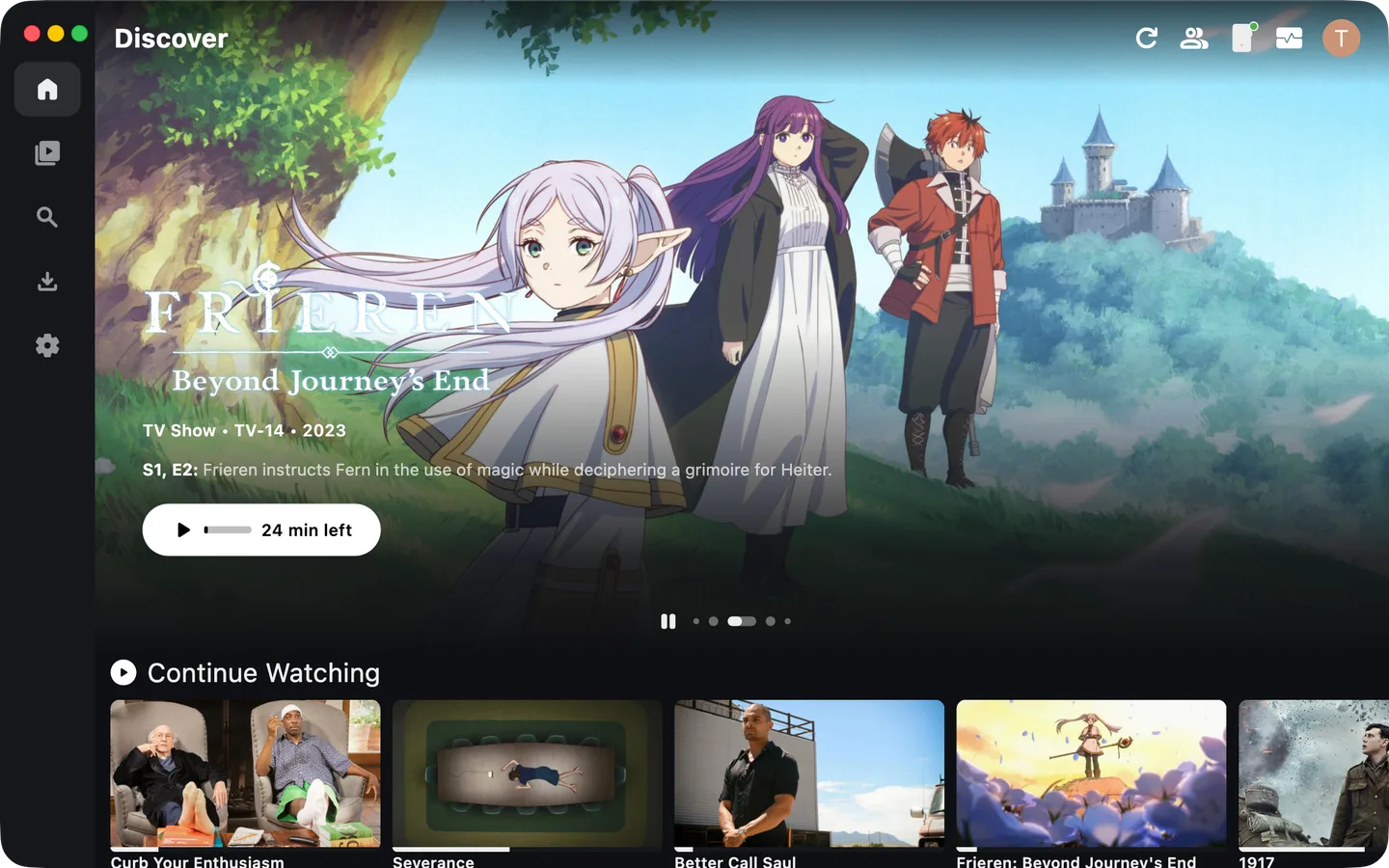
Windows HDR controls are documented, but the publisher lists Dolby Vision for other platforms rather than Windows. Connected-service features also depend on server capabilities and configured accounts. The image below is the publisher’s cross-platform desktop preview; its macOS window controls mean it should not be read as a Windows capture.
What it offers
- Browse libraries, collections and playlists across connected Plex, Jellyfin and Emby servers.
- Resume playback with progress sync and remembered audio and subtitle choices.
- Style ASS/SSA subtitles and navigate chapters during playback.
- Download movies, shows and music for offline playback, with watch-state sync after reconnecting.
- Customize desktop keyboard shortcuts.
Good to know
- Requires a Plex account or access to a Jellyfin or Emby server; Plezy does not provide the media library.
- The selected EXE installer’s minimum Windows build has not been confirmed; the separate Store manifest is not an EXE compatibility guarantee.
- Windows HDR support is documented, but Windows Dolby Vision support is not claimed by the publisher’s platform footnote.
Product images
Sources
References used for this listing. Retrieval dates do not indicate hands-on testing.
- Plezy - Download — Windows discovery listing ↗Retrieved
- Plezy — official product site and desktop preview ↗Retrieved
- Plezy 2.25.0 — publisher README ↗Retrieved
- Release 2.25.0 — publisher release notes ↗Retrieved
- Plezy 2.25.0 — exact publisher release assets ↗Retrieved
- Plezy 2.25.0 — Windows installer source ↗Retrieved
- Plezy 2.25.0 — separate Microsoft Store manifest limits ↗Retrieved
More in multimedia & graphics
View category ↗
1by1 2.17
Play music directly from folders with 1by1, a free Windows audio player with resume, gapless playback and file tools. Formats beyond MP3 need additional decoders.
3DVista Virtual Tour Pro
Build interactive 360° virtual tours from panoramas, videos and 3D models with 3DVista Virtual Tour Pro for Windows. Commercial software with a 30-day trial.


4DDiG Video Repair
Repair corrupted or unplayable videos in batches with the Video Repair tool in 4DDiG File Repair for Windows. A free trial is available; advanced features require a paid license.