

Multimedia & graphics macOS
Polyphone for macOS
Build sample-based instruments, edit SoundFont files and audition them with a virtual keyboard or MIDI device using Polyphone, a free, open-source editor for Mac.
- Operating system
- macOS; publisher filename identifies the selected package as macOS_12_Intel
- Architecture
- Intel Mac
- Download package
- DMG disk image
Selected file: Polyphone_2.6.0-macOS_12_Intel.dmg. The publisher lists a separate Mac OS package; Apple Silicon compatibility and exact minimum system requirements were not independently established.
Link checked · Download guidance
What is Polyphone?
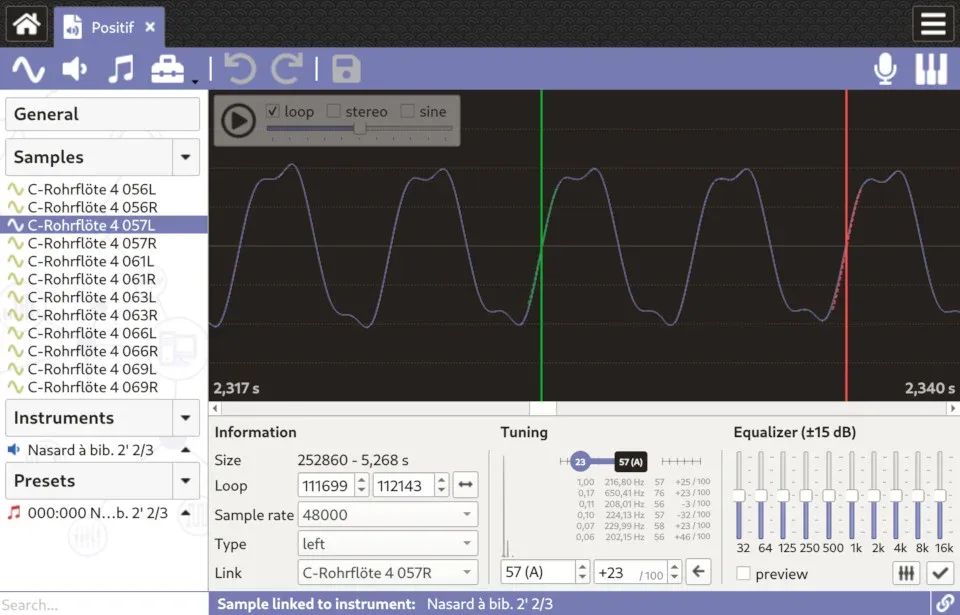
Polyphone turns audio samples into playable instruments. Import samples, adjust their tuning and loops, then map them across a keyboard and configure filters, envelopes and modulation. Its sample, instrument and preset views help organize a soundfont without treating each audio file as a separate instrument.
The built-in sound engine lets you audition instruments with a virtual keyboard or an external MIDI device, and a recorder can capture what you play. Version 2.6 adds a soundfont explorer for browsing a folder and inspecting its samples, instruments and presets before opening an item for editing.
Format conversion has limits. SFZ import only brings across opcodes with a matching SoundFont parameter, and SFZ export does not include modulators. Keep those differences in mind when moving an instrument between formats. The application is free and open source; accessing the online repository from inside Polyphone requires a Premium account.
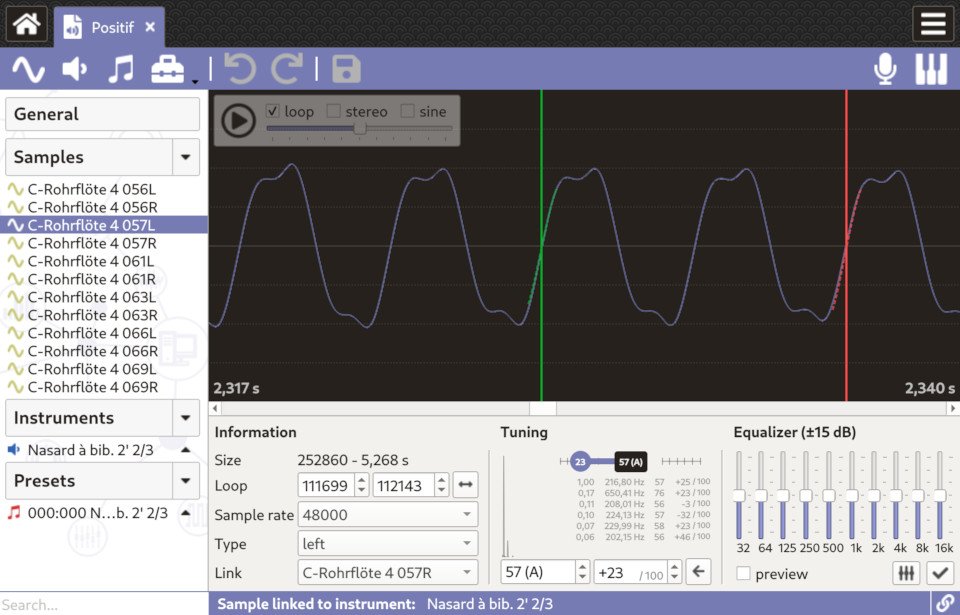
This download selects the publisher's Intel Mac DMG, not the separately listed Mac OS package. The screenshot is the publisher's cross-platform sample-editor illustration; its source does not identify a Mac-specific capture.
What it offers
- Prepare audio samples with tuning, loop editing and frequency filtering.
- Map samples across instrument key ranges and adjust envelopes, filters and modulation.
- Audition instruments with the virtual keyboard or an external MIDI device, and record playback.
- Browse soundfont folders and inspect their samples, instruments and presets in the version 2.6 soundfont explorer.
Good to know
- SFZ import supports only opcodes with SoundFont counterparts; modulators are not included in SFZ exports.
- Access to the online soundfont repository from inside Polyphone requires a Premium account, although the editor itself is free.
Product images
Sources
References used for this listing. Retrieval dates do not indicate hands-on testing.
More in multimedia & graphics
View category ↗
1by1 2.17
Play music directly from folders with 1by1, a free Windows audio player with resume, gapless playback and file tools. Formats beyond MP3 need additional decoders.
3DVista Virtual Tour Pro
Build interactive 360° virtual tours from panoramas, videos and 3D models with 3DVista Virtual Tour Pro for Windows. Commercial software with a 30-day trial.

4DDiG Video Repair
Repair corrupted or unplayable videos in batches with the Video Repair tool in 4DDiG File Repair for Windows. A free trial is available; advanced features require a paid license.