

Multimedia & graphics Windows
Polyphone for Windows
Create and edit sample-based instruments with Polyphone, a free, open-source SoundFont editor for Windows with sample looping, tuning and MIDI playback.
- Operating system
- Windows; Softonic lists Windows 11
- Architecture
- x64 (64-bit)
- Download package
- EXE installer
Publisher identifies this package as Windows x64. Its catalogue also offers a separate portable ZIP. Minimum Windows version was not established from the publisher sources inspected.
Link checked · Download guidance
What is Polyphone?
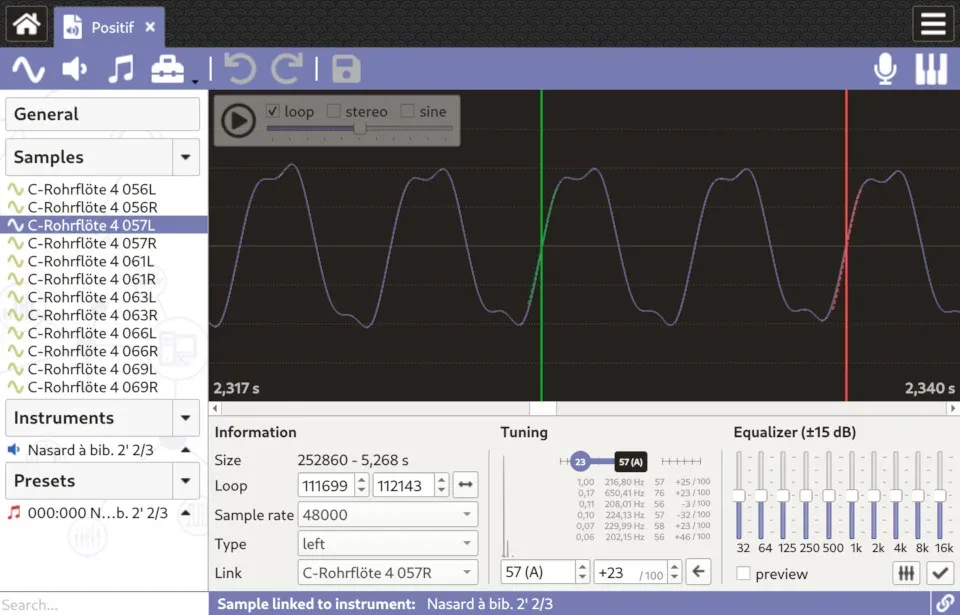
Polyphone turns audio samples into playable musical instruments. Import samples, prepare their loops and tuning, then distribute them across an instrument's key range. You can adjust attenuation, pan, filters and envelopes, including changes across several instruments at once. A built-in sound engine lets you audition the result with the virtual keyboard or an external MIDI device.
The editor works with SoundFont formats including SF2 and SF3, alongside SFZ, sfArk and GrandOrgue files. Its configuration tables help identify inconsistent key ranges and incorrectly configured loops. Version 2.6 adds a local soundfont explorer for inspecting the samples, instruments and presets inside files in a directory.
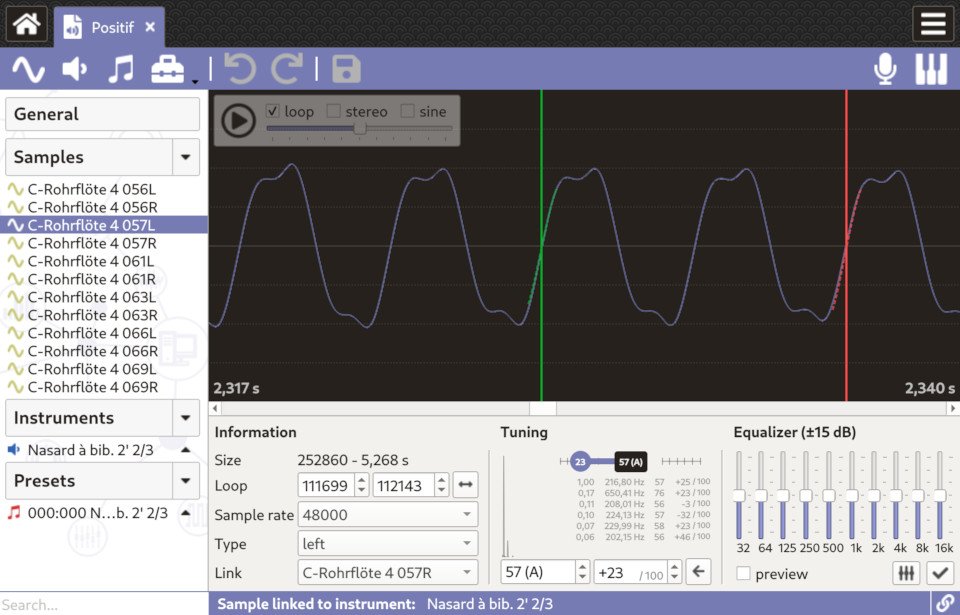
The linked Windows package is the publisher's 64-bit EXE installer; a separate portable ZIP is available on the publisher's catalogue. Polyphone itself is free, but accessing the online soundfont repository from inside the application requires a Premium account with a financial contribution. The screenshot is the publisher's sample-editor illustration, not a capture from an installation performed for this entry.
What it offers
- Edit sample-based instruments using SF2, SF3, SFZ, sfArk and GrandOrgue files.
- Prepare samples with loop editing, tuning and filtering tools.
- Set key ranges, attenuation, pan, filters and envelopes, with tools that can act on multiple instruments.
- Audition instruments using the built-in sound engine, virtual keyboard or an external MIDI device, and record playback.
- Browse a local directory with the soundfont explorer to inspect each file's samples, instruments and presets.
Good to know
- Access to the online soundfont repository from inside Polyphone requires a Premium account with a financial contribution; the free editor and website repository are separate from that integration.
Product images
Sources
References used for this listing. Retrieval dates do not indicate hands-on testing.
- Free soundfont editor | Polyphone ↗Retrieved
- Download Polyphone 2.6.0 | Polyphone ↗Retrieved
- Version 2.6 | Polyphone News ↗Retrieved
- davy7125/polyphone — upstream repository ↗Retrieved
- Polyphone - Download ↗Retrieved
More in multimedia & graphics
View category ↗
1by1 2.17
Play music directly from folders with 1by1, a free Windows audio player with resume, gapless playback and file tools. Formats beyond MP3 need additional decoders.
3DVista Virtual Tour Pro
Build interactive 360° virtual tours from panoramas, videos and 3D models with 3DVista Virtual Tour Pro for Windows. Commercial software with a 30-day trial.

4DDiG Video Repair
Repair corrupted or unplayable videos in batches with the Video Repair tool in 4DDiG File Repair for Windows. A free trial is available; advanced features require a paid license.