
Multimedia & graphics Windows
Pop Art Studio
Turn photos into Warhol- and Lichtenstein-style pop art with layers, text tools and color adjustments in Pop Art Studio for Windows. The trial adds a watermark; removing it requires a paid license.
- Operating system
- Windows; specific supported releases not stated in the publisher download catalog
- Architecture
- 64-bit Windows (Win64)
- Download package
- ZIP archive containing an MSI installer
Publisher requires .NET Framework 4.5.2 or higher, 1 GB RAM and 200 MB available disk space. No installation or Windows-version compatibility test was performed.
Link checked · Download guidance
What is Pop Art Studio?
Pop Art Studio is a Windows image editor for turning photographs into pop-art compositions. Fotoview lists Andy Warhol effects and a Roy Lichtenstein effect alongside drawing tools, text tools, filters and color adjustments. Layers let you combine images and lettering rather than apply a single effect to a flattened picture. The publisher lists BMP, JPG, GIF, PNG, SVG and Photoshop PSD among the supported image formats.
This entry links to Fotoview's Pop Art Studio 10.2 package, supplied as a ZIP containing an MSI installer for 64-bit Windows. The publisher requires .NET Framework 4.5.2 or higher, 1 GB of RAM and 200 MB of available disk space. Its download catalog does not specify individual supported Windows releases, so Windows 10 or 11 compatibility is not established here.
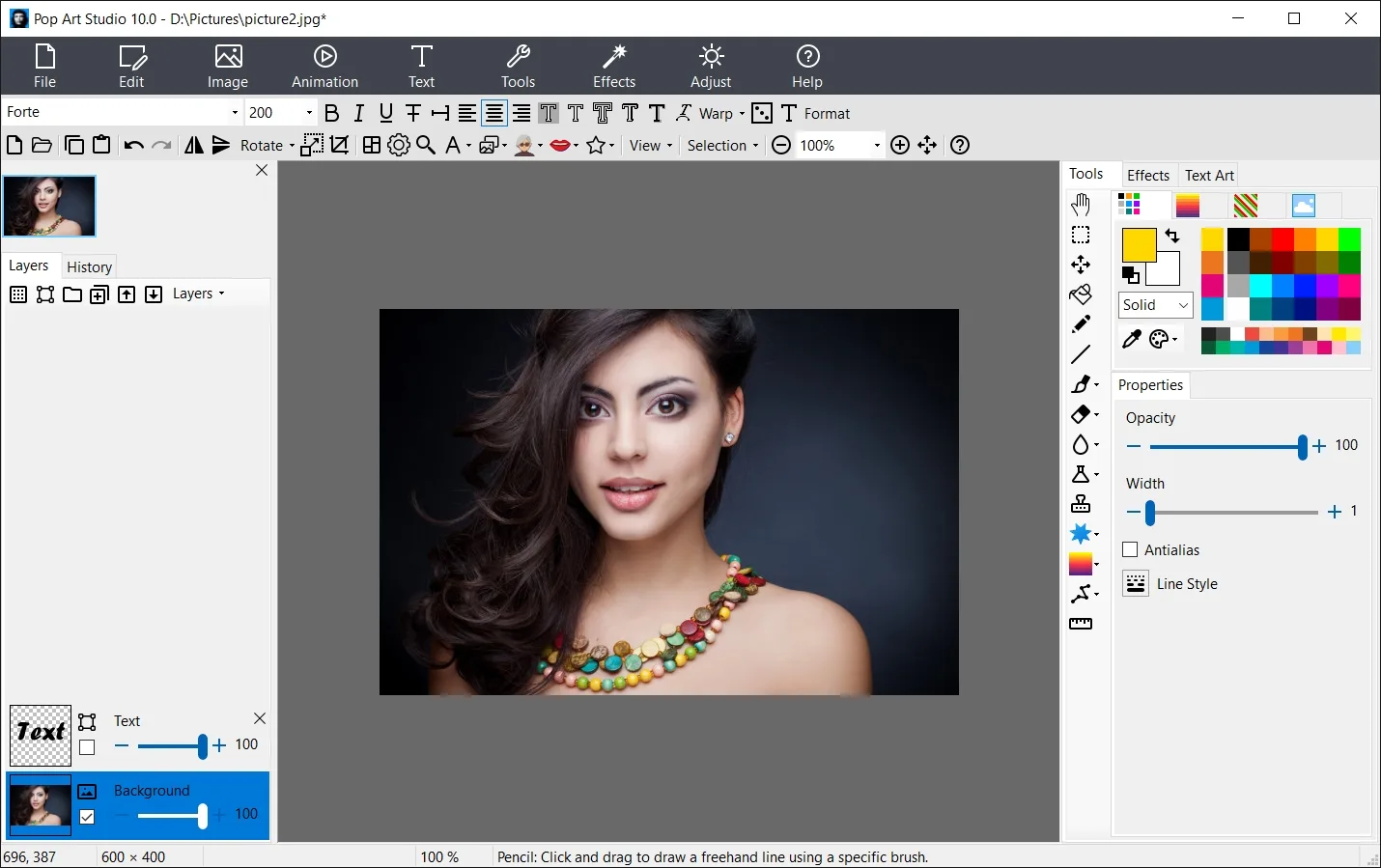
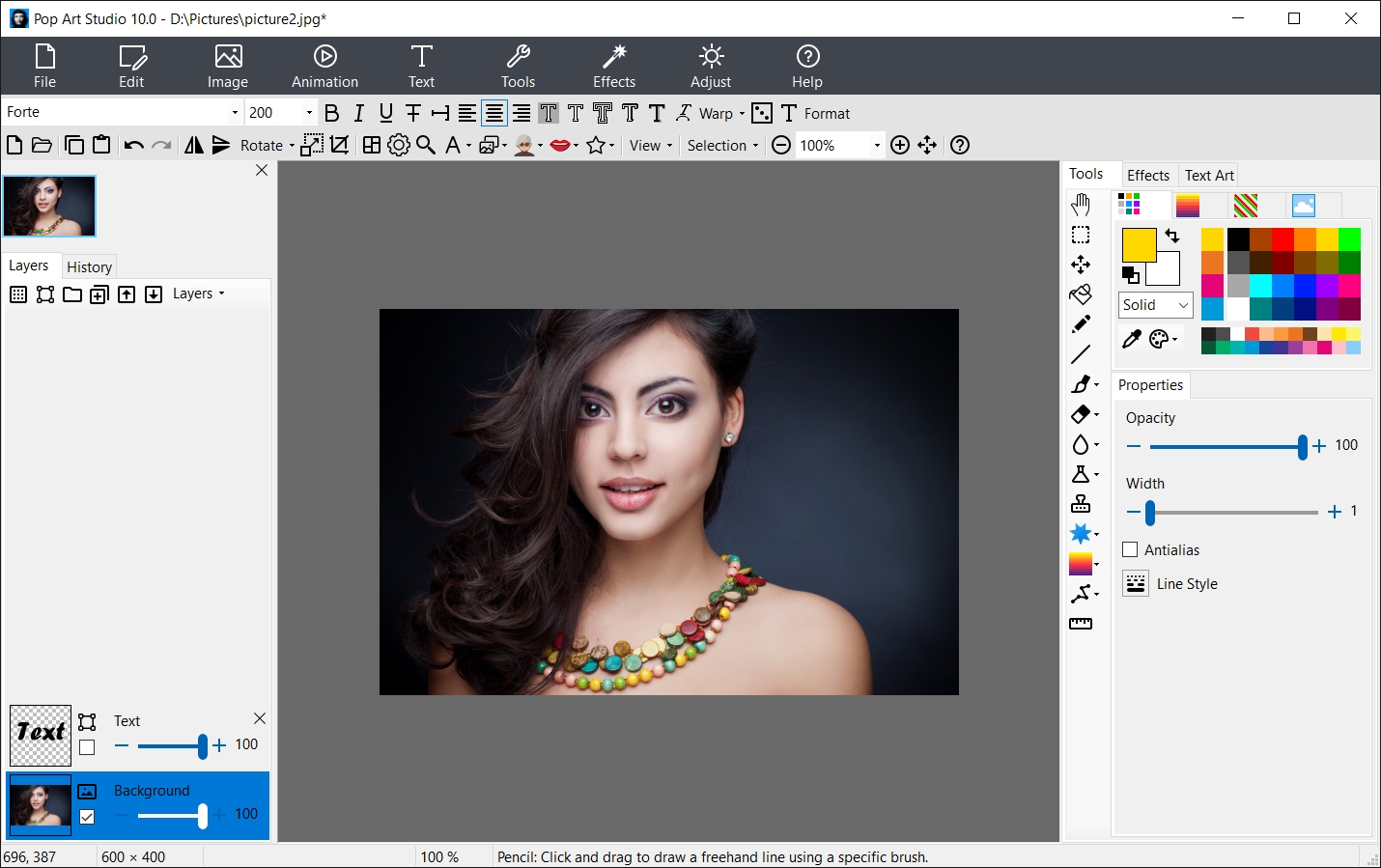
The trial is not a free watermark-free edition: Fotoview says activation with a purchased license key removes the watermark. It also states that version 10.2 is not a free upgrade for registered users. The screenshot is the publisher's interface example labeled Pop Art Studio 10.0, not a capture of a newly installed 10.2 copy.
What it offers
- Apply Andy Warhol-style effects and a Roy Lichtenstein effect to photographs.
- Build compositions with layers, drawing tools and editable text.
- Adjust colors and apply image filters.
- Work with supported formats including BMP, JPG, GIF, PNG, SVG and PSD.
- Version 10.2 adds random-settings output to a file and expanded tooltips, according to the publisher.
Good to know
- The trial adds a watermark; a purchased license key is required to remove it.
- Version 10.2 is a paid upgrade for existing registered users, not a free upgrade.
- The publisher lists Win64 and .NET Framework 4.5.2 or higher but does not identify supported Windows releases on the download catalog.
Product images
Sources
References used for this listing. Retrieval dates do not indicate hands-on testing.
- Fotoview — Pop Art Studio 10.2 product overview ↗Retrieved
- Fotoview Download Pop Art Studio - Word Artist - Text Pro ↗Retrieved
- Fotoview Pop Art Studio Examples ↗Retrieved
- Fotoview Order - Pop Art Studio - Word Artist - Text Pro ↗Retrieved
- Pop Art Studio - Download — historical 4.3 listing ↗Retrieved
More in multimedia & graphics
View category ↗
1by1 2.17
Play music directly from folders with 1by1, a free Windows audio player with resume, gapless playback and file tools. Formats beyond MP3 need additional decoders.
3DVista Virtual Tour Pro
Build interactive 360° virtual tours from panoramas, videos and 3D models with 3DVista Virtual Tour Pro for Windows. Commercial software with a 30-day trial.

4DDiG Video Repair
Repair corrupted or unplayable videos in batches with the Video Repair tool in 4DDiG File Repair for Windows. A free trial is available; advanced features require a paid license.