

Multimedia & graphics macOS
Prism Video Converter for macOS
Convert video files individually or in batches on Mac with Prism Video Converter. Adjust output settings and preview conversions; the free non-commercial edition has fewer encoding formats.
What is Prism Video Converter?
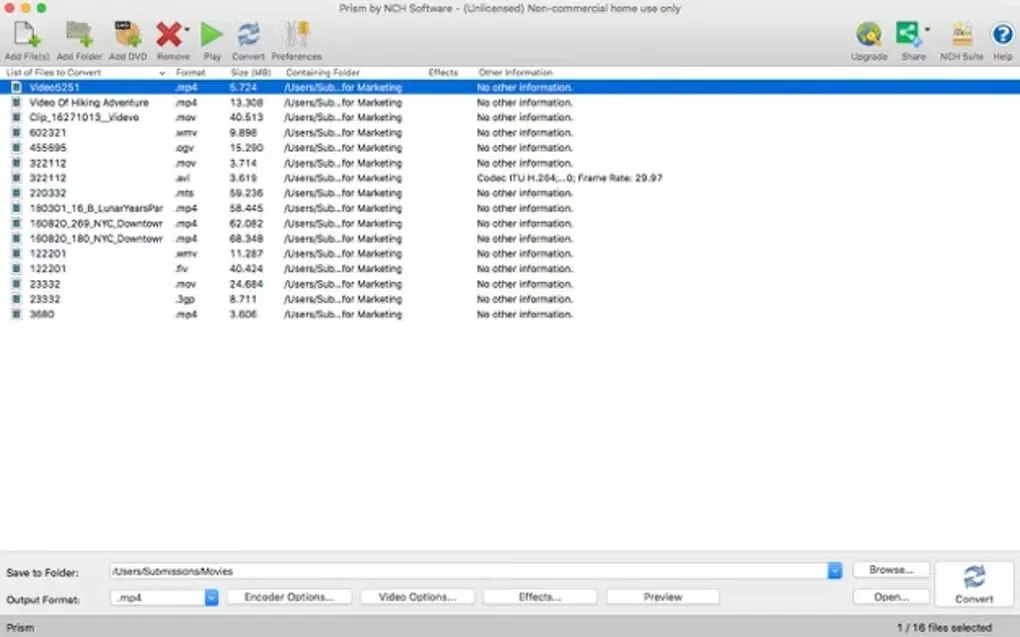
Prism Video Converter is NCH Software's video conversion application for Mac. Add files to its conversion list, choose an output format and destination, and convert a single clip or a batch. It suits preparing videos for another player or changing their resolution and compression settings. The publisher's Mac format table includes AVI, MOV, MP4 and WMV as both input and output formats.
Output controls include encoder settings, resolution and frame rate, with preview available before conversion. Format availability is not identical on Windows and Mac, so the Windows format list should not be treated as a Mac compatibility guarantee. The free edition is limited to non-commercial use and fewer encoding formats; commercial use requires a paid license. Prism cannot decode copy-protected video or encrypted DVDs.
The download linked here is the publisher's Mac ZIP package. NCH's version history lists 13.08 as a macOS release. The package was checked with a HEAD request only: it was not downloaded, installed or tested, and its CPU architecture was not independently confirmed. The screenshot shows the Mac conversion-list interface supplied on Softonic's Mac product page, not a new capture of the current release.
What it offers
- Convert one video or queue multiple files for batch conversion.
- Work with Mac-supported formats including AVI, MOV, MP4 and WMV; available encoders depend on the edition.
- Adjust compression, encoder settings, output resolution and frame rate.
- Preview video before converting it.
Good to know
- The free edition is for non-commercial use only and supports fewer encoding formats; commercial use requires a paid license.
- Copy-protected video files and encrypted DVDs cannot be decoded.
- Mac format support differs from Windows; check the publisher's platform-specific format table.
Product images
Sources
References used for this listing. Retrieval dates do not indicate hands-on testing.
More in multimedia & graphics
View category ↗
1by1 2.17
Play music directly from folders with 1by1, a free Windows audio player with resume, gapless playback and file tools. Formats beyond MP3 need additional decoders.
3DVista Virtual Tour Pro
Build interactive 360° virtual tours from panoramas, videos and 3D models with 3DVista Virtual Tour Pro for Windows. Commercial software with a 30-day trial.

4DDiG Video Repair
Repair corrupted or unplayable videos in batches with the Video Repair tool in 4DDiG File Repair for Windows. A free trial is available; advanced features require a paid license.