

Multimedia & graphics Windows
Prism Video Converter for Windows
Convert video files in batches, adjust output settings and trim clips with Prism for Windows. The free version is for non-commercial use and supports fewer encoding formats.
- Operating system
- Windows 7 through Windows 11
- Architecture
- Not specified on the cited publisher pages
- Download package
- EXE installer
Publisher-listed Windows support; application not installed or run. The linked package is the free version, not the separate Plus download.
Link checked · Download guidance
What is Prism Video Converter?
Prism Video Converter converts video files into other formats and can process several clips in one batch. It is useful when a video needs a different format for playback or a smaller output file for sharing. NCH Software lists formats including AVI, MP4, MOV and WMV, with controls for compression, resolution and frame rate. Output choices depend on the edition.
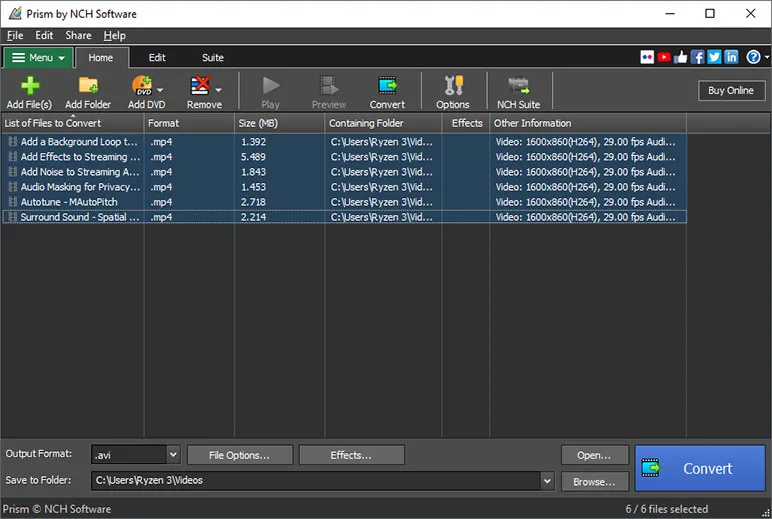
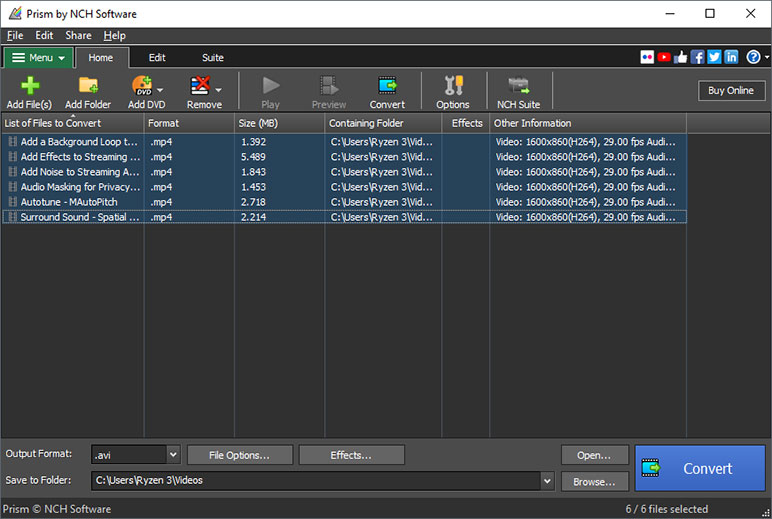
Before converting, you can preview the video, trim or split a clip, rotate the picture, and add text or a watermark. The workflow centers on a list of input files, a selected output format and a destination folder rather than a timeline-based editing project.
This entry links to the publisher’s free Windows installer. The free edition is limited to non-commercial use and fewer encoding formats; it is not an unrestricted substitute for the commercial edition. Prism also cannot open encrypted or rights-protected DVDs.
What it offers
- Convert individual video files or queue multiple files for batch conversion.
- Adjust compression, output resolution and frame rate.
- Preview videos and output settings before conversion.
- Trim, split, rotate or crop clips before converting.
- Add text overlays, watermarks and color adjustments.
Good to know
- The free version is for non-commercial use only and supports fewer encoding formats than the commercial offering.
- Encrypted or rights-protected DVDs cannot be opened.
Product images
Sources
References used for this listing. Retrieval dates do not indicate hands-on testing.
More in multimedia & graphics
View category ↗
1by1 2.17
Play music directly from folders with 1by1, a free Windows audio player with resume, gapless playback and file tools. Formats beyond MP3 need additional decoders.
3DVista Virtual Tour Pro
Build interactive 360° virtual tours from panoramas, videos and 3D models with 3DVista Virtual Tour Pro for Windows. Commercial software with a 30-day trial.

4DDiG Video Repair
Repair corrupted or unplayable videos in batches with the Video Repair tool in 4DDiG File Repair for Windows. A free trial is available; advanced features require a paid license.