

Multimedia & graphics Windows
QCAD for Windows
Draw 2D technical plans with layers, dimensions and reusable blocks in QCAD for Windows. The linked Professional trial runs for 15 minutes per session.
- Operating system
- Windows 10 and Windows 11
- Architecture
- Intel / AMD 64-bit (x64)
- Download package
- MSI installer (Qt 6)
Publisher lists this exact Professional trial installer for both Windows 10 and 11. Other architectures and QCAD/CAM use separate packages.
Link checked · Download guidance
What is QCAD?
QCAD is a 2D CAD application for technical drawings such as floor plans, mechanical layouts and schematics. Use lines, arcs, circles and polylines to build geometry, organize it with layers and blocks, and add dimensions before printing to scale or exporting a PDF. It is a drafting tool for measured drawings rather than a 3D modelling workflow.
The download here is the publisher's QCAD Professional 27.0.0 trial for 64-bit Intel or AMD Windows PCs, supplied as a Qt 6 MSI installer. The publisher says the trial runs for 15 minutes at a time and can be restarted. It is not the unrestricted paid Professional edition or a prebuilt Community Edition download.
Edition choice matters for file exchange. The publisher lists DWG read/write and a broader range of DXF versions for Professional, while Community Edition lists DXF R15 (2000). Professional also includes tools such as contour offsetting and multi-page printing. Check those edition differences before choosing QCAD for an existing drawing library.
What it offers
- Create 2D geometry with lines, arcs, circles and polylines, then add linear, angular, radius or diameter dimensions.
- Organize drawings with layers and reusable blocks.
- Read and write DWG and multiple DXF versions in the Professional edition.
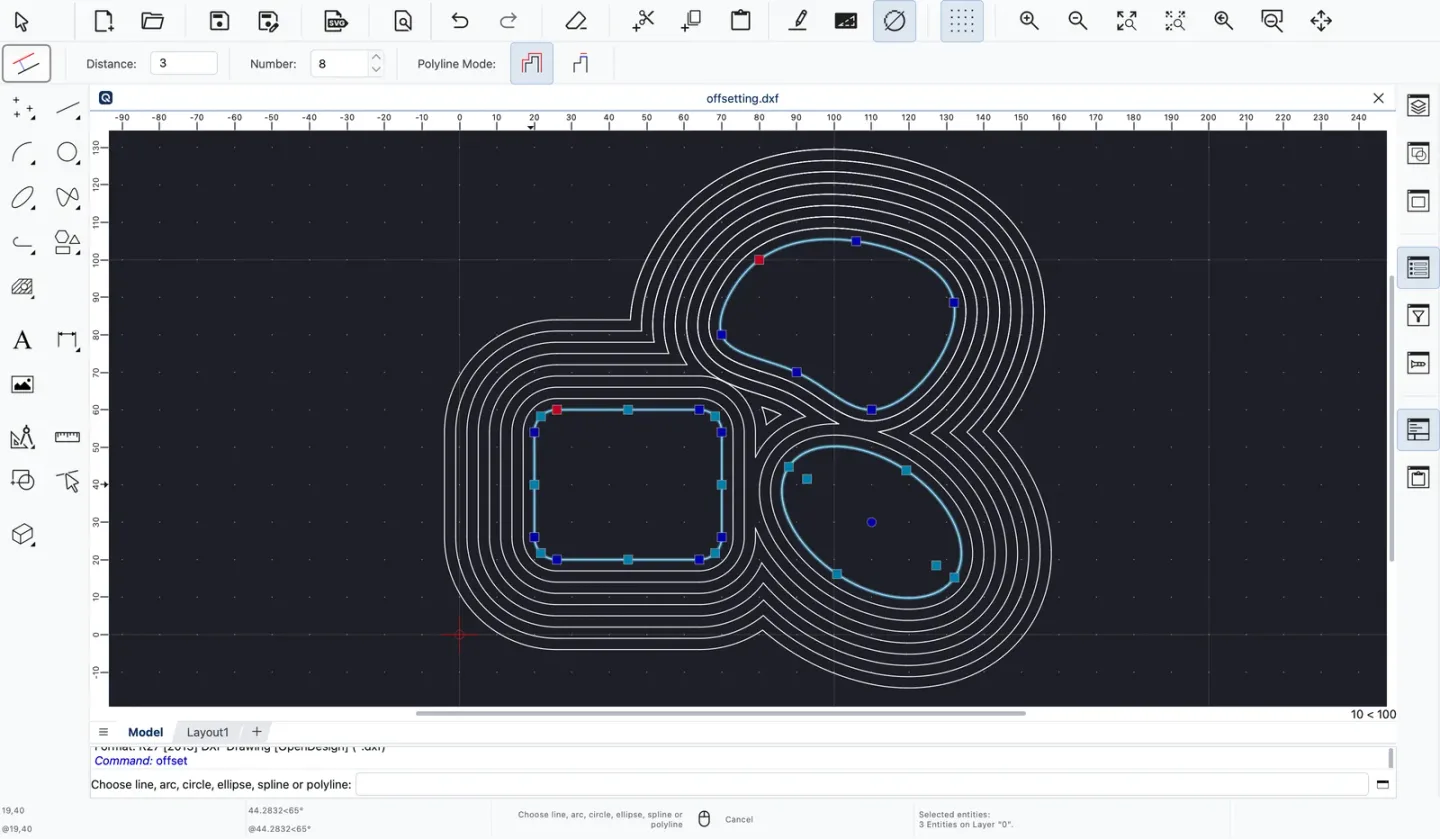
- Create parallel offsets of entities or complete contours with the Professional offset tools.
- Print drawings to scale, use multi-page printing in Professional, or export a PDF.
Good to know
- The linked Professional trial runs for 15 minutes at a time; the publisher says it can be restarted. A purchased full version is distributed through a separate customer download link.
- Community Edition does not include the Professional edition's DWG support or full DXF format range; the publisher lists DXF R15 (2000) for CE.
- QCAD is focused on 2D drafting, not 3D modelling.
Product images
Sources
References used for this listing. Retrieval dates do not indicate hands-on testing.
- QCAD - Download — Windows product page ↗Retrieved
- QCAD — Downloads — live Windows package selector ↗Retrieved
- QCAD — Features — edition comparison ↗Retrieved
- QCAD — Feature Spotlight ↗Retrieved
More in multimedia & graphics
View category ↗
1by1 2.17
Play music directly from folders with 1by1, a free Windows audio player with resume, gapless playback and file tools. Formats beyond MP3 need additional decoders.
3DVista Virtual Tour Pro
Build interactive 360° virtual tours from panoramas, videos and 3D models with 3DVista Virtual Tour Pro for Windows. Commercial software with a 30-day trial.

4DDiG Video Repair
Repair corrupted or unplayable videos in batches with the Video Repair tool in 4DDiG File Repair for Windows. A free trial is available; advanced features require a paid license.